Astroworld

Create Astral server facts
| Edition | Version | Minecraft | Loader | Mods | On the server | Server pack |
|---|---|---|---|---|---|---|
| Create: Astral | 2.1.5b | 1.18.2 | Fabric 0.18.4 | 197 | 186 | Yes |
Made by Laskyyy. Mods counted in the release files on 27 September 2026; mods that only run on a player's computer are not loaded by the server.
What is in the Create Astral modpack
Create: Astral is a Create pack by Laskyyy for Fabric. Early resources are scarce and many recipes go through Create machines, so the pack is harder than most.
- Create as the core, with Create Big Cannons
- Ad Astra and Astral Additions for rockets and planets
- Applied Energistics 2 for storage
- Hephaestus for Tinkers' Construct style tools on Fabric
- Immersive Aircraft for flying around the overworld
The pack still gets updates: 2.1.5b came out on 23 August 2026.
Create Astral server tips
- Every planet is its own dimension. Players on different planets each keep chunks loaded, so a spread out group needs more memory than one that travels together.
- Back up before the first rocket launch. A failed launch or lost rocket is easy to undo with a backup.
- Keep players on the exact same pack version as the server, or they get a mismatch error when joining.
See join a modded server for the player side.
How to install Create Astral on your server
- Order a Fabric server below. Any Minecraft version is fine; the installer sets 1.18.2.
- In the control panel, open the Mods tab and go to CurseForge and FTB packs.
- Search for Create Astral, pick the version and click Install this pack.
- Start the server in the Console tab. The first start of Create Astral takes a few minutes; wait for
Done. - Players install the same Create Astral version in their launcher and join with the server address.
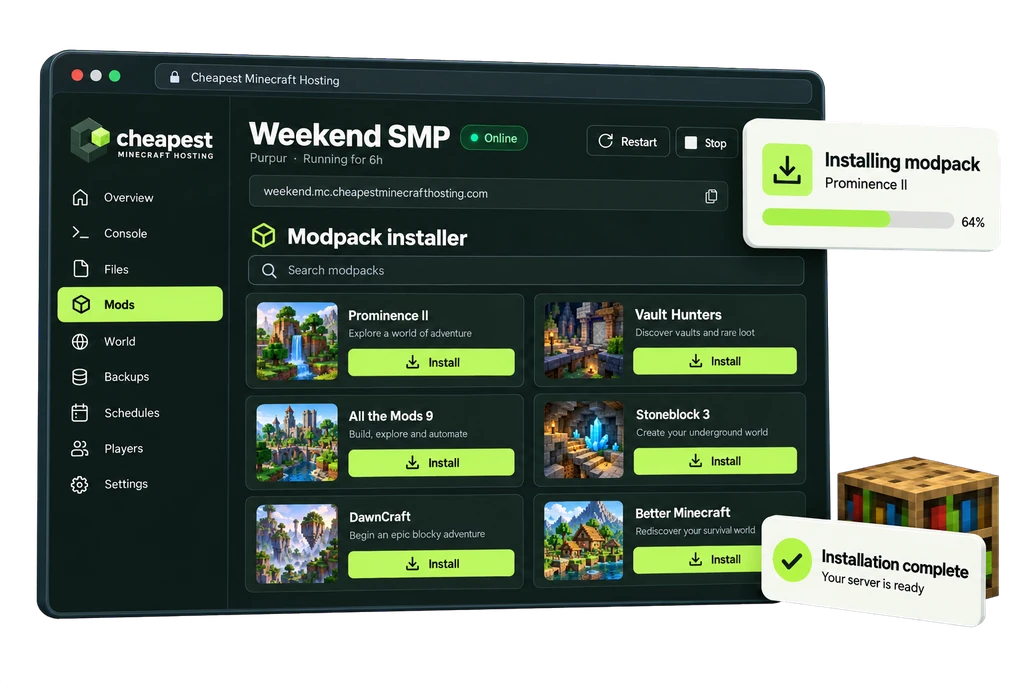
The full walkthrough with screenshots is in how to install a modpack.
Create Astral server RAM requirements
Create: Astral is a medium pack. Players on several planets at once and large contraptions are what push it to the next row.
| Players online | RAM | vCPU | NVMe storage | Price a month | Order |
|---|---|---|---|---|---|
| 1 to 3 players | 5 GB | 2 | 25 GB | €4.00 | 5 GB Create Astral server |
| 4 to 8 players | 6 GB | 2 | 30 GB | €4.80 | 6 GB Create Astral server |
| 9 to 16 players | 8 GB | 2 | 40 GB | €6.40 | 8 GB Create Astral server |
Every size costs €0.80 per GB of RAM a month. See how much RAM a Minecraft server needs for the rule behind these numbers.
Questions about Create Astral server hosting
Is Create Astral on Fabric or Forge?
Fabric, on Minecraft 1.18.2. The panel switches the server to Fabric when it installs the pack.
Is Create Astral still updated?
Yes. The newest release we counted, 2.1.5b, is from 23 August 2026.
Can I add more mods to Create Astral?
Yes, Fabric mods for 1.18.2. Add them in the Mods tab and give your players the same mods, or they cannot join.
Written by the Cheapest Minecraft Hosting team, first published , updated .