
 Astroworld
Minecraft server AI Copilot The AI assistant inside your Minecraft server panel.
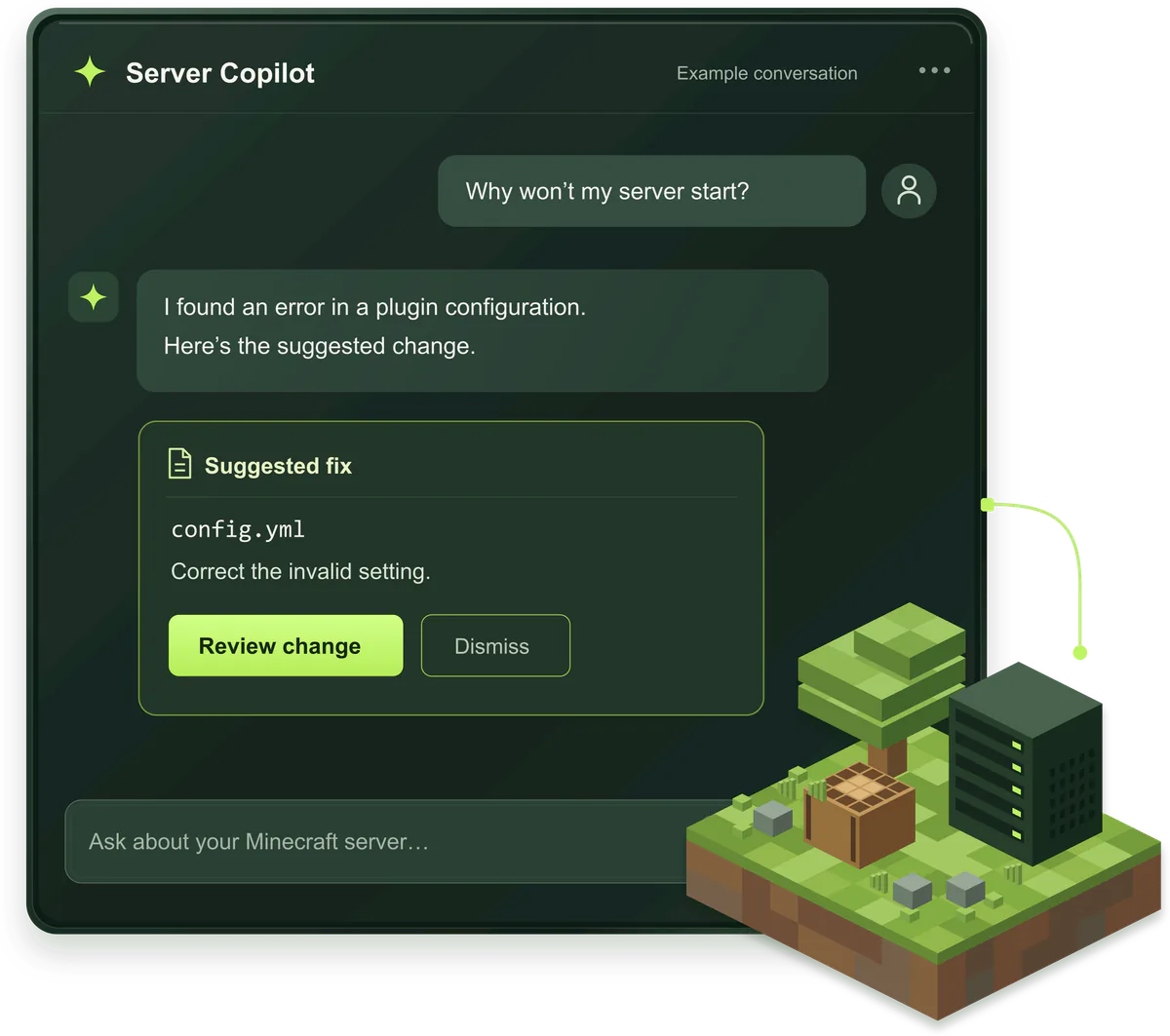
Tell it in your own words what is wrong. The AI Copilot opens the latest log, the plugin folder, the config files and the live tick times of your server, explains what it finds and puts the fix on a card you can apply or leave.
500+
Minecraft plugins in its checked catalog
Each build matched to your Minecraft version
215
server settings it knows by name
server.properties, Paper, Purpur, Spigot and Forge
31
checks in one security scan
From operators to open ports
What the Minecraft server AI Copilot does Crashes, plugins, settings and lag in one chat.
Each job starts from your own server: its log, its files and its live numbers. Where a fix is needed, it comes as a card that says what changes and why.
Find why a Minecraft server crashed
It reads the log from the last start, groups errors that repeat and follows each stack trace down to the last Caused by line, where the real cause usually sits. Out of memory, a frozen tick caught by the watchdog, a port that would not open and a saved crash report are called out first.
Minecraft server keeps crashingFix a Minecraft server that won't start
When the console never reaches Done, it checks the usual blockers: a plugin compiled for a newer Java, a plugin with no build for your Minecraft version, too little memory, or a port that was still taken.
Minecraft server won't startSpot Minecraft plugins that clash or fail to load
WorldEdit next to FastAsyncWorldEdit, the same plugin installed twice, a plugin that did not load at the last start: it names the jar and can switch it off by renaming it to .jar.disabled, so the files and settings of that plugin stay where they are.
How to install Minecraft pluginsInstall Minecraft plugins by describing them
Ask for land claims, an economy or a shop and it suggests plugins from a checked catalog of more than 500, picks the build that fits your Minecraft version on Paper or Purpur, and can put several on one card with a single restart at the end.
Paper, Purpur or Spigot for pluginsChange Minecraft server settings without editing files
It knows 63 server.properties settings by name, plus 152 in bukkit.yml, spigot.yml, the two config files of Paper, purpur.yml, pufferfish.yml and forge-server.toml. The card shows the old and the new value of every line before anything is written.
server.properties explainedFind what makes a Minecraft server lag
One measurement takes tick time and TPS, CPU, memory, loaded chunks and entities, garbage collection, plugins and players at once, together with what the log says about falling behind. You get the likely cause and the setting or plugin that would change it.
Reduce lag on a Minecraft serverRun a Minecraft server security check
31 checks in six groups: who may join and who is operator, open ports such as remote console and query, settings like command blocks and spawn protection, plugins that are behind or come from outside the catalog, rights and items handed out in the log, and staff access to your panel.
Stop griefing on a Minecraft serverRun Minecraft console commands with limits
It works from a list of 45 command words, from list, tps and version to gamerule, whitelist and luckperms. Stop, reload, execute, fill and ban-ip are not on it, and kick, ban and op only skip the Apply button in Auto.
Minecraft server commands for adminsFix Bedrock players who can't join a crossplay server
On a crossplay server it compares the port Geyser listens on with the port your Bedrock address leads to. When the two differ, it prepares the corrected Geyser config and the restart it needs.
Java and Bedrock crossplayBack up and restore a Minecraft server from the chat
Ask for a backup before a big change, or for an earlier backup to be put back. Before any restore it backs up the server as it is now, so you can always go back, and a restore only starts when you click Restore.
Back up and restore a Minecraft server
Minecraft server AI Copilot demo Three jobs, from your message to the result.
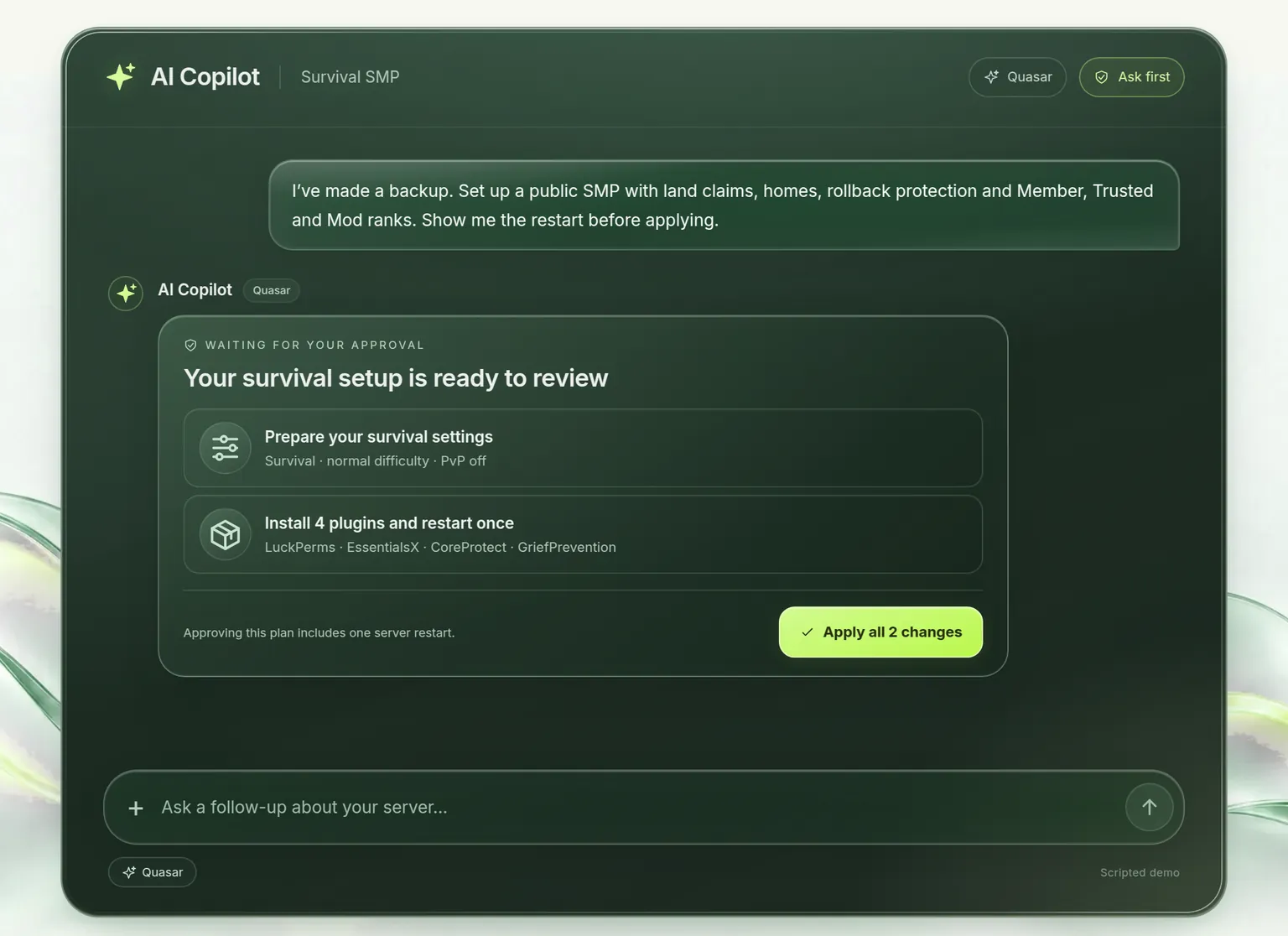
Three scripted runs, played in your browser and not on a real server: Quasar sets up a survival server with four plugins, Pulsar installs EssentialsX with its restart, and Quasar looks into lag and suggests one setting to test. Every change waits on a card until you press Apply, as it does in Ask first.
How the AI Copilot changes your Minecraft server You decide what it may do without asking.
Every change arrives as a card that says what it will do and why. The mode decides which cards go through without a click. Reading the log, your files and your settings never needs one.
Ask first
The standard mode.
- Goes through on its own
- Nothing. You read each card and click Apply, or leave it.
- Waits for your click
- Every change, from one setting to a restart.
Accept edits
For the routine work.
- Goes through on its own
- Settings, config files, plugins, backups and console commands that change something.
- Waits for your click
- Restarts, and commands that touch a player such as kick, ban or op.
Auto
For a job you want done in one go.
- Goes through on its own
- Everything it is allowed to do, restarts included. One click undoes the lot.
- Waits for your click
- Restoring a backup, in this mode too.
Undo, change by change. Every change is stored together with what was there before, and Undo puts exactly that back. When one message made several changes, one click undoes them all, the last change first.
AI engines for Minecraft server admin Pulsar for quick answers, Quasar for the long jobs.
Pulsar
Fast, for a question, one setting, one plugin or a crash that needs explaining.
Quasar
Keeps working on its own until the job is done: a full server setup, a deep search through logs and configs, changes across many files.
Auto
Picks Pulsar or Quasar for every message, so you can simply ask and leave the choice to the panel.
What the Minecraft server AI never touches Some doors stay locked in every mode.
Passwords and keys. Files that hold credentials are never read or written, wherever they sit on the server.
Operator and ban files. ops.json, whitelist.json and the ban lists are never edited as files. Operators and bans only change through a console command, and those only skip the Apply button in Auto.
Worlds and jars. World folders, mods, libraries and datapacks are closed for editing. The latest log is read, never written.
Stop and reload. stop, restart and reload are not console commands it can send. A restart is a card of its own.
Deleting backups. It can make a backup and put one back, but it has no way to delete a backup for good.
Looser house rules. A house rule can make it more careful, never less. The limits live in the code of the panel, not in the instructions.
Minecraft server house rules for the AI It remembers your server, and your rules.
Minecraft server facts it measures itself
Your server type and Minecraft version, the plugins in the folder, what your plan includes and your main settings. Nobody types these: they are measured again as soon as they are a day old, so the Copilot never works from an old plugin count.
House rules you write for the AI
Up to 2,000 characters of house rules, one per line, which it reads before every message. For example:
- Never remove the economy plugin.
- Make a backup before you install anything.
- Keep the view distance at 8.
Minecraft server AI Copilot questions Before you let an AI near your server.
What is the AI Copilot in a Minecraft server panel?
A chat inside the control panel of your Minecraft server that can look at that server for you. It reads the console and the latest log, opens config files, lists your plugins, measures performance and runs checks, and it can prepare changes such as a new setting, a plugin or a restart. It only ever sees the one server whose panel you opened.
Can an AI fix a Minecraft server that keeps crashing?
Often, because a crash nearly always leaves a trail in the log: an OutOfMemoryError, a watchdog report or a stack trace that names a plugin or mod. The Copilot finds that line, explains it and offers the fix, such as switching a plugin off or changing a setting. When the fault sits inside the code of a mod, it points you to the mod named in the log, so you can update or remove it. The guide my Minecraft server keeps crashing walks through the same steps by hand.
Does the AI Copilot change my Minecraft server without asking?
Not in Ask first, the standard mode: nothing changes until you click Apply on a card. In Accept edits, settings, config files, plugins and backups go through on their own, and in Auto everything it is allowed to do. Restoring a backup waits for your click in every mode.
Which Minecraft plugins can the AI Copilot install?
Plugins for Paper and Purpur servers from its checked catalog of more than 500, with the build matched to your Minecraft version. It never downloads a jar from anywhere else. You can still upload a plugin of your own in the Files tab, and the security check will list it as installed from outside the catalog.
Does the AI Copilot work on Fabric, Forge and NeoForge servers?
Yes. It reads their logs the same way, finds the error behind a crash and can change mod config files in the config, defaultconfigs and serverconfig folders, forge-server.toml included. Installing from its catalog is for Paper and Purpur plugins; mods go in through the panel itself, see install mods on a Minecraft server.
Can the AI Copilot set up a Minecraft server for me?
Yes. Describe the server you want, for example survival with land claims, an economy and a shop, and it puts together the plugins and settings for it. Quasar keeps going until every part is in place, and the mode you picked decides whether you approve each step.
Can I undo what the AI Copilot changed on my server?
Yes. Each change is stored with what was there before, and Undo puts that back exactly, one change at a time or everything from one message at once. A restart is the one thing that cannot be taken back, which is why it waits for your click unless you chose Auto.
Can my staff use the AI Copilot on my Minecraft server?
Only when you give them the Copilot permission as a user of your server. Without it the Copilot stays closed to them. Give someone access to your Minecraft server panel shows where to set it.
Is it safe to let an AI manage a Minecraft server?
Its limits are not up to the AI. It works through a fixed set of tools and a fixed list of console commands, never a command line of its own. Files with passwords or keys, the operator and ban files and your world folders stay closed, and every change it makes sits on a card you can read and undo.
More Minecraft server guides Rather do it by hand? Start here.
Get a Minecraft server with the AI Copilot in its panel.
Pick a plan and the Copilot is in the control panel of your server from the first start. Questions first? The help centre and Minecraft server support answer 24/7, every day of the week. Billing and refunds are handled every day from 07:00 to 23:00 Central European Time.