Astroworld
Direwolf20 server facts
| Edition | Version | Minecraft | Loader | Mods | On the server | Server pack |
|---|---|---|---|---|---|---|
| FTB Presents Direwolf20 1.21 | 1.4.1 | 1.21.1 | NeoForge 21.1.74 | 268 | 254 | Yes |
| FTB Presents Direwolf20 1.12 | 2.9.1 | 1.12.2 | Forge 14.23.5.2860 | 154 | 151 | Yes |
Made by Feed The Beast and Direwolf20. Mods counted in the release files on 27 September 2026; mods that only run on a player's computer are not loaded by the server.
What is in the Direwolf20 modpack
Feed The Beast makes this pack with Direwolf20. It is a tech pack without a fixed route, with his own mods in it.
| Edition | Minecraft | Mods | Main mods |
|---|---|---|---|
| Direwolf20 1.21 | 1.21.1, NeoForge | 268 | Just Dire Things, LaserIO, the Gadgets, Mekanism, Applied Energistics 2, Ender IO, Powah, PneumaticCraft, Super Factory Manager |
| Direwolf20 1.12 | 1.12.2, Forge | 154 | Thermal, Ender IO, Applied Energistics 2, Refined Storage, Botania, Draconic Evolution, Extra Utilities 2, XNet |
Direwolf20 server tips
- The 1.21 edition installs from the FTB catalog with all files. The 1.12 edition installs from CurseForge with its server pack.
- The 1.12 edition runs on Java 8, the 1.21 edition on Java 21. The panel sets it.
- LaserIO and Super Factory Manager move items fast. Check very large networks with
/spark profilerwhen TPS drops.
How to install Direwolf20 on your server
- Order a NeoForge server below. Any Minecraft version is fine; the installer sets 1.21.1.
- In the control panel, open the Mods tab and go to CurseForge and FTB packs.
- Search for Direwolf20, pick the version and click Install this pack.
- Start the server in the Console tab. The first start of Direwolf20 takes a few minutes; wait for
Done. - Players install the same Direwolf20 version in their launcher and join with the server address.
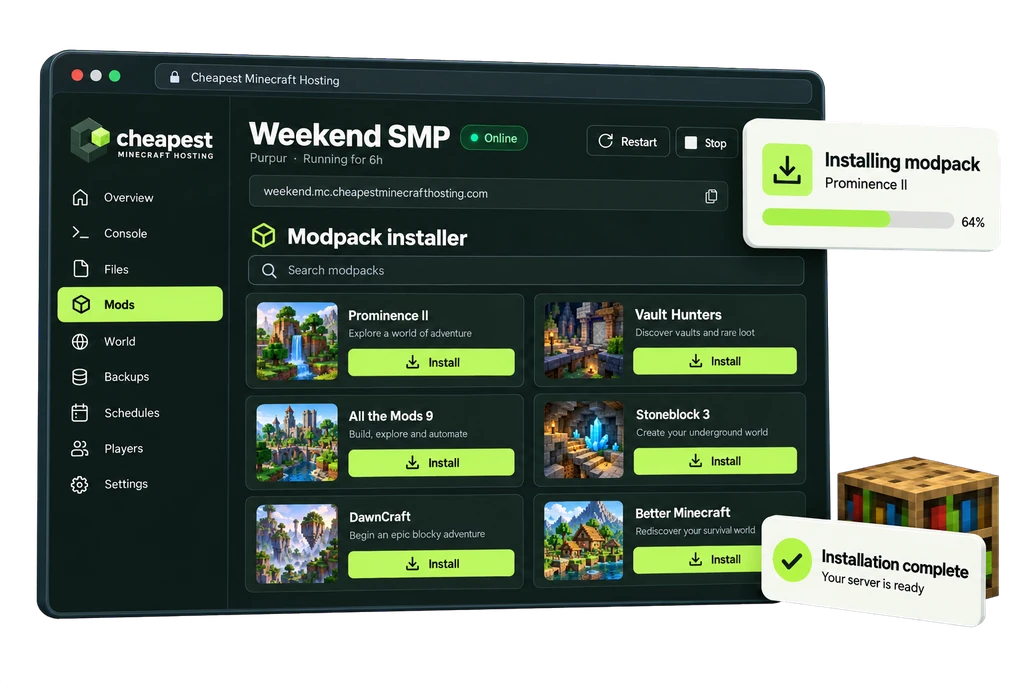
The full walkthrough with screenshots is in how to install a modpack.
Direwolf20 server RAM requirements
Direwolf20 is a medium pack. Big automated bases decide where a group ends up in the table.
| Players online | RAM | vCPU | NVMe storage | Price a month | Order |
|---|---|---|---|---|---|
| 1 to 3 players | 6 GB | 2 | 30 GB | €4.80 | 6 GB Direwolf20 server |
| 4 to 8 players | 8 GB | 2 | 40 GB | €6.40 | 8 GB Direwolf20 server |
| 9 to 16 players | 11 GB | 2 | 55 GB | €8.80 | 11 GB Direwolf20 server |
Every size costs €0.80 per GB of RAM a month. See how much RAM a Minecraft server needs for the rule behind these numbers.
Questions about Direwolf20 server hosting
Which Direwolf20 edition should we play?
The 1.21 edition is current and updated. The 1.12 edition is the classic with older mods. A server runs one edition at a time.
Is Direwolf20 good for learning tech mods?
Yes. It has no forced progression, and many players follow the Direwolf20 videos with the same pack.
How much RAM for Direwolf20 1.21?
6 GB for up to three players, 8 GB up to eight and 11 GB up to sixteen.
Written by the Cheapest Minecraft Hosting team, first published , updated .