Astroworld
FTB Skies server facts
| Edition | Version | Minecraft | Loader | Mods | On the server | Server pack |
|---|---|---|---|---|---|---|
| FTB Skies 2 | 1.23.0 | 1.21.1 | NeoForge 21.1.250 | 433 | 403 | Yes |
| FTB Skies | 1.9.1 | 1.19.2 | Forge 43.4.5 | 325 | 313 | Yes |
Made by Feed The Beast. Mods counted in the release files on 27 September 2026; mods that only run on a player's computer are not loaded by the server.
What is in the FTB Skies modpack
FTB Skies is a skyblock pack from Feed The Beast. You start on a small island and get every resource through skyblock recipes.
- Wood from Bonsai Trees
- Ores from Create Sifter
- Many other resources from Productive Bees
- Tech and magic from Mekanism, Create, Applied Energistics 2, Ender IO, Modern Industrialization and Ars Nouveau
- Team bases through FTB Team Bases, one island per team
The first FTB Skies, on Forge 1.19.2, has 325 mods with a different mix that includes Botania, Hex Casting and Ad Astra.
FTB Skies server tips
- Create a team in game for every group of players. FTB Team Bases then gives each team its own island.
- A skyblock world has almost nothing to generate, so the memory goes to farms and machines.
- Productive Bees hives with many bees add up. Keep bee farms to the size the team needs.
How to install FTB Skies on your server
- Order a NeoForge server below. Any Minecraft version is fine; the installer sets 1.21.1.
- In the control panel, open the Mods tab and go to CurseForge and FTB packs.
- Search for FTB Skies, pick the version and click Install this pack.
- Start the server in the Console tab. The first start of FTB Skies takes a few minutes; wait for
Done. - Players install the same FTB Skies version in their launcher and join with the server address.
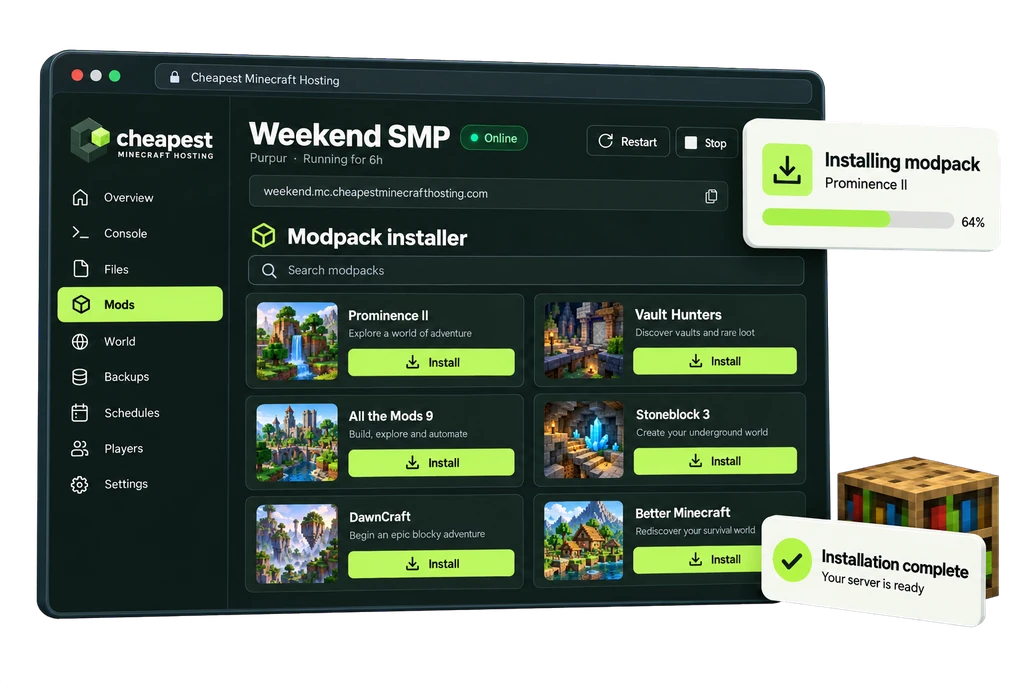
The full walkthrough with screenshots is in how to install a modpack.
FTB Skies server RAM requirements
Bee farms and automated islands are what grow an FTB Skies server. The void world itself costs little.
| Players online | RAM | vCPU | NVMe storage | Price a month | Order |
|---|---|---|---|---|---|
| 1 to 3 players | 6 GB | 2 | 30 GB | €4.80 | 6 GB FTB Skies server |
| 4 to 8 players | 8 GB | 2 | 40 GB | €6.40 | 8 GB FTB Skies server |
| 9 to 16 players | 11 GB | 2 | 55 GB | €8.80 | 11 GB FTB Skies server |
Every size costs €0.80 per GB of RAM a month. See how much RAM a Minecraft server needs for the rule behind these numbers.
Questions about FTB Skies server hosting
FTB Skies or FTB Skies 2?
FTB Skies 2 is the current pack on NeoForge 1.21.1 with 433 mods. FTB Skies stays on Forge 1.19.2 with 325. They are separate packs with separate worlds.
Can several teams play on one FTB Skies server?
Yes. FTB Team Bases gives every team its own island in the same world.
How much RAM for FTB Skies 2 with 5 players?
8 GB, our advice for 4 to 8 players. Take 11 GB if the teams build large bee and machine farms.
Written by the Cheapest Minecraft Hosting team, first published , updated .