Astroworld
Cobblemon server facts
| Edition | Version | Minecraft | Loader | Mods | On the server | Server pack |
|---|---|---|---|---|---|---|
| Cobblemon Official Modpack | 1.8.1 | 1.21.1 | Fabric 0.19.5 | 73 | 43 | Yes |
Made by Cobbled Studios. Mods counted in the release files on 27 September 2026; mods that only run on a player's computer are not loaded by the server.
What is in the Cobblemon modpack
The Cobblemon Official Modpack is the Cobblemon mod with a small set of extra mods around it. Cobbled Studios, the makers of the mod, publish it for Fabric on Minecraft 1.21.1.
| Part | Mods |
|---|---|
| Creatures, battles, party and PC storage | Cobblemon |
| Server performance | Lithium, Krypton and FerriteCore |
| Only on the player's computer | 30 graphics and menu mods |
Cobblemon creatures spawn around each player, so the load grows with the number of players who are out exploring at the same time.
Cobblemon server tips
- Players need the same pack version as the server. Share the version number from the Mods tab with your group.
- Back up before an update. Cobblemon stores party and PC data per player, and a backup brings all of it back.
- Lower the view distance to 8 when many players spread out. Fewer loaded chunks means fewer creatures to update.
Want to add your own Fabric mods to the pack? See install mods on a Minecraft server.
How to install Cobblemon on your server
- Order a Fabric server below. Any Minecraft version is fine; the installer sets 1.21.1.
- In the control panel, open the Mods tab and go to CurseForge and FTB packs.
- Search for Cobblemon, pick the version and click Install this pack.
- Start the server in the Console tab. The first start of Cobblemon takes a few minutes; wait for
Done. - Players install the same Cobblemon version in their launcher and join with the server address.
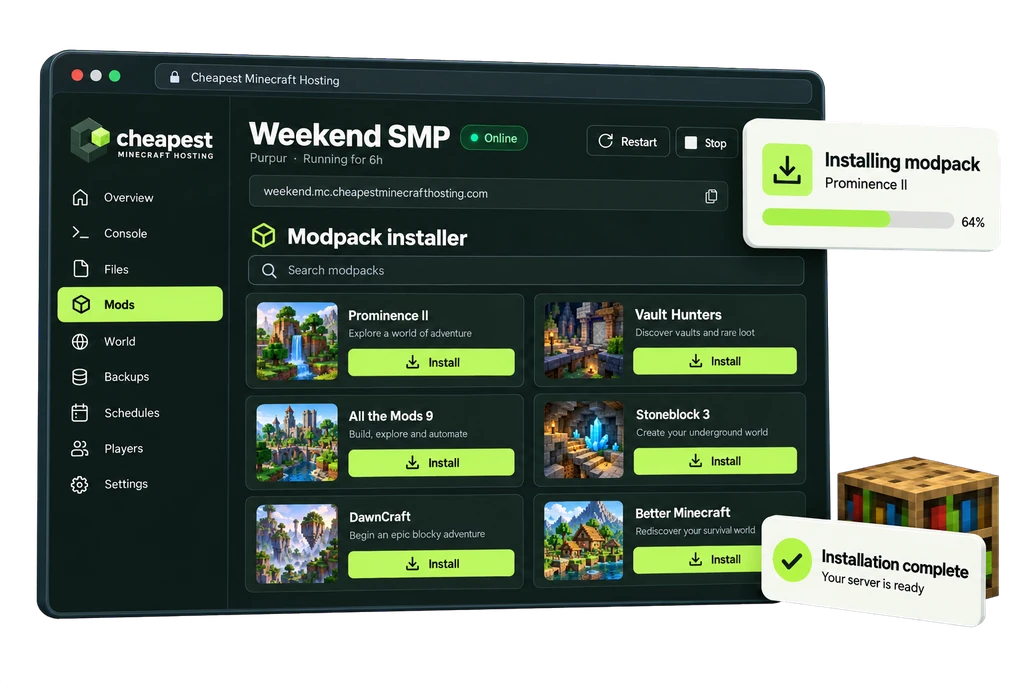
The full walkthrough with screenshots is in how to install a modpack.
Cobblemon server RAM requirements
Most of the work on a Cobblemon server comes from creatures in loaded chunks, so more players spread over the map count more than the mod list.
| Players online | RAM | vCPU | NVMe storage | Price a month | Order |
|---|---|---|---|---|---|
| 1 to 3 players | 3 GB | 1 | 15 GB | €2.40 | 3 GB Cobblemon server |
| 4 to 8 players | 4 GB | 1 | 20 GB | €3.20 | 4 GB Cobblemon server |
| 9 to 16 players | 6 GB | 2 | 30 GB | €4.80 | 6 GB Cobblemon server |
Every size costs €0.80 per GB of RAM a month. See how much RAM a Minecraft server needs for the rule behind these numbers.
Questions about Cobblemon server hosting
Is Cobblemon the same as Pixelmon?
No. Both add Pokémon style creatures, but Cobblemon is a separate mod with its own models, runs on Fabric and NeoForge and is made by Cobbled Studios. This page covers the official Cobblemon pack on Fabric.
Can Bedrock players join a Cobblemon server?
No. Cobblemon is a Java mod, and every player needs the pack installed in a Java launcher such as CurseForge or Modrinth.
Is 3 GB enough for Cobblemon?
For two or three players, yes. The pack is light. Move to 4 GB when more friends join, or when the server runs extra mods next to the pack.
Written by the Cheapest Minecraft Hosting team, first published , updated .