
 Astroworld
When to choose a Fabric server
Choose Fabric when the mods you want are made for Fabric. A mod only runs on the loader it was made for, so the mod list decides the loader.
- New Minecraft versions: Fabric usually supports a new release within days
- Performance mods: Lithium and FerriteCore lower tick time and memory use on the server
- Light modpacks: Fabric packs of 50 to 150 mods start fast and use less RAM than Forge packs of the same size
- Vanilla feel: many Fabric mods change one thing and leave the rest of the game alone
For the differences with Forge and NeoForge, read Fabric, Forge or NeoForge.
Add mods to a Fabric server
- Order the server with Fabric as the software and the Minecraft version your mods need.
- Start it once, so the
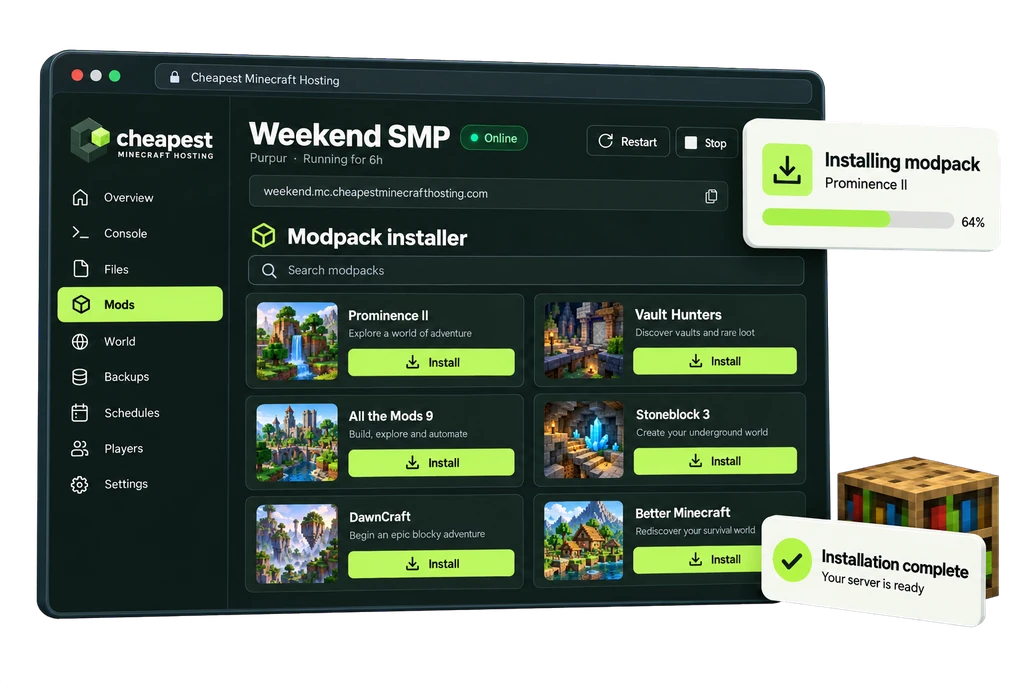
modsfolder and the config files are created. - Open the Mods tab, search a mod and click Install. Install Fabric API first; most Fabric mods depend on it.
- Restart the server and check the console for missing dependencies.
- Give your players the same content mods in the same versions in their launcher.
Server side mods such as Lithium or a backup mod only go on the server. Players do not need them to join.
All steps with the files are in install mods on a Minecraft server.
Fabric modpacks
Open the Mods tab and go to CurseForge and FTB packs. Search the pack, pick the version and click Install this pack. The panel sets Fabric and the right Minecraft version for you and puts the server files in place.
Players install the same pack version in the CurseForge app or another launcher. Join a modded server shows how.
RAM for a Fabric server
A light Fabric modpack needs about 4 GB for the server, then 1 GB for every 2 players. A few performance mods on top of the normal game need no more than Vanilla.
| Fabric server | Players online | RAM | Price a month |
|---|---|---|---|
| Vanilla with performance mods | Up to 8 | 4 GB | €3.20 |
| Light modpack, about 50 mods | Up to 4 | 6 GB | €4.80 |
| Light modpack, about 50 mods | Up to 8 | 8 GB | €6.40 |
| Fabric pack of 150 mods or more | Up to 8 | 12 GB | €9.60 |
Fabric server hosting prices per GB of RAM
Every plan costs €0.80 per GB of RAM a month, with 10 to 20% off on a longer term. The vCPU and the NVMe storage grow with the memory.
| RAM | vCPU | NVMe storage | Price a month | Order |
|---|---|---|---|---|
| 4 GB | 1 | 20 GB | €3.20 | 4 GB Fabric server |
| 8 GB | 2 | 40 GB | €6.40 | 8 GB Fabric server |
| 12 GB | 2 | 60 GB | €9.60 | 12 GB Fabric server |
| 16 GB | 3 | 80 GB | €12.80 | 16 GB Fabric server |
| 24 GB | 3 | 120 GB | €19.20 | 24 GB Fabric server |
| 32 GB | 4 | 160 GB | €25.60 | 32 GB Fabric server |
Questions about Fabric server hosting
Do players need Fabric to join a Fabric server?
Only when the server has content mods: new blocks, items or mobs. Then every player needs Fabric and the same mods. With only server side mods, players join with the normal game.
Can a Fabric server run plugins?
No. Plugins are for Paper, Purpur and Spigot. Fabric has its own mods for permissions, claims and economy.
Can I change a Fabric server to Forge or NeoForge?
Yes, under Settings, but Fabric mods do not run on Forge or NeoForge. Make a backup and replace the mods with versions for the new loader.
Which Java version does a Fabric server use?
The panel picks the Java version that matches your Minecraft version. You can change it yourself; see Java version for Minecraft.
Written by the Cheapest Minecraft Hosting team, first published , updated .