Astroworld
Life in the Village 3 server facts
| Edition | Version | Minecraft | Loader | Mods | On the server | Server pack |
|---|---|---|---|---|---|---|
| Life in the Village 3 | 2.10 | 1.19.2 | Forge 43.3.2 | 282 | 268 | Yes |
| Life in the Village 4 | 0.6 | 1.20.1 | Forge 47.4.0 | 320 | 289 | No |
Made by dreams01. Mods counted in the release files on 27 September 2026; mods that only run on a player's computer are not loaded by the server.
What is in the Life in the Village modpack
Life in the Village by dreams01 is built around MineColonies, with Structurize and Domum Ornamentum for the buildings.
- Machines: Create with Central Kitchen and Enchantment Industry
- Daily life: Farmer's Delight, Aquaculture, Handcrafted and Macaw's
- Safety: Guard Villagers
- World: Tectonic, Towns and Towers, the YUNG's series and Alex's Mobs
- Travel: Immersive Aircraft
Life in the Village server tips
- One shared colony is lighter than a colony per player. Every colony keeps its citizens running.
- LITV4 has no server pack. Upload the
configfolder from your own install in the Files tab before the first start. - Minecraft 1.19.2 is not in the order form's version list. Order a Forge server and install the pack in the Mods tab; it sets 1.19.2.
How to install Life in the Village 3 on your server
- Order a Forge server below. Any Minecraft version is fine; the installer sets 1.19.2.
- In the control panel, open the Mods tab and go to CurseForge and FTB packs.
- Search for Life in the Village 3, pick the version and click Install this pack.
- Start the server in the Console tab. The first start of Life in the Village 3 takes a few minutes; wait for
Done. - Players install the same Life in the Village 3 version in their launcher and join with the server address.
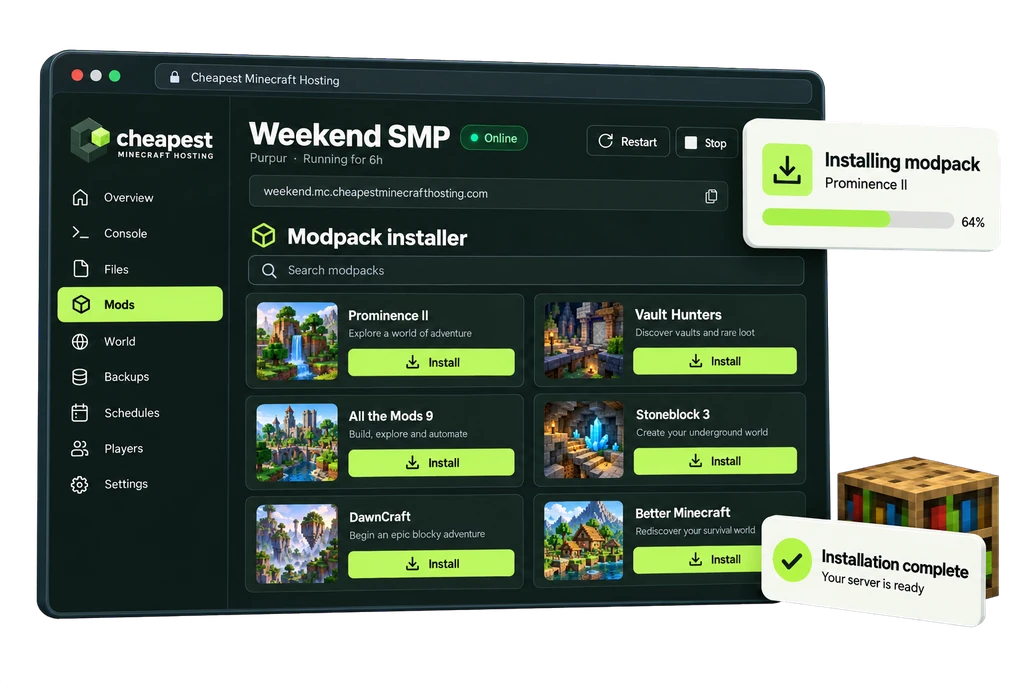
Life in the Village 4 has no server pack. The installer places the server mods; upload the config folder from your own install in the Files tab before the first start.
The full walkthrough with screenshots is in how to install a modpack.
Life in the Village 3 server RAM requirements
Colonies decide the load. Large towns, or many towns side by side, move a Life in the Village server to the next row.
| Players online | RAM | vCPU | NVMe storage | Price a month | Order |
|---|---|---|---|---|---|
| 1 to 3 players | 6 GB | 2 | 30 GB | €4.80 | 6 GB Life in the Village 3 server |
| 4 to 8 players | 8 GB | 2 | 40 GB | €6.40 | 8 GB Life in the Village 3 server |
| 9 to 16 players | 10 GB | 2 | 50 GB | €8.00 | 10 GB Life in the Village 3 server |
Every size costs €0.80 per GB of RAM a month. See how much RAM a Minecraft server needs for the rule behind these numbers.
Questions about Life in the Village 3 server hosting
LITV3 or LITV4?
LITV3 on 1.19.2 is complete and has a server pack. LITV4 on 1.20.1 is in early releases. Pick LITV3 for a stable server.
How many colonies fit on one server?
As many as the memory allows. Watch the server's use as towns grow and move up a row when it gets tight.
Is Life in the Village good for new players?
Yes. It stays close to vanilla and MineColonies explains each building as you place it.
Written by the Cheapest Minecraft Hosting team, first published , updated .