
 Astroworld
Plugins and mods
Make a Skyblock or OneBlock Minecraft server with BentoBox
Skyblock starts every player or team on a small island in the void with a tree and a chest. OneBlock starts them on a single block that turns into a new block every time it is broken, moving through phases from grass to the End.
On Paper, BentoBox runs both game modes and several others from one plugin. This guide covers the install, the settings that matter, the commands for players and the memory a server needs.
In short
To make a Skyblock or OneBlock server, run Paper, install BentoBox from the Plugins tab, then upload the game mode add-on, BSkyBlock for Skyblock or AOneBlock for OneBlock, to plugins/BentoBox/addons and restart. BentoBox creates the island worlds itself, and players start with /island or /ob. Island size and spacing are set in the add-on's config.yml. A modded alternative is the Better OneBlock modpack on Fabric.
BentoBox and its game modes
BentoBox is the core plugin. Each game mode is an add-on, a separate jar that BentoBox loads from its own folder.
| Add-on | Game mode |
|---|---|
| BSkyBlock | Classic Skyblock: an island in the void, started with /island |
| AOneBlock | OneBlock: one magic block with phases, started with /ob |
| AcidIsland | Islands in a sea of acid water |
| CaveBlock | A world of solid stone to dig out |
You can run several game modes at once; each gets its own worlds. Most servers start with one.
How to install BentoBox with BSkyBlock or AOneBlock
- Make sure the server runs Paper or Purpur in Settings.
- Open the Plugins tab, search the Plugin catalog for
BentoBoxand install it. - Restart the server once. BentoBox creates
plugins/BentoBox/addons. - Download the BSkyBlock or AOneBlock add-on jar that matches your BentoBox version.
- Upload the jar to
plugins/BentoBox/addonsin the Files tab. - Restart the server. The console shows the add-on loading and the new worlds being created.
- Join and type
/islandfor Skyblock or/obfor OneBlock.
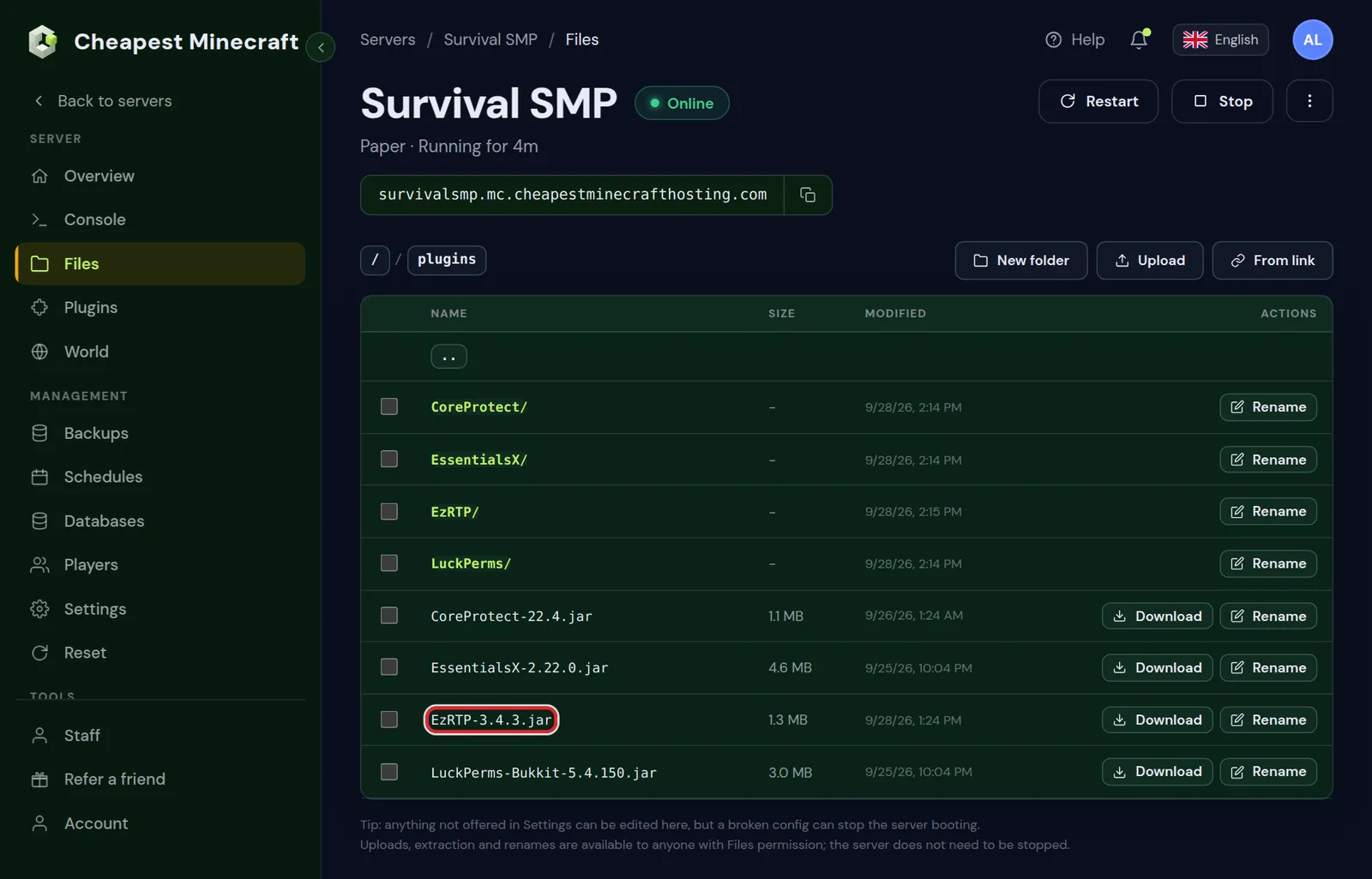
Add-ons are not plugins: a BentoBox add-on in the plugins folder does not load. Install plugins covers uploading files.
Island size and distance between islands
Each add-on has its own config.yml in plugins/BentoBox/addons/BSkyBlock or plugins/BentoBox/addons/AOneBlock. Two settings decide the layout of the world:
| Setting | What it does |
|---|---|
distance-between-islands | Half the distance between the centres of two islands; the room each island has |
protection-range | How far from the centre the island is protected; it grows when players unlock more |
Set these before the first island is made. Changing the distance later leaves old islands where they are and can make new ones overlap. Restart the server after editing.
Make a backup in the Backups tab before changing BentoBox settings on a server where players already have islands.
Player commands for Skyblock and OneBlock
| Command | What it does |
|---|---|
/island create | Makes a new island and teleports you there |
/island go | Back to your island |
/island team invite Sam | Invites Sam to your island |
/island settings | A menu of what visitors may do on your island |
/island reset | Throws your island away and starts over; limited by the config |
/ob count | Shows how many blocks you broke and the current phase |
/ob phases | Lists the OneBlock phases |
In AOneBlock, /ob replaces /island for the same actions, such as /ob go and /ob team invite Sam. Admin commands start with /bsbadmin for BSkyBlock and /oba for AOneBlock.
Add-ons that make a Skyblock server complete
- Level: counts the value of each island and shows a top ten.
- Challenges: tasks with rewards that give players goals beyond the first island.
- Warps: players place a sign to let others visit their island.
- Bank: a shared island balance, which needs an economy through Vault.
Add-ons go in the same addons folder. Give each rank the rights it needs with LuckPerms.
The main world on a BentoBox server
BentoBox makes its own worlds, such as bskyblock_world and its Nether and End. Your normal world stays and becomes the place players log in to.
- Build a small spawn or lobby in
worldwith a sign or NPC that runs/island. - Or use a void world as lobby, made with the VoidGen plugin from the catalog.
- Set a world border around the lobby so nobody wanders off into normal terrain.
Turn off PvP in the island worlds unless you want fights, and protect the lobby. Stop griefing covers region protection.
How much RAM a Skyblock or OneBlock server needs
Void worlds are light: there is almost no terrain to generate or keep in memory. Islands grow with the players, though, and mob farms and item sorters on islands cost the same as anywhere else.
| Server | What drives memory |
|---|---|
| Skyblock or OneBlock on Paper, a few friends | About the same as a normal Paper server; void land is cheap |
| Public Skyblock with many islands | Players on separate islands each keep their own chunks loaded |
| Late game with large farms | Entities and hoppers on islands, like any survival server |
Count it the same way as for a normal Paper server, with how much RAM a Minecraft server needs.
Modded OneBlock and Skyblock: Better OneBlock
For OneBlock with mods, the Better OneBlock modpack runs on Fabric. Its One Block is part of the world the pack ships, so you upload that world after installing the pack. The pack page lists the memory per group size: 4 GB for 1 to 3 players, 5 GB for 4 to 8 and 7 GB for 9 to 16.
For classic modded Skyblock, see SkyFactory. Install a modpack covers the install from the Mods tab. BentoBox does not run on a modded server; pick either the plugin route on Paper or a modpack.
Questions from Minecraft server owners
How do I make a OneBlock server?
Install BentoBox on Paper, upload the AOneBlock add-on to plugins/BentoBox/addons, restart, and type /ob. Or install the Better OneBlock modpack on Fabric.
What is the difference between BSkyBlock and AOneBlock?
BSkyBlock starts players on a small island with a tree. AOneBlock starts them on one block that keeps giving new blocks and mobs in phases.
Where do BentoBox add-ons go?
In plugins/BentoBox/addons, not in the plugins folder. Restart the server after adding one.
Can I change the island size later?
Set distance-between-islands before the first island exists. The protection range can grow later, but the spacing should stay the same.
Does BentoBox work on Fabric or Forge?
No, it is a Paper plugin. On Fabric, play a OneBlock or Skyblock modpack instead.
How much RAM does a Skyblock server need?
About as much as a normal Paper server with the same players. The void worlds are cheap; farms on the islands are what grows.
Checked against the Plugins and Files tabs of our control panel and BentoBox on Paper for Minecraft Java 26.2, October 2026. Written by the Cheapest Minecraft Hosting team, first published , updated .