
 Astroworld
Getting started
How to set up a Minecraft SMP server
SMP stands for survival multiplayer: one shared survival world where a group of players build, trade and play together for weeks or months. Most SMPs are a group of friends or a community of a few dozen, and the first hours of setup decide a lot about how long they last.
This guide goes through those first hours in order, with a link to the full guide for each step.
In short
To set up a Minecraft SMP, run the server on Paper, give it about 4 GB for up to eight players online at once, turn on the whitelist and add every member, and set the difficulty and game rules such as keep inventory. Add a land claim plugin and CoreProtect against griefing, pre-generate the world inside a border, make a backup, and then share the address together with your rules.
1. Pick the Minecraft server type for your SMP
- Paper is the usual choice. It is vanilla survival with better performance and room for plugins such as land claims and shops. See Paper, Purpur or Spigot.
- Fabric if your group wants mods, such as performance mods or small additions everyone installs. See Fabric, Forge or NeoForge.
- Vanilla if you want the game exactly as it ships. Some technical players prefer it, because Paper changes how a few farms and redstone tricks behave.
You set the server type in Settings under Server software. Moving from vanilla to Paper later keeps the world as it is, so starting simple is no dead end.
2. Choose the RAM for your Minecraft SMP
Memory follows the number of players online at the same time, not the number of members. For a normal survival SMP on vanilla or Paper with a few plugins, 4 GB handles up to about 8 players at once and 8 GB up to about 24. Many plugins or a Fabric modpack need more. How much RAM for a Minecraft server has the full table.
3. Turn on the SMP server whitelist
A private SMP should have the whitelist on from the first minute. Add each member in the Players tab, or type whitelist add <name> in the console. See whitelist and operator levels.
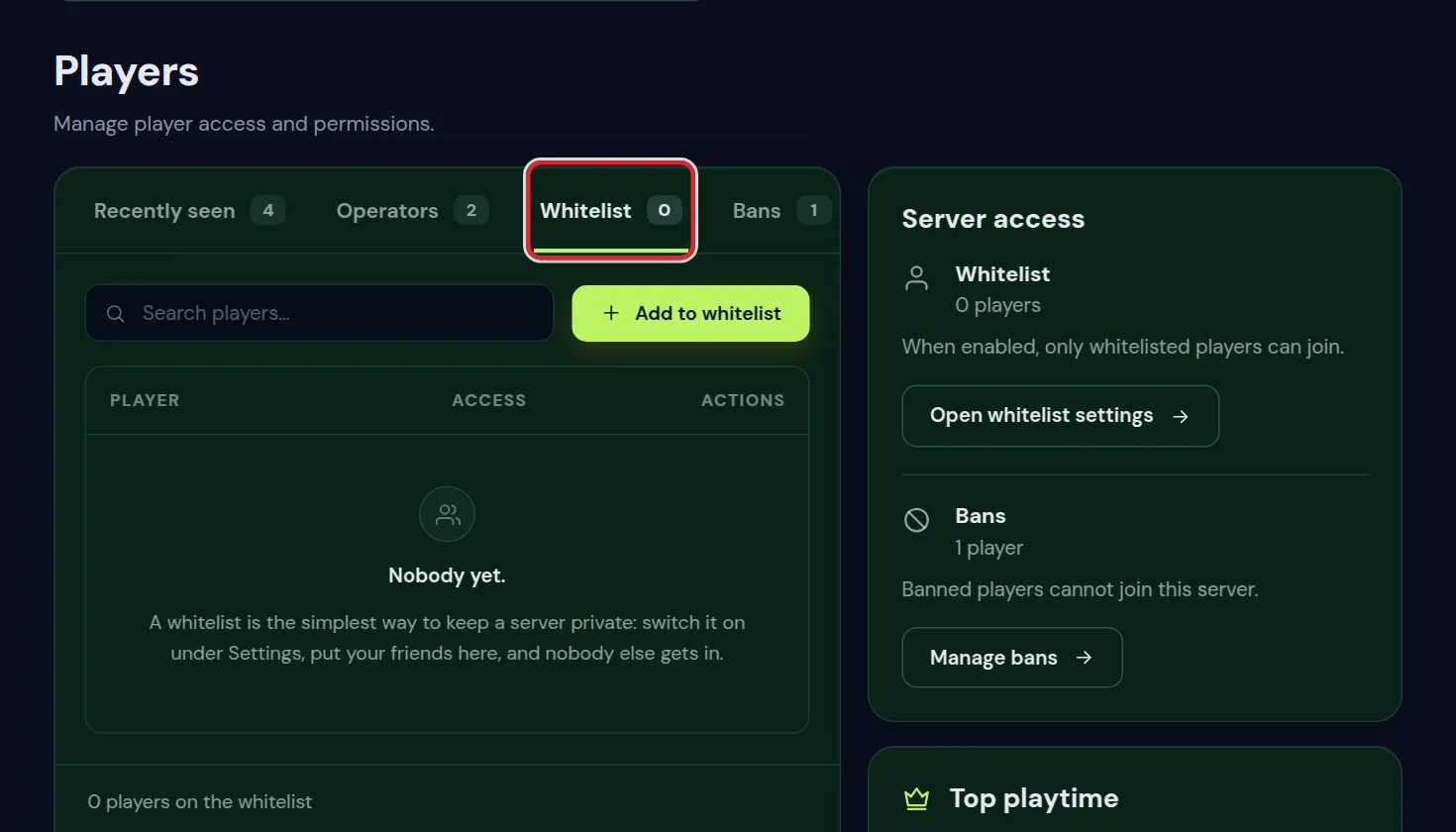
Public SMPs usually leave the server open and rely on land claims and logging instead, which the next steps cover.
4. Set the rules of the Minecraft SMP world
- Difficulty:
normalorhardin Settings under Server settings. Peaceful takes away the danger that makes survival fun. - Game rules in the World tab: many SMPs switch on keep inventory to take the sting out of deaths, or switch off mob griefing so creepers stop blowing holes in builds.
- PvP: decide before people join, and say it in the rules. It is one of the switches under Game rules.
- Spawn protection: by default only operators can build near the spawn. Set it to 0 in Settings if everyone should be able to build there.
- Simulation distance: around 6, with a view distance of 10, keeps farms near players running without loading a whole region. See reduce lag.
5. Protect SMP builds against griefing
Griefing ends more SMPs than anything else. On Paper, a land claim plugin lets players protect their own builds, and a logging plugin such as CoreProtect shows who did what and lets you undo it. Stop griefing explains the layers.
Give helpers their own rights with a permissions plugin rather than full operator status: permissions with LuckPerms.
6. Pre-generate the Minecraft world and set a border
On day one of an SMP, everybody runs off in a different direction, which is exactly when a server has to generate the most new land. Pre-generate the area inside a world border before you invite everyone: pre-generate your world. Want a particular world? Pick the seed first, as in change your server's seed.
7. SMP backups and automatic restarts
Make a backup right before you open the server, and before every big change after that: back up and restore your server.
Set an Automatic restart in Settings at an hour when nobody plays. The server warns players in chat, saves the world and is back within a minute or two.
8. Invite your players to the Minecraft SMP
Share the play address from the top of the control panel. Java players add it under Multiplayer; on a crossplay server Bedrock players can join too. Join your Minecraft server has the steps for both.
Write the rules down where everyone sees them, such as a pinned message in your Discord: what counts as griefing, whether PvP is allowed, and how big farms may get. Link chat to Discord connects the server chat to that Discord.
Finally, give the server its own look in the server list: change your server icon and MOTD.
9. Minecraft SMP rules you can copy
Most arguments on an SMP come from rules nobody wrote down. A short list, agreed before the first night, prevents nearly all of them. Adjust it to your group:
- No griefing and no stealing, also not as a joke. Builds and chests of others are off limits unless the owner says yes.
- Ask before you build within 100 blocks of someone else's base.
- PvP only when both players agree, or not at all.
- No lag machines. Put a switch on every redstone clock and turn farms off when you leave.
- No hacked clients and no x-ray. Minimaps and performance mods are fine.
- Be kind in chat. Staff decide in a dispute, and their decision is final.
Pin the list in your Discord and put the short version in the MOTD or on a sign at spawn, so nobody can say they did not know.
10. Plugin setups for a friends SMP, a classic SMP and a community SMP
How many plugins an SMP needs depends on how many strangers play on it. Three setups that work, all from the plugin catalog:
| SMP | Plugins | Why |
|---|---|---|
| Friends who trust each other | CoreProtect and Chunky | The game stays vanilla, and every block change can still be undone |
| A classic SMP of 10 to 30 players | Add GriefPrevention, EssentialsX, BlueMap and DiscordSRV | Claims, homes and teleport requests, a live map, and chat in Discord |
| A community SMP that is open to new players | Add LuckPerms, GrimAC, TAB and Maintenance | Ranks for staff, an anticheat, a clear tab list, and a way to close for updates |
Start with the smallest set that fits and add only what players ask for. Install plugins on your server shows how, and every plugin is one click in the Plugins tab.
11. SMP seasons: when and how to start a new world
Many SMPs run in seasons: a world for a few months, then a fresh start, often when a big Minecraft update brings new land. A smooth reset goes like this:
- Announce the date a week ahead, so everyone can finish their builds and take screenshots.
- Make a backup of the old world and offer it as a download for players who want to keep it.
- Update the Minecraft version in Settings if the season starts with a new release.
- Reset the world in the World tab, or pick a new seed first as in change your server's seed.
- Set the game rules again, because a new world starts with the defaults.
- Pre-generate the new world inside its border, then open the server.
Questions from Minecraft server owners
What does SMP mean in Minecraft?
Survival multiplayer: a shared survival world on a server, played by a fixed group or a community over a long time.
How many players can an SMP Minecraft server have?
Most SMPs have between a handful of friends and a few dozen players. Set the limit with Max players in Settings; memory decides how many can be online at once, see how much RAM.
Should an SMP Minecraft server use plugins or mods?
Plugins on Paper keep the game vanilla for players, who join with a normal game. Mods on Fabric can add more, but every player then needs the same mods.
Can Java and Bedrock players share one Minecraft SMP?
Yes, on a crossplay server. See crossplay between Java and Bedrock.
What is a good world border size for a Minecraft SMP?
Many SMPs for 10 to 20 players start with a border of 10,000 blocks across, centred on spawn, and widen it later when the land fills up. Pre-generate the inside before players arrive.
How do I stop x-ray on my Minecraft SMP?
Paper has anti x-ray built in. Open config/paper-world-defaults.yml, find anti-xray in the anticheat part, change enabled to true and restart. Ores that are not exposed to air are then hidden from x-ray clients.
How do I make my Minecraft SMP public?
Turn off the whitelist, make sure land claims and CoreProtect are in place, give your staff the right permissions, and share the address in the places your future players already are, such as Discord communities.
How long does a Minecraft SMP season usually last?
Most run for a few months. A new season often starts with a big Minecraft update, when a fresh world brings the new land, mobs and structures.
Checked against the Settings, World, Players and Backups tabs of our control panel, September 2026. Written by the Cheapest Minecraft Hosting team, first published , updated .