
 Astroworld
Getting started
How to make a hardcore Minecraft server
Hardcore is survival with a single life. On a server that makes every trip to the Nether a group decision, and every death a story people tell for months. It is one of the most popular kinds of SMP to watch and to play.
Setting it up takes one switch. Running it well takes a few choices made before the first player joins.
In short
To make a hardcore Minecraft server, switch on Hardcore in Settings under Server settings, or set hardcore=true in server.properties, and start a new world with it on, because a world stores whether it is hardcore when it is created. Every player then has one life: after a death they become a spectator, and an operator can bring them back with gamemode survival and their name.
Turn on Minecraft hardcore mode
- Open Settings and go to Server settings.
- Search for
hardcoreand switch on Hardcore. The panel warns you: death becomes permanent for players. - Save.
- Start a new world with the switch on, as in the next section.
In server.properties this is the line hardcore=true, if you would rather edit the file in Files.
Hardcore always plays on the hard difficulty. In a hardcore world the hearts in every player's health bar have the hardcore look, so everyone can see the mode is on.
Start hardcore in a new Minecraft world
A world stores whether it is hardcore at the moment it is created. The surest way to a real hardcore world is therefore a new one, generated while the Hardcore switch is already on. It is also the fairest: in an old world some players already have diamond gear and others do not.
Make a backup of the old world first, then follow change your server's seed to start the new world, with a seed you pick or a random one.
Pre-generate the land around spawn before you open the server, so the first night is not also the laggiest one: see pre-generate your world.
What happens when a player dies on a hardcore server
A player who dies on a hardcore server does not respawn. They become a spectator: they can fly through the world and watch the others, but cannot touch anything, pick anything up or be seen.
Their items drop where they died, just like in normal survival, so the others can pick them up. The world itself goes on for everyone who is still alive.
Show deaths in the player list
A death counter makes the stakes visible and works in every Java world. Type these two lines in the Console:
scoreboard objectives add deaths deathCount
scoreboard objectives setdisplay list deaths
From then on, the player list under the Tab key shows how often each player has died. Write sidebar in place of list to show it at the side of the screen for everyone. On a server with several lives per player, it shows how many each one has used.
Bring a hardcore player back to life
Hardcore is only as strict as you want it. To give someone a second chance, an operator types this in the console, without a slash:
gamemode survival Name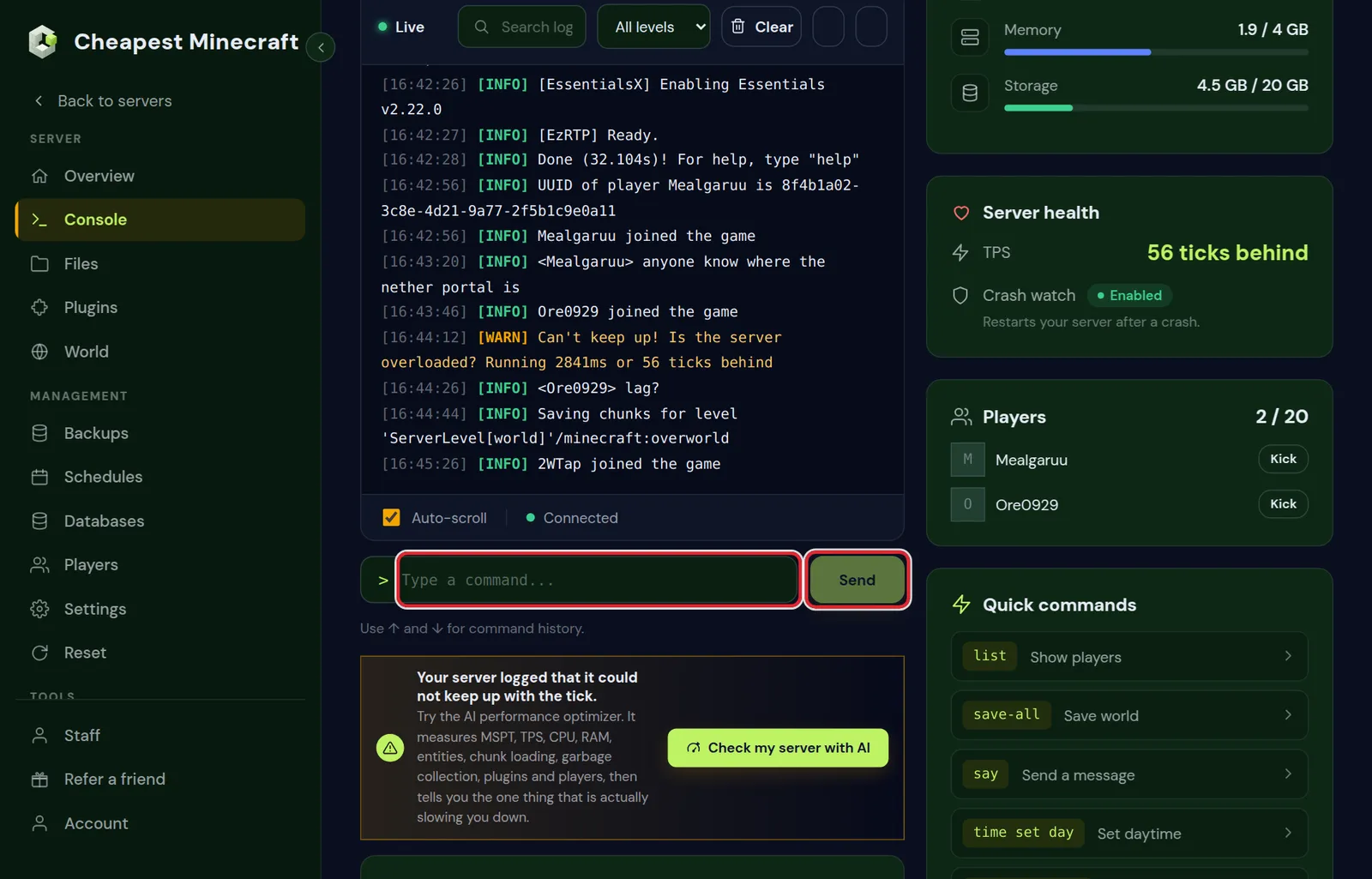
The player is back in survival where they are standing as a spectator, with an empty inventory. Teleport them to a safe place first if they are floating over lava: tp Name OtherPlayer puts them next to another player.
Many hardcore SMPs have a fixed rule for this, such as a revival ritual that costs the group a rare item, a vote, or no revivals at all. Decide before you start and write it down, so nobody feels treated unfairly later.
Hardcore variants: three lives, team lives and revivals
Many hardcore SMPs bend the rules a little. These are the variants groups ask about, with a way to run each:
| Variant | How it plays | How to run it |
|---|---|---|
| Classic hardcore | One life, no way back | The Hardcore switch and nothing else |
| Revivals | Dead players can come back at a price | The Hardcore switch, plus gamemode survival from an operator once the group has paid |
| Three lives | Players turn into spectators after their third death | Hardcore off; the death counter above, and a plugin or datapack that switches players to spectator at three |
| Team lives | A team shares its lives, so one mistake costs everyone | Hardcore off; a plugin made for team lives |
| Timed ban | Dying locks a player out for a day instead of forever | Hardcore off; a death ban plugin on Paper |
Whatever you pick, put it in the rules before the first night. How to set up a Minecraft SMP has more on writing rules players accept.
Settings for a fair hardcore Minecraft SMP
- Whitelist on, so only the players you invited are part of the story: whitelist and operator levels.
- Keep inventory off, which is the default. With it on, a death costs nothing but the life itself; see keep inventory and game rules.
- Locator bar off, a game rule, if finding each other should take effort.
- Death messages on, so everyone sees in chat how someone died.
- Few operators. An operator can switch their own game mode, which spoils the game if it is used for anything but a revival you agreed on.
- Automatic restart at a quiet hour, so a restart never catches someone in the middle of a fight: schedule automatic restarts.
A hardcore event with a shrinking world border
For a one evening event in the style of UHC, where the last player alive wins:
- Start a new hardcore world, whitelist the players and pre-generate the area inside the border.
- Turn off natural healing, so health only comes back from golden apples and potions:
gamerule natural_regeneration false, ornaturalRegenerationon versions before 1.21.11. - Set the playing field:
worldborder set 2000makes a square of 2000 by 2000 blocks around the centre of the world. - When the event starts, shrink it:
worldborder set 100 3600brings the border down to 100 blocks over one hour, which forces everyone together. - Players who die stay as spectators and can watch the final fight.
More commands for events like this are in Minecraft server commands.
Backups on a hardcore Minecraft server
A backup does not bring back a single player; restoring one puts the whole world back in time for everyone. Use backups for what they are for: a crash, a corrupted world, or griefing. Make one before every big change, as in back up and restore your server.
Lag can kill in hardcore. A server that stutters during a fight costs lives, so keep an eye on the TPS and see reduce lag if it drops.
Questions from Minecraft server owners
Can you play hardcore on a Minecraft server?
Yes. Switch on Hardcore in the server settings and start a new world. Every player on the server then has one life.
Are players banned when they die on a hardcore Minecraft server?
No. In current versions of Minecraft they become spectators and can keep watching the world. An operator can bring them back with the gamemode command.
Can I change the difficulty on a hardcore Minecraft server?
No. Hardcore always uses the hard difficulty. Switch Hardcore off in the settings first if you want another difficulty.
Can I make an existing Minecraft world hardcore?
The surest way is a new world made with Hardcore already switched on, because a world stores whether it is hardcore when it is created. Make a backup of the old world first, so you can go back to it.
How do I see how many times players died on my server?
Add a scoreboard in the console: scoreboard objectives add deaths deathCount, then scoreboard objectives setdisplay list deaths. The player list then shows the count next to each name.
Do spectators on a hardcore server take a player slot?
Yes. A spectator is still an online player, so they count toward max-players. Raise it in the server settings if dead players like to keep watching.
Is hardcore harder on a server than in singleplayer?
The game rules are the same, but lag and other players add risk: a stutter in a fight or a mistake of a friend can cost a life. A smooth server and rules agreed in advance matter more than in singleplayer.
Checked against the Server settings and Players tabs of our control panel, September 2026. Written by the Cheapest Minecraft Hosting team, first published , updated .