
 Astroworld
Getting started
Create an account for Minecraft hosting, sign in and reset your password
Your account is where your servers, invoices and support cases live. You need one email address and a password; nothing else is asked before you order.
Each page below asks one thing at a time, so it takes about a minute.
In short
To create an account, go to Create an account, type your email address, choose a password of at least 8 characters and click Create account, then open the link we email you to activate it. To sign in, type your email address and your password, plus the six digit code from your authenticator app if two-factor login is on. Forgot your password? Click Forgot password? and use the link from the email within one hour.
Create your Minecraft hosting account
- Go to Create an account.
- Type your email address and click Continue.
- Choose a password of at least 8 characters. The eye icon shows what you typed.
- Click Create account.
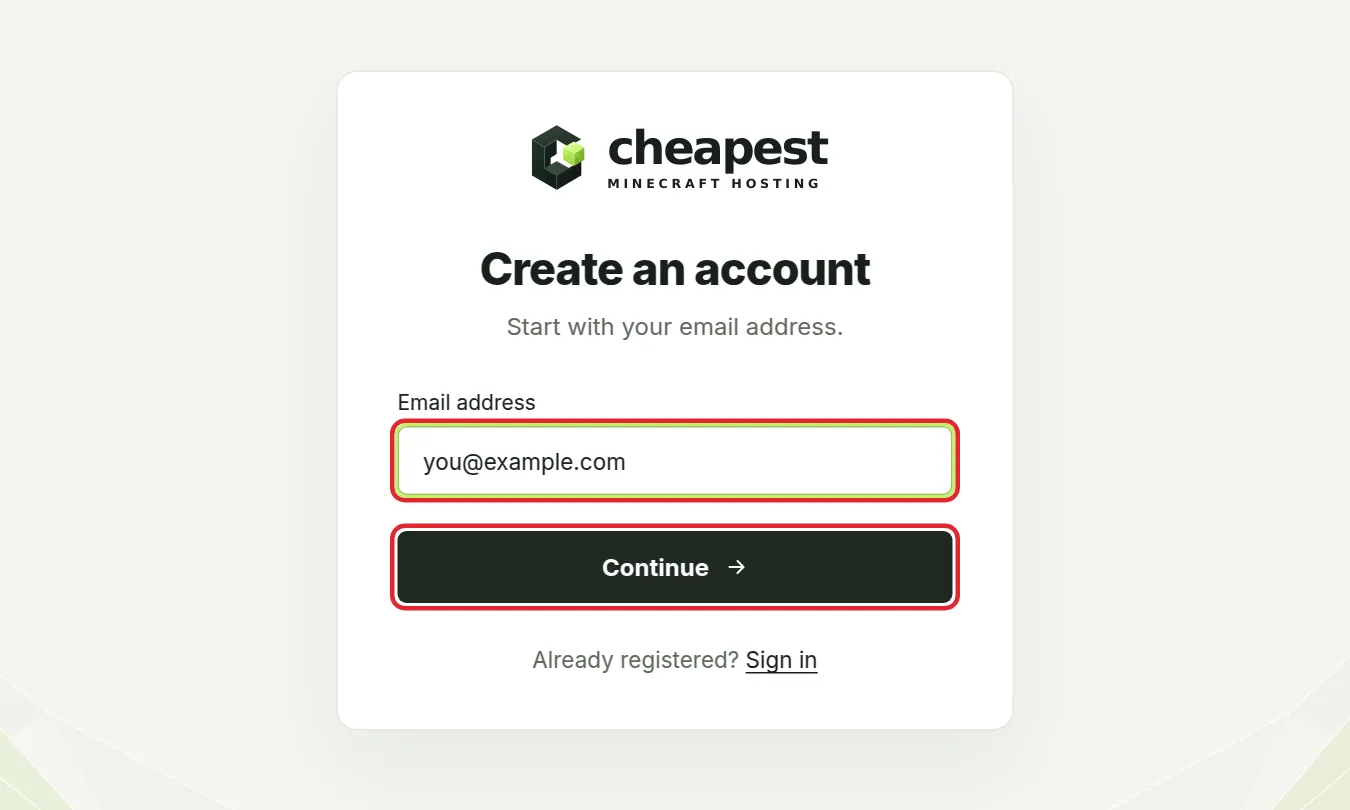
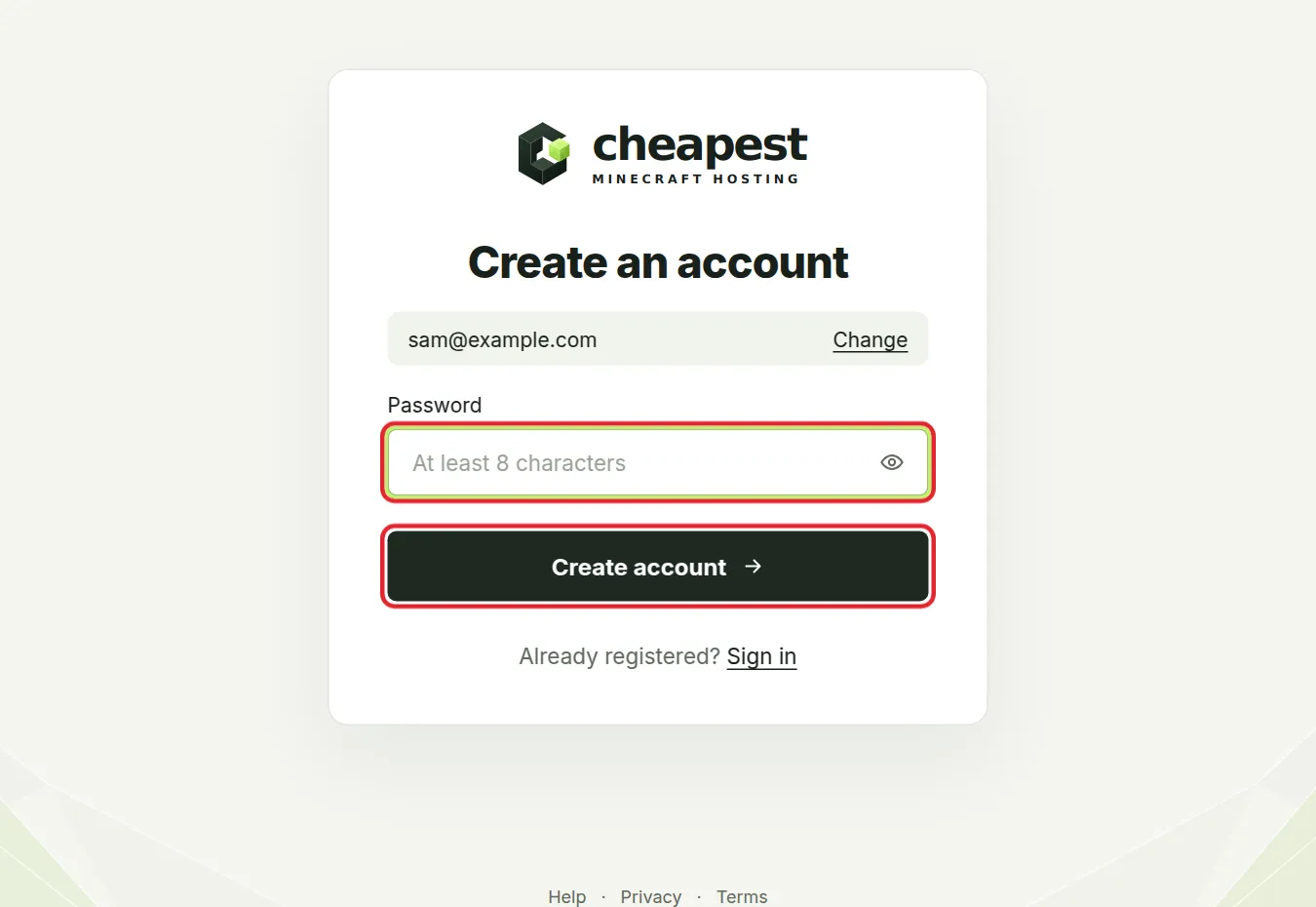
Use an address you can open right now. The next step sends a link to it.
Choose a strong password for your hosting account
Eight characters is the minimum, not the goal. Your account can start, stop and wipe your server, so give it a password nobody can guess:
- Use a password manager and let it make a long random password, or pick a sentence of four or five unrelated words.
- Never reuse the password of your email, your Minecraft account or another site. A leak elsewhere should not open your server.
- Turn on two-factor login right after your first sign in, as in account settings and two-factor.
Activate it with the link in your email: your Minecraft hosting account
After Create account we send a link to the address you typed. Open it and your account is active. The sign up page notices by itself and moves on, so you can leave it open in another tab.
- No email after a few minutes? Look in your spam or promotions folder.
- Still nothing? Click Send a new link. The button can be used once a minute.
- Typed the address wrong? Click Change it under the button and start again with the right one.
Signing in to an account that was never activated brings you to the same step, with a fresh link on its way.
What you see after creating your Minecraft hosting account
Right after activation your dashboard is empty, because an account on its own has no server yet. From there you can:
- Order a server. It appears on your dashboard as a card with Open panel; how to make a Minecraft server walks through the first steps.
- Accept an invitation. If a friend added you as staff to their server, the invitation sent to your address links itself to your account once you sign up with that same address; see give someone access to your server.
School and work addresses sometimes hold back mail from outside for a while. If the activation link does not come, a personal address usually works at once.
Sign in to your Minecraft server account
- Go to Sign in.
- Type your email address and click Continue.
- Type your password and click Sign in.
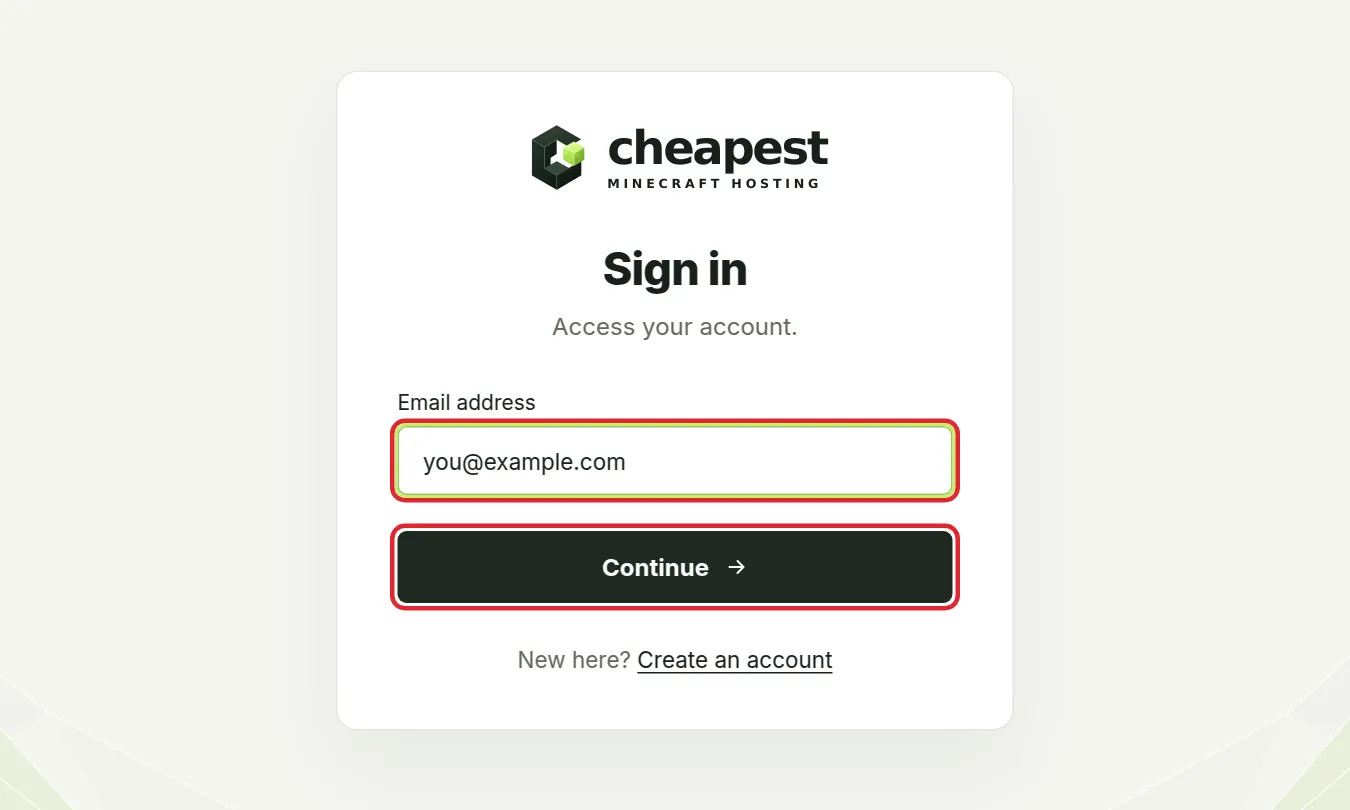
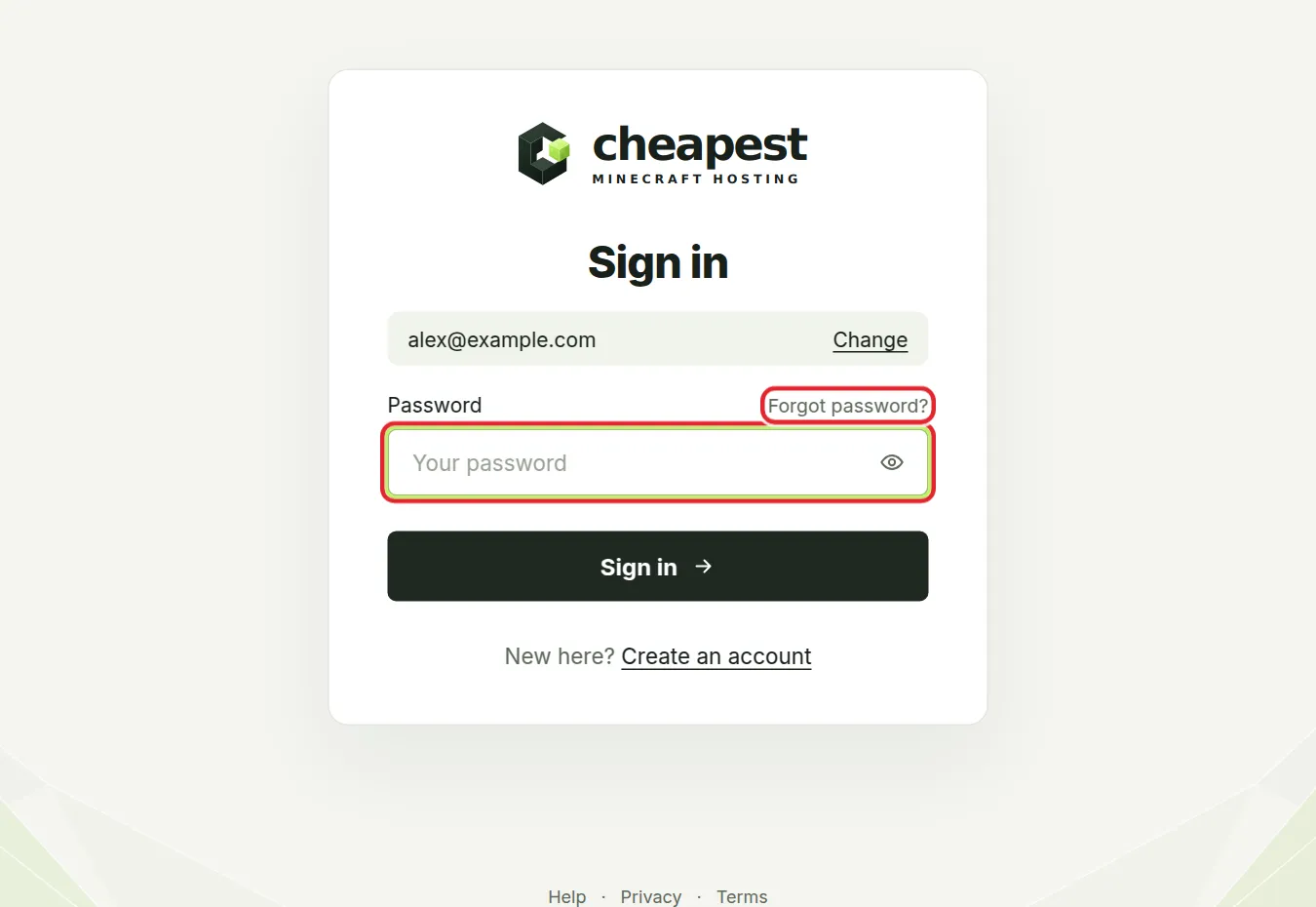
Turned on two-factor login? Then a third step asks for the six digit code from your authenticator app. Lost your phone? One of your backup codes works in the same field. Account settings and two-factor login explains how to turn it on.
That email and password do not match means one of the two is wrong. Check for a typo in the address first, then reset your password as shown below.
Sign in messages and what they mean
| Message | What to do |
|---|---|
| Enter a valid email address. | Check for a typo, a missing @ or a space at the end |
| That email and password do not match. | Check the address first, then reset the password if needed |
| There is already an account with this email address. Sign in instead. | You made an account before; sign in, or use Forgot password? if you no longer know the password |
| Use at least 8 characters. | Choose a longer password |
| That code is not right. Try the next one your app shows. | Wait for the next code in your authenticator app and type it before it changes |
| Something went wrong. Try again. | Wait a moment and reload the page; if it keeps happening, contact support |
Two-factor codes that keep failing
An authenticator code is worked out from the time on your phone and changes every 30 seconds. When every code is refused, the clock is almost always the cause:
- Open the date and time settings of your phone and switch on automatic time.
- Open the authenticator app again and type the code that shows now, without spaces.
- Still refused? Use one of your backup codes in the same field. Once you are in, open Account, click Turn off 2FA with your password and another backup code, then Set up 2FA again with your phone.
Forgot your Minecraft hosting password
- On the password step of Sign in, click Forgot password?.
- Type the address you signed up with and click Send me the link.
- Open the email and click the link. It works for one hour.
- Type your new password twice and click Save it and log in.
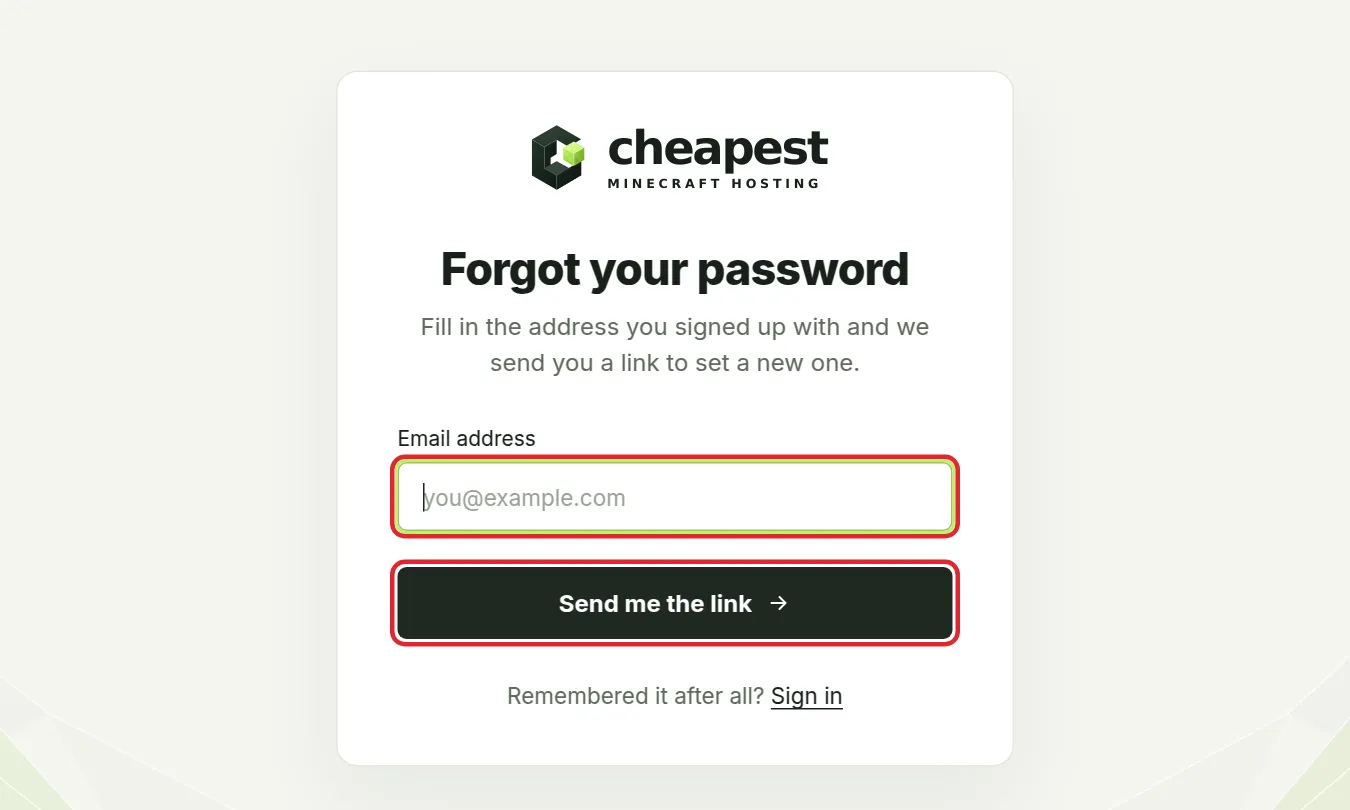
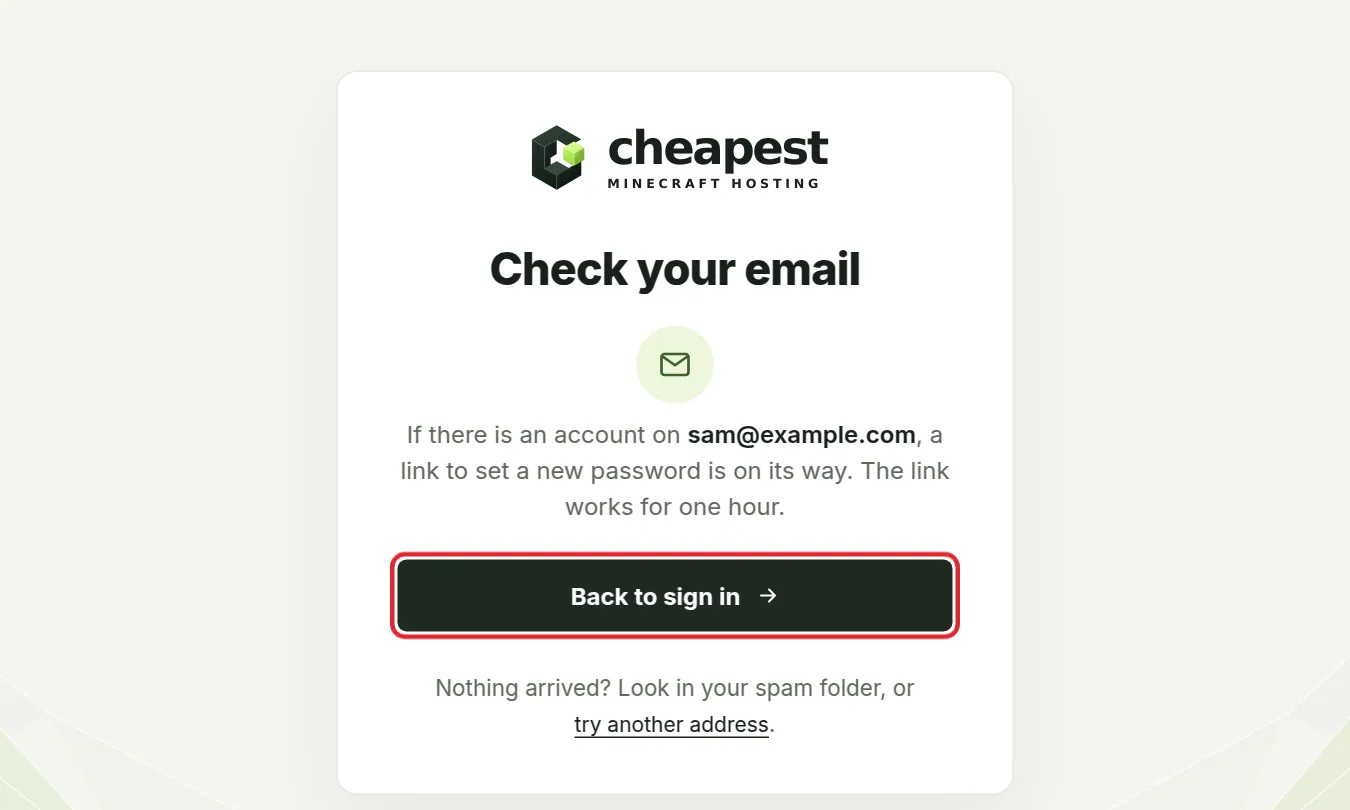
Nothing arrived? Look in your spam folder, or try another address you might have used. The link expired? Ask for a new one from the same page.
Still stuck signing in to your Minecraft server account?
Can you not get into your account at all, for example because you lost both your phone and your backup codes? Email us at [email protected] from the address on the account. We are there every day from 07:00 to 23:00 CET.
Keep your Minecraft hosting account safe
- Before you type your password, check that the address bar shows account.cheapestminecrafthosting.com.
- Our support never needs your password or a two-factor code to help you. A message that asks for them does not come from us, however real it looks.
- Do not share your login with a friend who helps run the server. Invite them as staff with their own account and only the rights they need.
- Sign out on a computer that is not yours, such as one at school or in a library.
Questions from Minecraft server owners
Do I need an account before I order a Minecraft server?
Yes. Your account is where your server, your invoices and your support cases are kept, so it is made first. It takes an email address and a password.
The account activation link does not work. What now?
Links are made to be used once, and a newer link replaces an older one. Use the most recent email, or click Send a new link on the sign up page and use that one.
How long does the Minecraft hosting password reset link work?
One hour. After that, ask for a new one on the Forgot your password page.
Can I change my account email address later?
Yes, in Account in the client area. The new address may need to be verified again before it is used.
Can I share my hosting account with a friend?
No. Every email address belongs to one account. To let a friend help run your server, invite them as staff with their own address and pick what they may do.
Why is my dashboard empty after signing up?
A new account has no server yet. Order one from the plans page, or accept an invitation if someone added your address as staff to their server.
Can I use one account for several Minecraft servers?
Yes. Every server you order while signed in lands on the same dashboard, and each one has its own subscription and renewal date.
Why does my two-factor code keep failing?
Codes are based on the clock of your phone and change every 30 seconds. Switch on automatic time on the phone and type the newest code, or use a backup code.
Checked step by step on our sign in pages, September 2026. Written by the Cheapest Minecraft Hosting team, first published , updated .