
 Astroworld
Players
Search the chat history of your Minecraft server
A player reports that someone was rude last night, or that diamonds went missing from a shared chest. To check, you need the chat from that evening.
Minecraft writes chat to its log files: logs/latest.log for today and one packed file per day before that. The Chat history card searches those files for you, so you do not have to download and unzip them.
In short
Open the Console tab of your server and scroll to Chat history. Type a player name, a word or both, pick a period of up to 14 days and press Search. The panel reads the log files your server already keeps and lists chat, private messages, commands and joins and leaves with the date and time.
Open the Minecraft chat history
- Open your server in the control panel.
- Go to the Console tab.
- Scroll down to the Chat history card under the console.
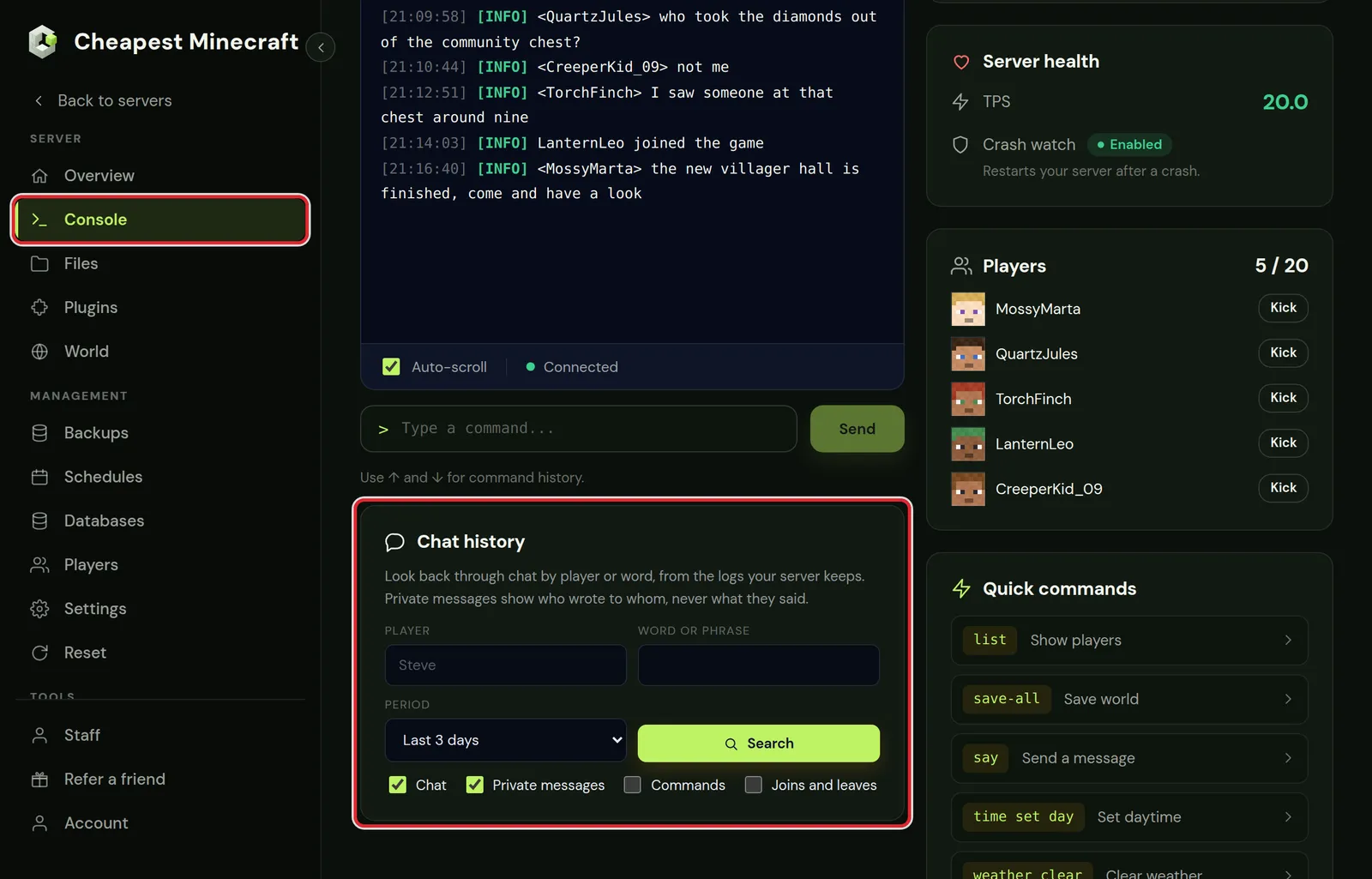
Search Minecraft chat by player or word
- Type a player name under Player, a word or phrase under Word or phrase, or both.
- Pick a period: Today and yesterday, Last 3 days, Last 7 days or Last 14 days.
- Tick what to show: Chat, Private messages, Commands and Joins and leaves.
- Press Search. The newest lines are at the top.
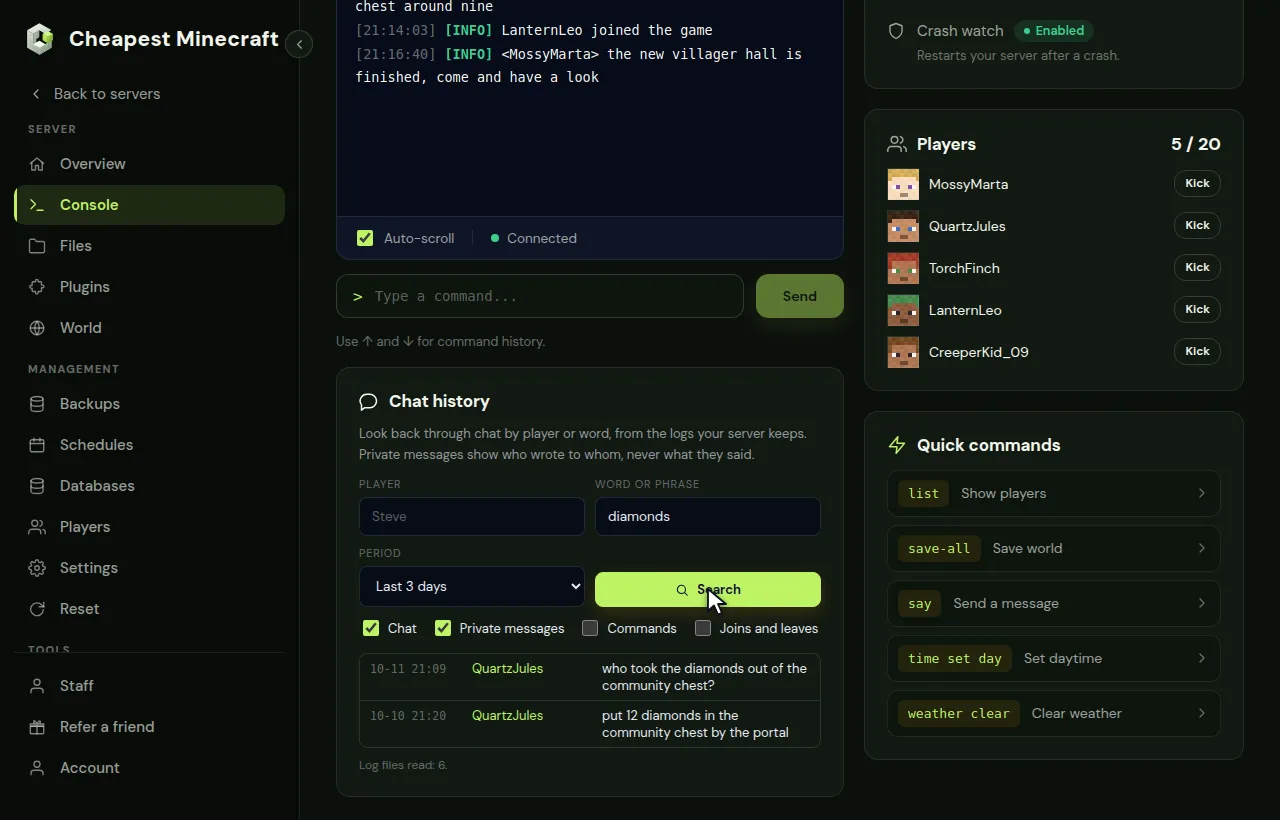
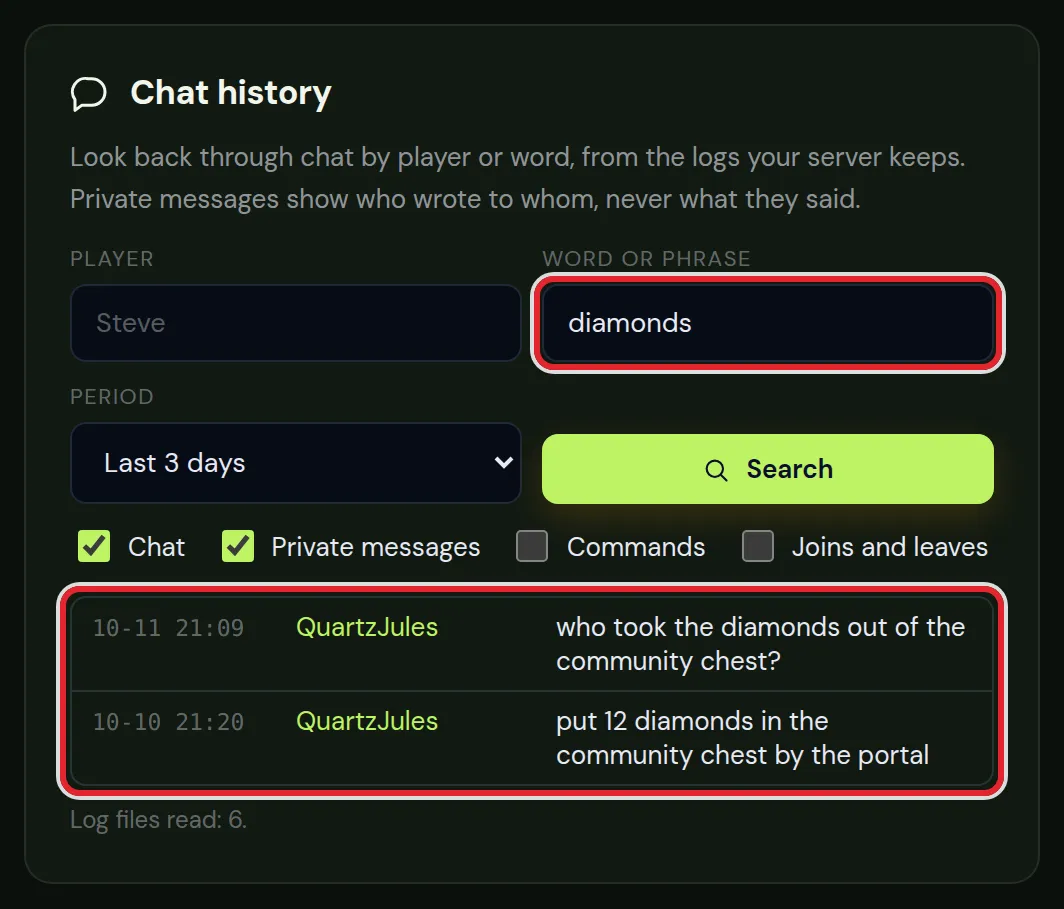
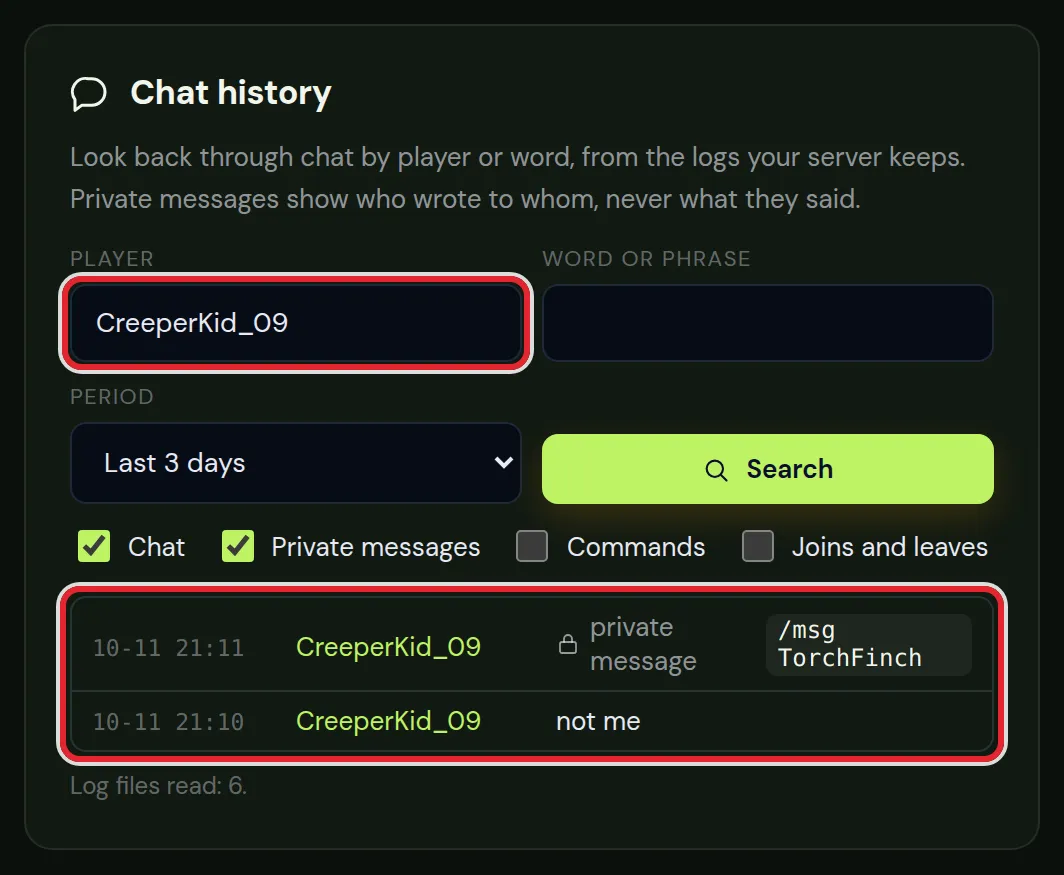
Under the results the card says how many log files it read. On a busy server a long period means more files, so start with a short period and widen it if the line is not there.
Chat, private messages, commands and joins
| Filter | What it shows |
|---|---|
| Chat | Messages in the public chat, with the full text |
| Private messages | Who sent a private message to whom, with /msg, /tell, /w and similar commands. The text of the message is never shown |
| Commands | Commands players typed. Login commands of plugins such as AuthMe show only the command, never the password |
| Joins and leaves | When a player joined or left the game |
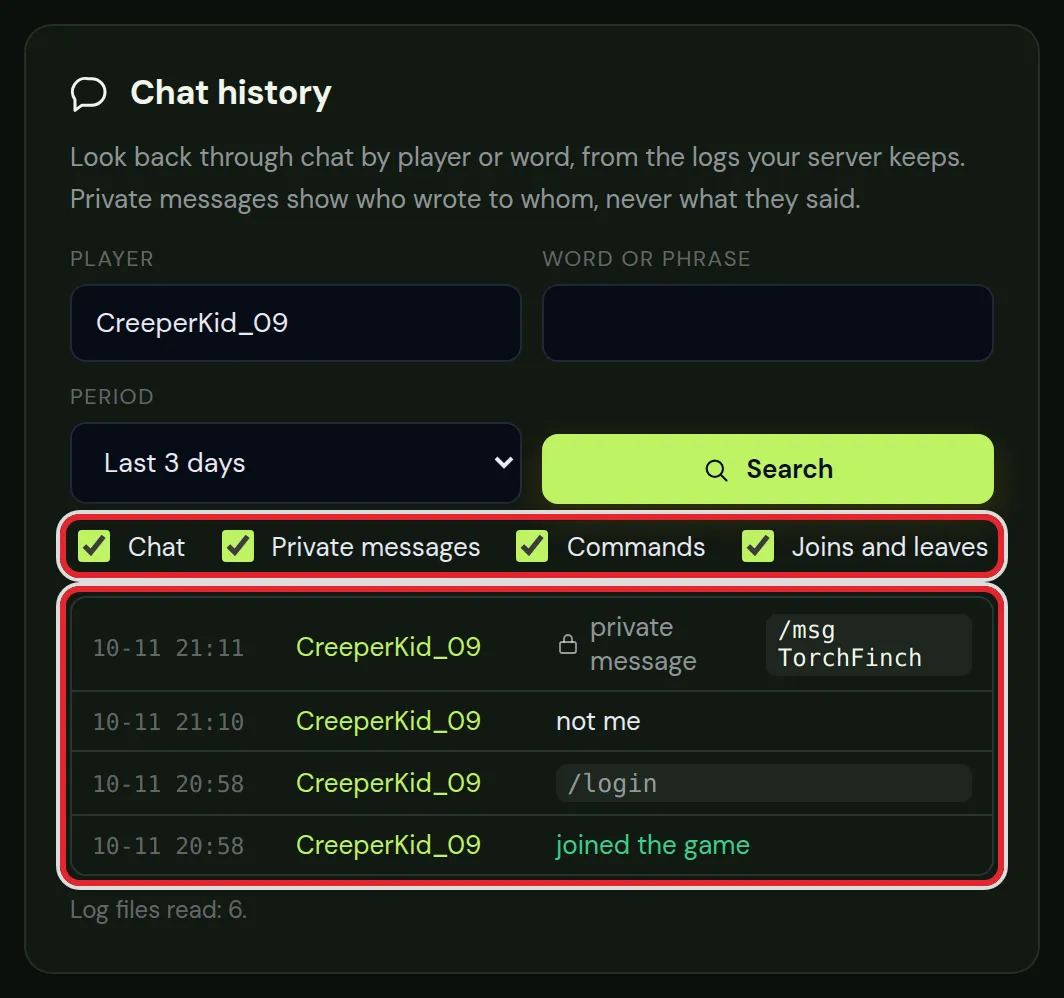
Turn on Joins and leaves together with a player name to see when that player was online. That is often enough to check a story about who was on the server at the time.
How far back the chat history goes
- The card searches up to 14 days back.
- It reads the log files that are on the server. If old log files were deleted in the Files tab, those days are gone.
- A server reset deletes the logs. A world reset keeps them.
- Need something older than 14 days? Open the
logsfolder in the Files tab. Each day is a.log.gzfile you can download.
After you found the Minecraft chat line
Chat history shows what was said. To act on it:
- Kick or ban the player in the Players tab. Whitelist and operators has the steps for a ban.
- Check what was broken or taken. A block logging plugin such as CoreProtect records who placed and broke blocks; stop griefing explains how to set it up and roll damage back.
- Want chat in Discord as well? Link chat to Discord shows how to send it to a channel.
Questions from Minecraft server owners
Can I read private messages between players?
No. The chat history shows that a private message was sent and between which players, but never the text. That keeps private messages private, also for the server owner.
Why does a player not show up in the chat history?
Check the spelling of the name and the period. The search only finds lines from the log files on the server, so days whose logs were deleted are missing.
Does the chat history work on modded servers?
Yes, as long as the server writes chat to its log files the normal way. Some chat mods and plugins change the chat format; lines in a format the card does not know are not listed.
Can the people who manage my server use the chat history?
People you gave access to the console can search the chat history as well. Give someone access to your server explains the permissions.
Is chat history stored by the panel?
No. The panel reads the log files Minecraft already writes on your server at the moment you search. It keeps no copy.
Checked against the Chat history card of our control panel on Paper for Minecraft Java 26.2, October 2026. Written by the Cheapest Minecraft Hosting team, first published , updated .