
 Astroworld
Players
See when your Minecraft players are online and who plays most
Knowing when people play tells you when to restart, when to run maintenance and when to hold an event. The control panel counts the players online every five minutes and turns that into a week chart.
Nothing has to be installed for this: no plugin and no mod.
In short
Open the Players tab of your server and scroll to When your players are online. It shows the average number of players per hour for each day of the week over the last 30 days, in your own time zone, with the busiest hour, the quietest hour and the most players online at once. The Top playtime card next to it lists the 10 players with the most hours on the server.
Open the busy hours chart of your Minecraft server
- Open your server in the control panel.
- Go to the Players tab.
- Scroll to When your players are online.
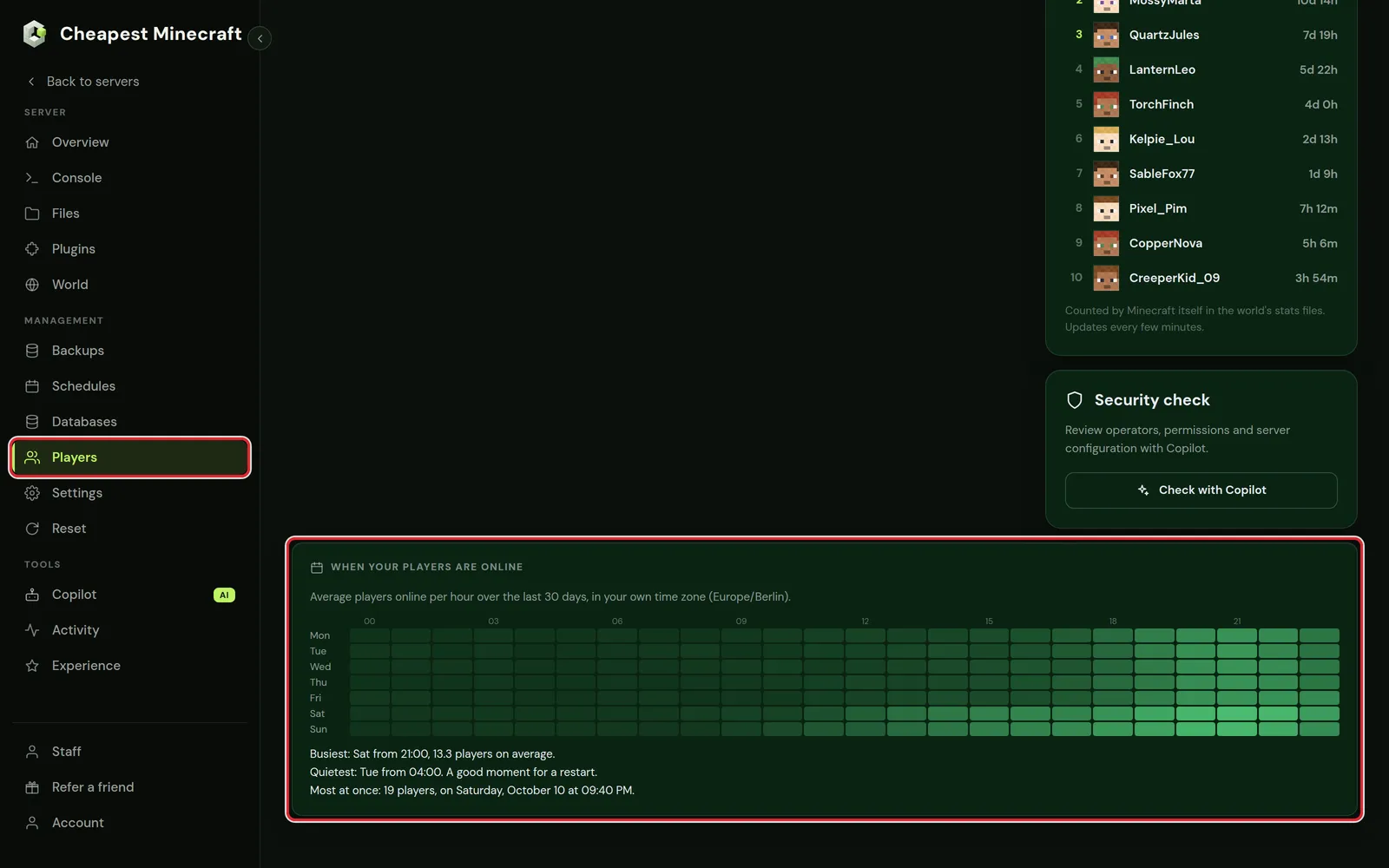
How to read the Minecraft player chart
- Each row is a day of the week, Monday at the top. Each column is an hour, from 00:00 to 23:00.
- A brighter square means more players online on average in that hour.
- The average covers the last 30 days, so one busy evening does not change the picture much.
- The hours are in the time zone of the browser you look with. The chart names that time zone above the squares.
Under the chart are three lines:
| Line | What it tells you |
|---|---|
| Busiest | The day and hour with the highest average, and that average |
| Quietest | The day and hour with the lowest average. The panel suggests it as the moment for a restart |
| Most at once | The highest number of players online at the same time, with the date and time |
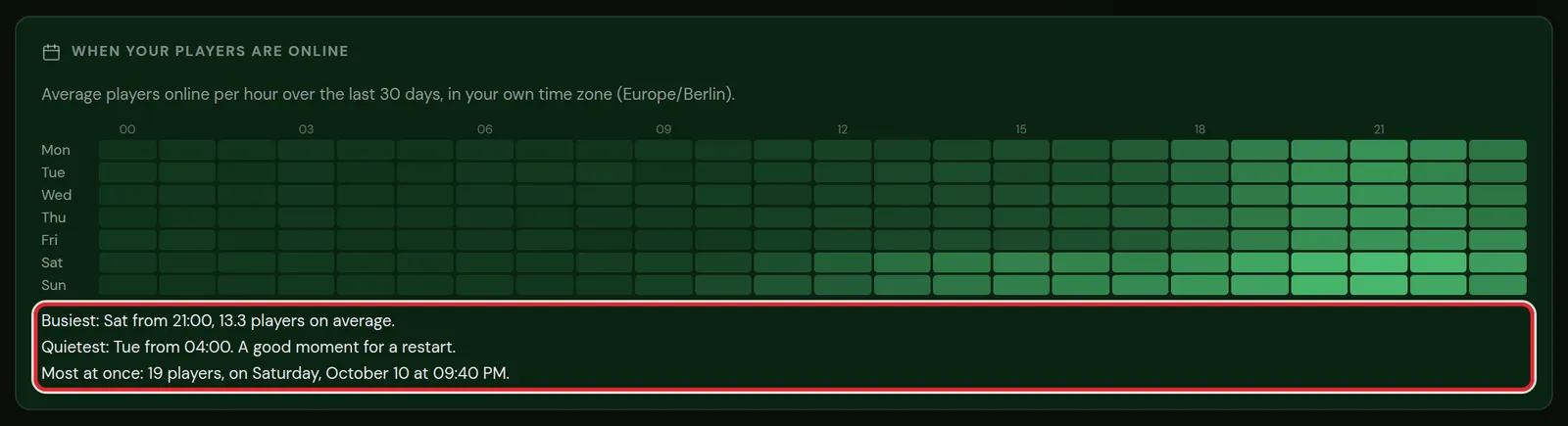
A new Minecraft server: the chart fills in
A measurement lands every five minutes. On a new server the card first says it is still collecting, and the chart fills in over the first days. After a week every square has data; after 30 days the averages are complete.

Top playtime: the players with the most hours
The Top playtime card in the same tab lists the 10 players with the most time on the server, in days, hours and minutes.
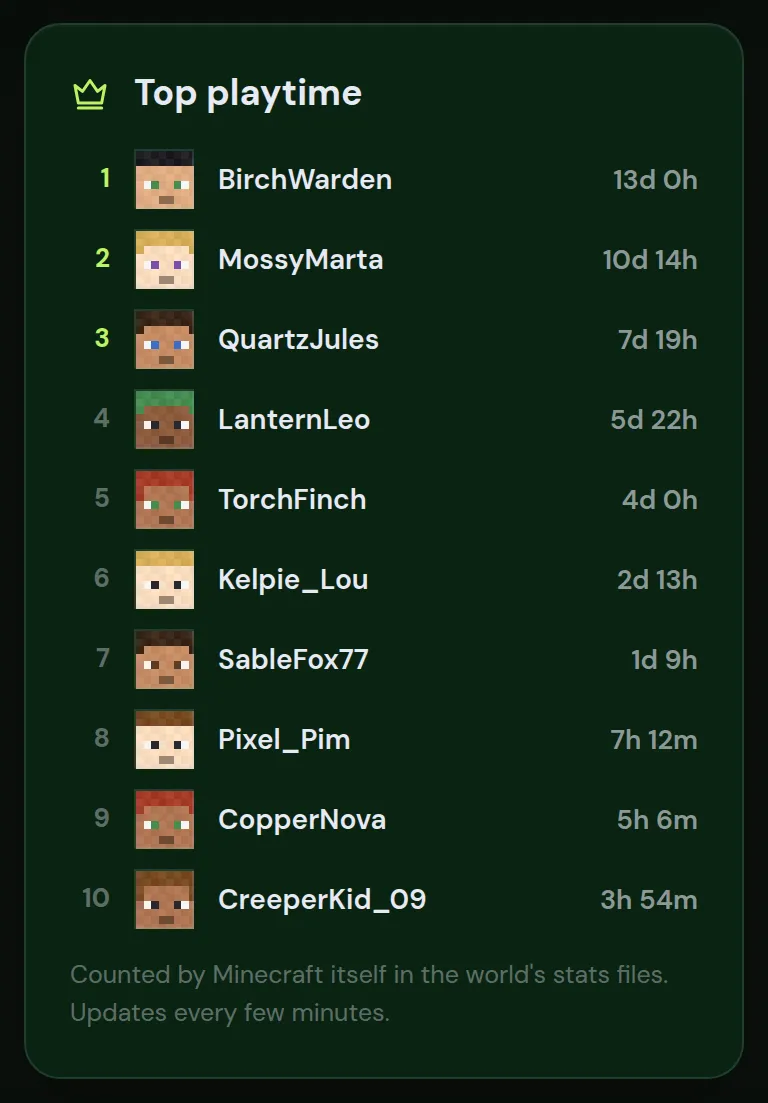
- The time comes from the statistics files Minecraft keeps in the world folder for every player. No plugin is needed.
- The list updates every few minutes, and it also works while the server is stopped.
- It counts from the moment the player first joined this world. After a world reset the counting starts again.
What to do with the busy hours of your server
| Task | When |
|---|---|
| Automatic daily restart | In the quietest hour. Schedule automatic restarts shows how. |
| Updates, new plugins or a modpack update | In a quiet hour, with maintenance mode on |
| Pre-generating the world | At night or another quiet stretch of a few hours |
| Events, a new season, a build contest | In the busiest hours, so most players are there |
| More memory | When Most at once gets close to what your plan handles and the server starts to lag at the busy hours |
Players from other countries show up as a second busy block at another time of day. That is useful to know before you pick a restart time.
Players online right now
For the players online at this moment, look at the Players card on the Console tab, or type list in the console. The chart and the top 10 are for looking back over days and weeks.
Whitelist and operators explains how to manage who can join, and how to set up a Minecraft SMP covers running a server for a group of friends.
Questions from Minecraft server owners
Why is the chart of my Minecraft server empty?
The panel needs measurements first. One lands every five minutes, so the chart fills in over the first days. Squares stay dark for hours in which nobody played.
In which time zone are the hours shown?
In the time zone of the browser you use, which the card names above the chart. Someone in another country sees the same data in their own time.
Does the chart count players who are AFK?
Yes. Every player who is connected counts, whether they move or not.
Do I need a plugin for the playtime list?
No. Minecraft writes playtime to the statistics files in the world folder itself, and the panel reads those files.
Can players see their own playtime in the game?
Yes. In the game menu under Statistics, the General tab shows Time Played.
Checked against the Players tab of our control panel on Paper for Minecraft Java 26.2, October 2026. Written by the Cheapest Minecraft Hosting team, first published , updated .