
 Astroworld
Players
How to turn PvP on or off on a Minecraft server
PvP decides whether players can damage each other. Where you switch it depends on the Minecraft version of your server: 1.21.11 and newer use a game rule, older versions use the pvp line in server.properties.
For more control than on or off for everyone, you can use WorldGuard regions for an arena or a safe spawn, a separate value per world, teams that cannot hurt each other, and plugins that let each player choose.
In short
On Minecraft 1.21.11 and newer, every 26.x version included, PvP is a game rule: open the World tab, click Show game rules and switch PvP off, and it applies at once in the overworld, the Nether and the End. On older versions, switch PvP off under Server settings in the Settings tab and restart the server. For PvP in one area only, leave it on and deny it everywhere else with a WorldGuard region.
Minecraft PvP setting: game rule or server.properties
| Minecraft version | Where PvP is set | Where to change it | Restart needed |
|---|---|---|---|
| 1.21.11 and newer, every 26.x version | The pvp game rule | World tab, Game rules card | No |
| Older versions, such as 1.20.1 or 1.12.2 | The pvp line in server.properties | Settings tab, Server settings | Yes |
Your version is in the Settings tab, in the Server software card under Minecraft version.
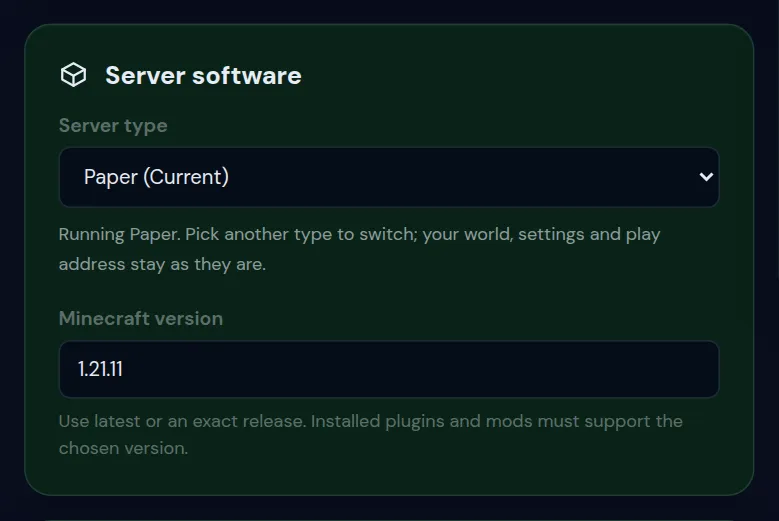
Two quick checks if you are unsure. The Game rules card only shows a PvP switch when your version has the PvP game rule. In the Console, gamerule pvp answers with the current value on a version that has the rule, and with an error on a version that uses server.properties.
The PvP switch under Server settings is there on every version, because it writes the line in server.properties. On 1.21.11 and newer, change PvP with the game rule. If your file still has a pvp line, give it the same value, so both settings agree.
How to turn PvP off on a Minecraft server in the World tab
- Start the server. The card reads the game rules from the running world.
- Open the World tab and click Show game rules in the Game rules card.
- Switch PvP off.
- To turn PvP back on, flip the same switch again.
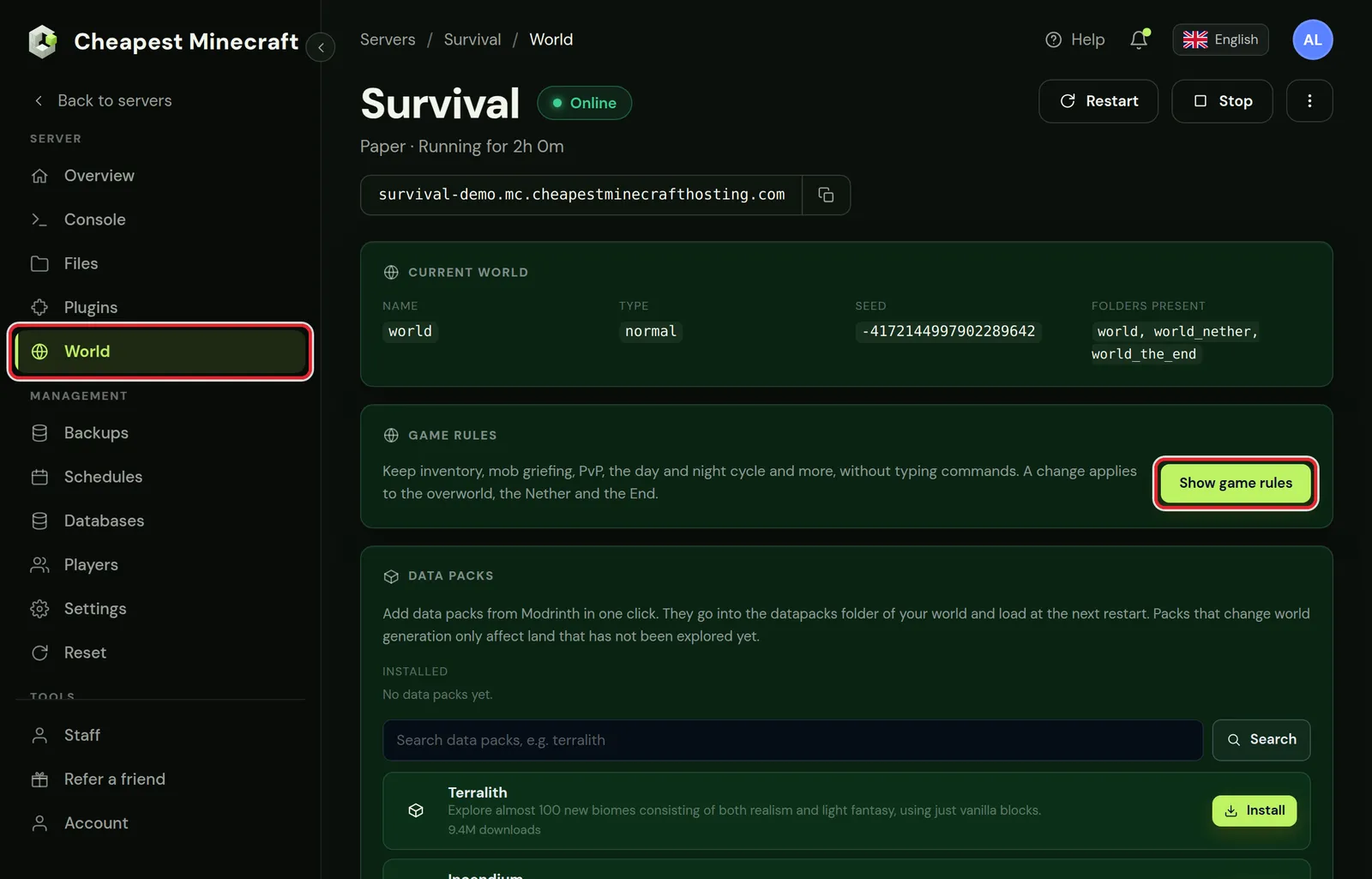
The panel sets the rule in the overworld, the Nether and the End together. It works without a restart: from that moment, players who are online can no longer damage each other.
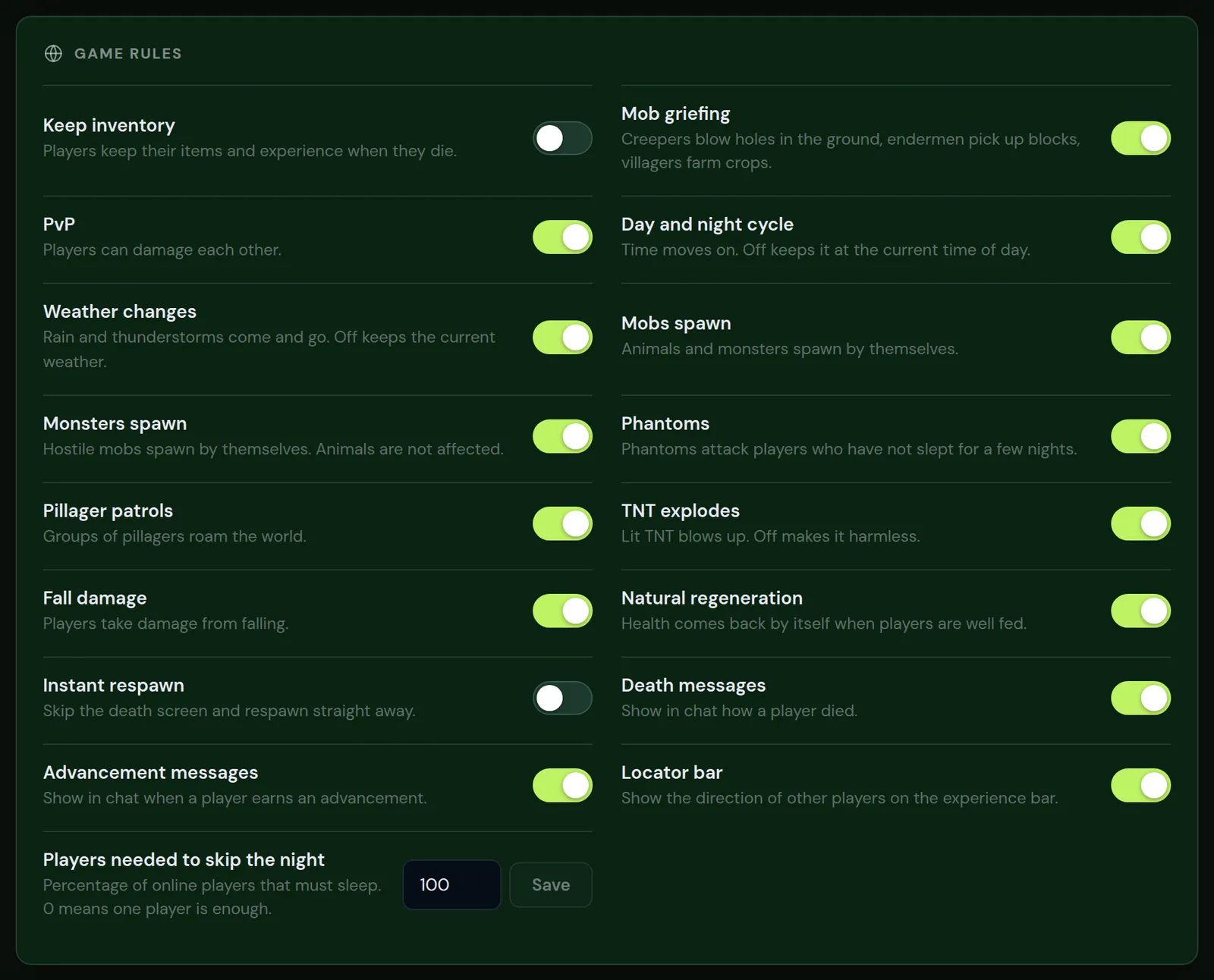
The other switches on this card, such as keep inventory and mob griefing, are explained in keep inventory and game rules.
Turn PvP on or off with the gamerule command
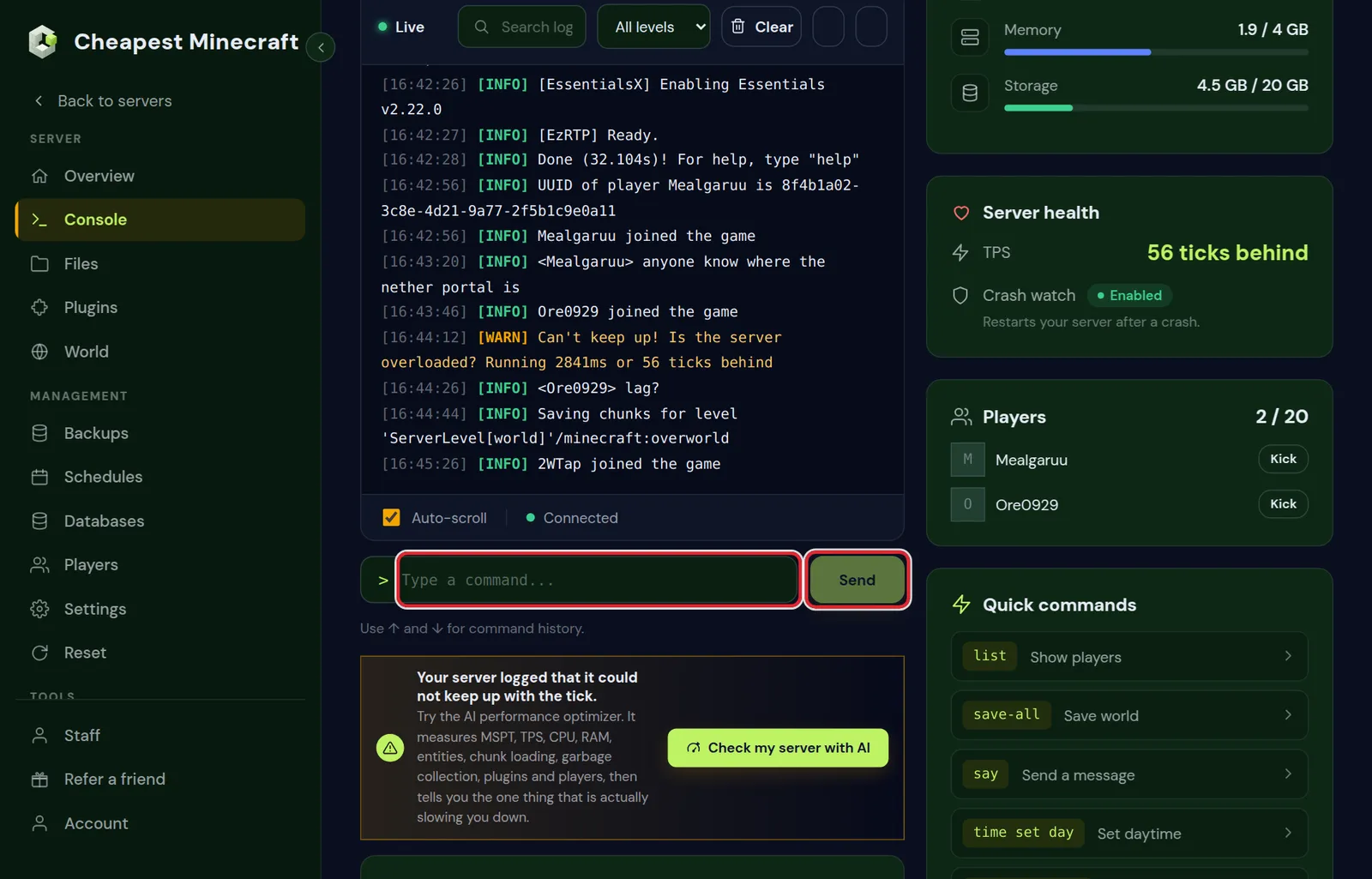
In the Console tab, type the command without a slash and click Send. In the game, an operator types the same command with a slash in front.
| Command | What it does |
|---|---|
gamerule pvp | Shows the current value |
gamerule pvp false | Turns PvP off |
gamerule pvp true | Turns PvP on |
On Paper, a plain gamerule from the console only changes the overworld. The Nether and the End keep their own value. To set all three from the console, run the rule in each dimension:
execute in minecraft:overworld run gamerule pvp false
execute in minecraft:the_nether run gamerule pvp false
execute in minecraft:the_end run gamerule pvp false
Which operator level a player needs for gamerule is listed in Minecraft server commands.
Turn off PvP in server.properties on older Minecraft versions
On versions without the PvP game rule, PvP is the pvp line in server.properties. The server reads that file at startup, so each change needs a restart.
In the Settings tab
- Open Settings and go to Server settings.
- Type
pvpin Search settings, or find PvP in the Gameplay group. - Set the switch to Off.
- Click Save changes in the bar at the bottom of the screen.
- Click Restart at the top of the panel.
In the Files tab
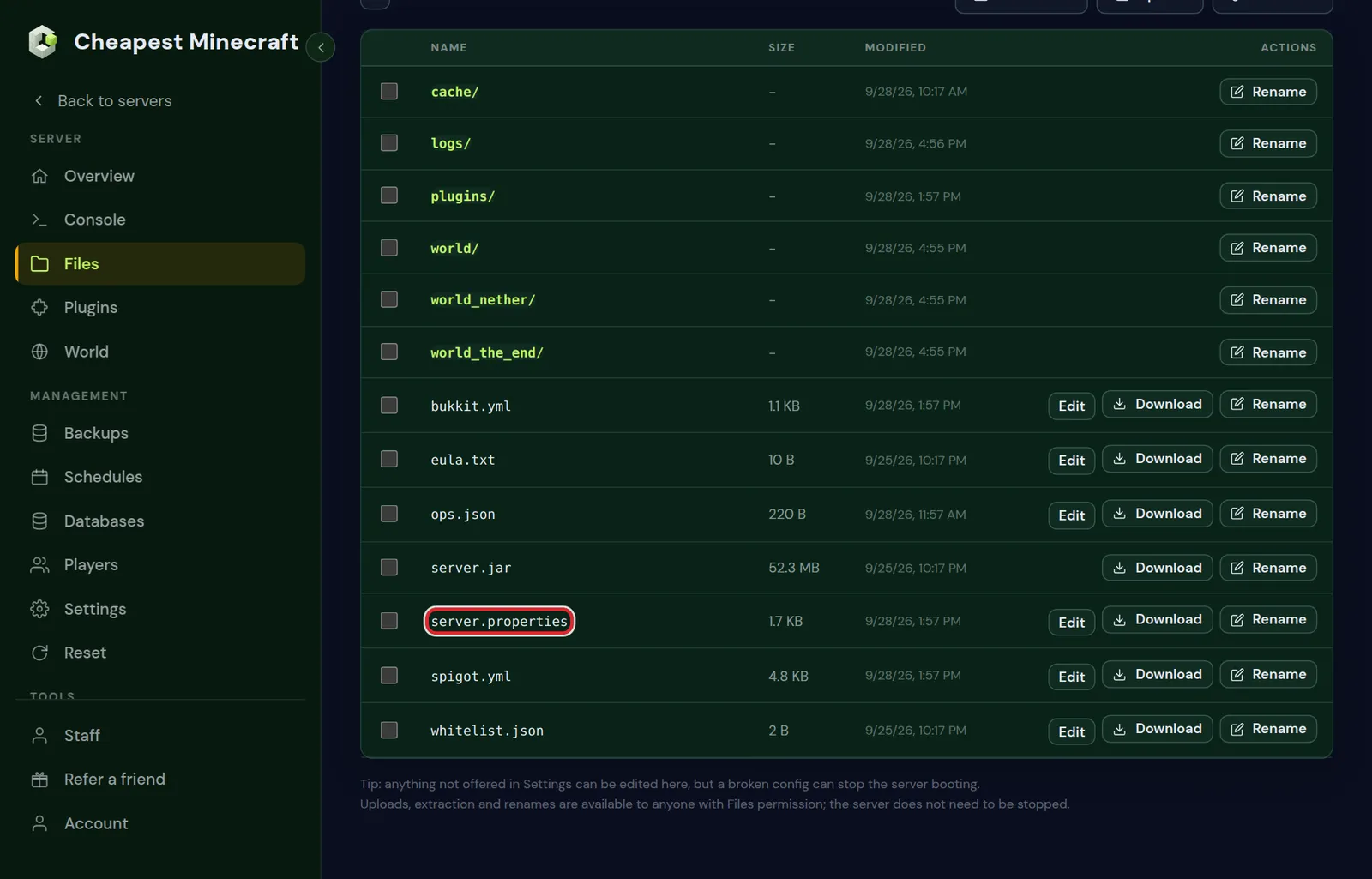
- Open Files and click Edit next to
server.propertiesin the top folder. - Change
pvp=truetopvp=false. - Click Save and restart the server.
The other lines of that file are covered in server.properties explained.
PvP only in an arena: WorldGuard PvP regions
WorldGuard switches PvP per area on Paper, Purpur and Spigot. It can only block PvP that the game allows. For an arena, keep the PvP game rule on, or the pvp line on older versions, and let WorldGuard deny PvP everywhere else.
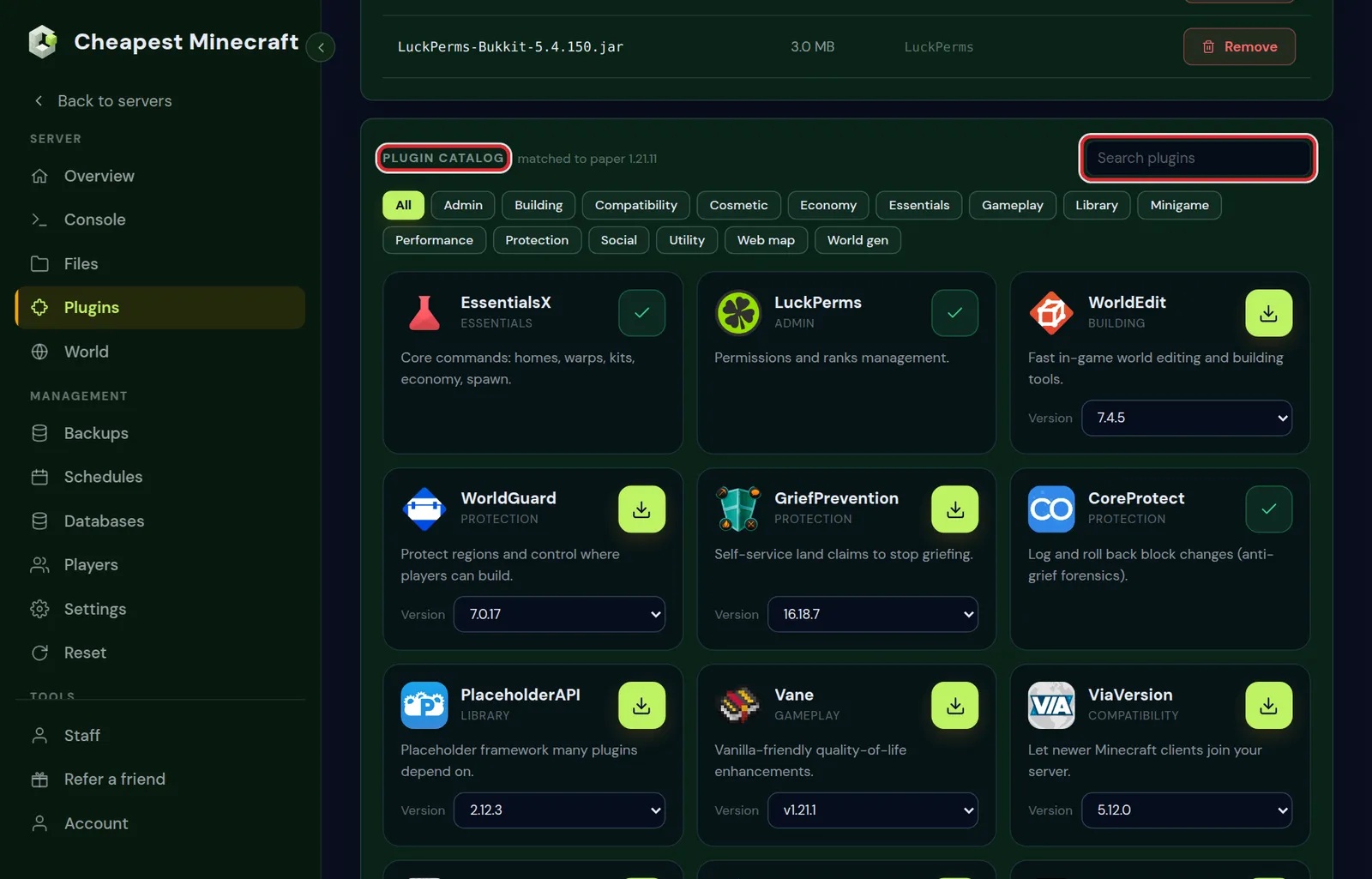
- Install WorldGuard and WorldEdit from the plugin catalog in the Plugins tab and restart. FastAsyncWorldEdit can take the place of WorldEdit, but install only one of the two: with both in the
pluginsfolder, neither works. - Stand in the world and type
/rg flag __global__ pvp deny. PvP is now off in that whole world. - Select the arena with the WorldEdit wand, the way stop griefing shows for a spawn region, and type
/rg define arena. - Type
/rg flag arena pvp allow. Inside the arena, players can fight again.
| WorldGuard command | What it does |
|---|---|
/rg flag __global__ pvp deny | PvP off in the world you stand in, except in regions that allow it |
/rg flag arena pvp allow | PvP on inside the region named arena |
/rg flag arena pvp | Removes the flag, so the region follows the rest of the world again |
/rg setpriority arena 10 | The arena wins where it overlaps another region |
/rg info arena | Shows the flags and the priority of the region |
/rg flag -w world __global__ pvp deny | The same from the console, with the world named |
If the arena lies inside a larger region that denies PvP, such as your spawn, give the arena a higher priority. With equal priority, deny wins.
PvP per world: Nether, End and Multiverse worlds
On Paper every world keeps its own game rules, so PvP can be on in one world and off in another without a plugin. Set the rule in the world itself:
- In the game: stand in the world and type
/gamerule pvp false. Only that world changes. - From the console: name the world with
execute in, for exampleexecute in minecraft:the_nether run gamerule pvp true.
For PvP in the Nether only, set the overworld and the End to false and the Nether to true. The Game rules card sets all three worlds to the same value, so after using the card, set the Nether again by command.
Worlds you add with Multiverse-Core, such as a separate PvP world, work the same way: go there with /mv tp and the name of the world, then set the game rule. Multiverse-Core also stores a PvP value for each world it manages, which you change with its modify command; /mv help shows the exact form for the version you installed. Give both the same value. On older versions without the game rule, use that Multiverse value or a WorldGuard __global__ flag in each world.
Whether separate worlds on one server or a network of servers suits you better is covered in build a server network.
Turn off friendly fire for Minecraft teams
Teams are part of the normal game and need no plugin. Players in a team with friendly fire off cannot hurt each other, while PvP against everyone else stays on. A player can be in one team at a time.
team add red
team join red Alex Sam
team modify red friendlyFire false
Type these lines in the Console, or in the game with a slash. team leave Alex takes a player out of the team again, and team modify red color red shows the names of that team in red.
Minecraft PvP toggle and combat log plugins
Plugins add PvP rules the game itself does not have. These are the kinds server owners use most:
| What you want | Kind of plugin | Example |
|---|---|---|
| Each player chooses PvP on or off | PvP toggle plugin | PvPManager |
| No escape from a fight by logging out | Combat log plugin | Simple Combat Log, Combat Tag |
| No spawn camping right after a respawn | Short damage protection after joining or respawning | SpawnProtection |
| One against one fights with kits and a queue | Duel plugin | Duels Optimised |
| PvP only in marked areas | Region plugin | WorldGuard |
On 26.2, every example except PvPManager is in the plugin catalog of the Plugins tab. A plugin from outside the catalog you upload yourself, after checking that it supports your Minecraft version; install plugins shows how.
Common options in toggle plugins are a cooldown, so nobody switches PvP off in the middle of a fight, and a protection period for new players. The commands and options are in the config file the plugin creates in its own folder after the first start. Limit who may use the toggle with LuckPerms.
Fabric, Forge and NeoForge do not run plugins. The game rule, server.properties and teams work there the same way; for PvP per area, use a protection or claims mod with a PvP option.
Minecraft PvP not turning off? Common causes
- PvP was changed in server.properties on 1.21.11 or newer. On these versions, switch the game rule in the World tab.
- Players still fight in the Nether or the End. The rule was set with a plain
gamerulefrom the console. Use the Game rules card or theexecute inlines. - The server was not restarted after a change in
server.properties. - The test player is in creative or spectator mode. Those players take no damage from other players, with PvP on or off.
- A plugin has its own PvP rule. WorldGuard regions, land claim plugins such as GriefPrevention and toggle plugins all have PvP options. When a WorldGuard region denies PvP, the attacker sees "Hey! Sorry, but you can't PvP here." and
/rg infowith the region name shows its flags.
Questions from Minecraft server owners
Is PvP on or off by default on a Minecraft server?
On. A new Minecraft Java server starts with PvP on: the game rule is true on 1.21.11 and newer, and older versions have pvp=true in server.properties.
Does spawn protection stop PvP on a Minecraft server?
No. Spawn protection only stops players who are not operators from building and breaking blocks near spawn. For a spawn where nobody can fight, make it a WorldGuard region and set its pvp flag to deny.
Can I turn off PvP for one player on my Minecraft server?
The game rule applies to everyone in a world. For one player, use a PvP toggle plugin, which lets each player switch their own PvP. A team with friendly fire off protects a group of players from each other.
Do I need to restart my Minecraft server after turning off PvP?
For the game rule, no: it works the moment you change it. A change to the pvp line in server.properties needs a restart.
Do Bedrock players on a crossplay server follow the PvP setting?
Yes. Bedrock players join through Geyser as players of the Java server, so the same game rule, WorldGuard regions and plugins apply to them.
How do I get 1.8 PvP on my Minecraft server?
Run Minecraft 1.8.9, which has the combat from before the attack cooldown, or keep a newer version on Paper and add a plugin such as OldCombatMechanics, which brings back the old attack speed.
Checked against the Game rules card in the World tab, the Server settings form in the Settings tab and the plugin catalog of our control panel, on Paper for Minecraft Java 26.2, October 2026. Written by the Cheapest Minecraft Hosting team, first published , updated .