
 Astroworld
Troubleshooting
Can't connect to your Minecraft server? Check these in order
When a player cannot get in, the message on their screen almost always says why, even if it does not sound like it. Find the message below, or work down the list: it is ordered from the most common cause to the rarest.
In short
When you can't connect to a Minecraft server, check in this order: that the server is running and its console says Done, that the address is copied exactly (Bedrock players also need the port), that the game version matches the server, that the player is on the whitelist and not banned, and that their account and network are fine. The message on the player's screen tells you which of these it is.
1. Is the Minecraft server running?
Open the Console tab. If the server is stopped, start it. If it is starting, wait for the line with Done; a player who tries earlier gets Connection refused. Big modpacks can take several minutes to get there.
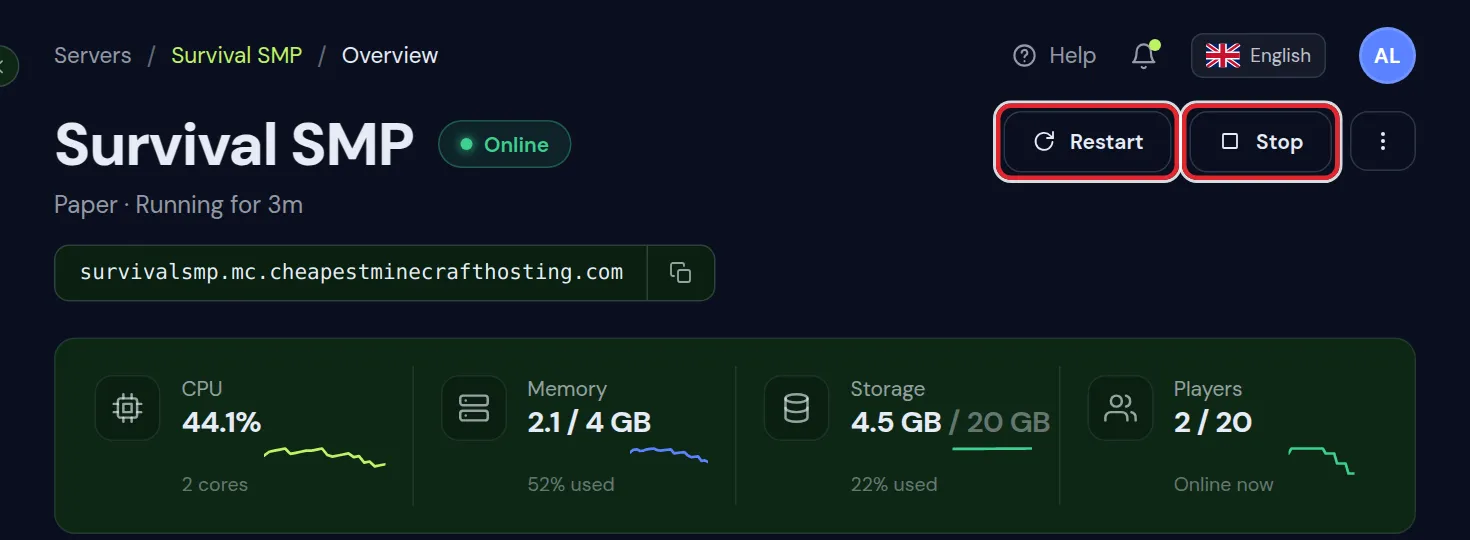
Did it stop by itself? The last lines of the console usually show why. If they mention a Java or class version, see which Java version your server needs.
2. Is the Minecraft server address right?
- Copy the address from the Overview tab instead of typing it. A missing letter gives Can't resolve hostname or Unknown host.
- Java players type only the address. Bedrock players also fill in the port the panel shows, in the separate port field.
- No spaces before or after the address. Some phones add one when pasting.
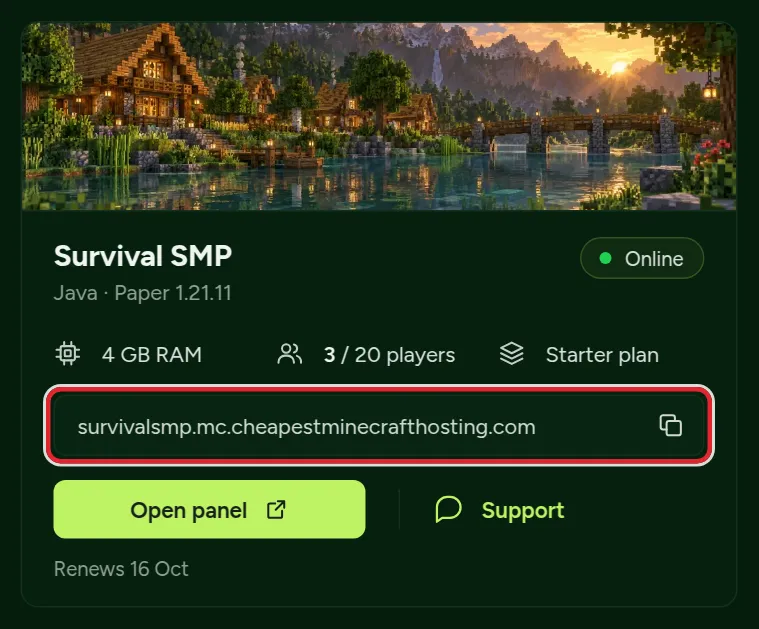
Just added a new address in Settings? It can take a few minutes before every network knows it. Players on some networks may need to restart the game or their router once.
3. Do the Minecraft versions match?
| Message | Meaning |
|---|---|
| Outdated client! Please use (version) | The player's game is older than the server |
| Outdated server! I'm still on (version) | The player's game is newer than the server |
| The version shows in red in the server list | The versions differ; joining gives one of the two messages above |
The player can pick the server's version in the Minecraft Launcher under Installations. Or you let several versions in with the ViaVersion plugin, which lets newer clients join an older Paper server.
Bedrock updates on its own, so a Bedrock player is always on the newest version. On a crossplay server, keep Geyser up to date to follow.
4. Is the player allowed in on the Minecraft server?
- You are not whitelisted on this server: add their exact username in the Players tab. For Bedrock players on crossplay, use
fwhitelist addwith their name. - You are banned from this server: check the ban list in the Players tab and pardon them if it was a mistake.
- The server is full: raise
max-playersinserver.properties, or wait for a slot.
5. Failed to verify username on a Minecraft server
The server checks with Mojang that the player really owns the account. This fails when:
- The player uses an unofficial launcher without a real Microsoft account. They need to buy and sign in to Minecraft.
- The player's session expired. Restarting the Minecraft Launcher and signing in again fixes it.
- Mojang's login servers have a hiccup. Wait a few minutes; it affects many servers at once when it happens.
Do not turn off online-mode to get around it. That setting is what stops a stranger from logging in as you or as one of your operators.
6. Timed out when connecting to a Minecraft server
Connection timed out means no answer came in time. If only one player has it, the cause is on their side: a school or work network that blocks games, a VPN, or a firewall on their computer. Ask them to try on a phone hotspot to be sure.
If everyone has it, the server itself is overloaded or stuck. Check the console for lag warnings and see reduce lag on your server.
7. Modded Minecraft servers
Messages about missing mods, a mismatched mod list or registry errors mean the player's mods differ from the server's. The fix is always the same: exactly the same pack at exactly the same version. Send them join a modded server.
8. Bedrock cannot connect to the Minecraft server but Java can
On a crossplay server this is nearly always the Geyser port. It must match the Bedrock port the panel shows; if someone set it to 19132, Bedrock players get Unable to connect to world. Java and Bedrock crossplay explains the setting.
9. Exact Minecraft connection errors and what they mean
Java shows some errors in technical words. These are the long ones players copy into a search engine, with the step on this page that fixes them.
| Message on the screen | What it means | Go to |
|---|---|---|
io.netty.channel.AbstractChannel$AnnotatedConnectException: Connection refused | Nothing answered at that address: the server is off, still starting, or the address is wrong | Steps 1 and 2 |
Connection timed out: no further information | The connection never got through, usually a blocked network | Step 6 |
Unknown host or Can't resolve hostname | The address has a typo or a space | Step 2 |
An existing connection was forcibly closed by the remote host | The connection broke off: an unstable network, a VPN, or the server restarted | Steps 1 and 6 |
Lost connection: Timed out while playing | The server or the player's connection stalled for too long | Step 6 |
Invalid session (Try restarting your game and the launcher) | The login of the player expired | Step 5 |
Internal Exception: io.netty.handler.codec.DecoderException | The game received data it cannot read, often from a mod or plugin version mismatch | Steps 3 and 7 |
Multiplayer is disabled | The Microsoft account does not allow online play | Step 10 |
10. Multiplayer is disabled: fix the Microsoft account settings
The message Multiplayer is disabled. Please check your Microsoft account settings has nothing to do with the server. The player's account is not allowed to play online, which is common on accounts of children and on new accounts.
- Sign in to the Microsoft account of the player and open the Xbox privacy and online safety settings.
- Set You can join multiplayer games to Allow and save.
- On a child account, the parent changes this setting in Microsoft Family Safety.
- Restart the Minecraft Launcher, sign in again and join.
The same setting blocks Realms and every other server, so a player who has this message cannot play online anywhere until it is changed.
11. Can't connect to a Minecraft server behind a proxy
On a network with Velocity in front of several servers, players connect to the proxy, and the proxy passes them on. Two messages point at the link between the two:
- If you wish to use IP forwarding, please enable it in your BungeeCord config as well! The server behind the proxy expects forwarding that the proxy does not send, or the other way round. Use the same forwarding mode and secret on both sides.
- This server requires you to connect with Velocity means a player tried to join the server behind the proxy directly. Players should only use the address of the proxy.
Build a Minecraft server network explains how the proxy and the servers behind it are set up.
12. Still can't connect: what to send support
If none of the steps solved it, our support team can look at the server with you, every day from 07:00 to 23:00 CET. Send these five things and we can usually answer in one go:
- The exact message on the player's screen, ideally a screenshot.
- The time it happened, so we can find the attempt in the console.
- Java or Bedrock, and the version of the player's game.
- Whether other players can join at the same time.
- The address the player typed.
Open a ticket from the support page, or from the client area if you are signed in.
Questions from Minecraft server owners
The Minecraft server shows in the list but I cannot join. Why?
Showing in the list means the address and the network are fine. Look at the message you get when joining: usually it is a version difference, the whitelist or a mod mismatch.
Everyone can join the Minecraft server except one player. What now?
Then the server is fine and the cause is with that player: their version, their mods, their account, or their network. Ask for the exact message on their screen.
Can I see who tried to connect to my Minecraft server?
Yes. The console logs every attempt, including the reason a player was turned away, such as not being whitelisted.
Why does Minecraft say Connection refused when I join my server?
Nothing answered at the address you used. The server is stopped, still starting, or the address or port is wrong. Wait for Done in the console and copy the address from the Overview tab.
How do I fix Multiplayer is disabled in Minecraft?
Allow You can join multiplayer games in the Xbox privacy settings of the player's Microsoft account, or ask the parent to allow it in Microsoft Family Safety for a child account. Then restart the launcher.
Do Java players need a port to join a Minecraft server?
No. Java players only type the address. Bedrock players type the address and the Bedrock port the panel shows, in the separate port field.
What does Lost connection: Timed out mean in Minecraft?
The connection was fine and then stalled for too long while playing. If it happens to everyone at once, the server froze; check the console and the lag guide. If it is one player, their network dropped out.
Checked against Minecraft Java 26.2 and current Bedrock, September 2026. Written by the Cheapest Minecraft Hosting team, first published , updated .