
 Astroworld
Getting started
How much does a Minecraft server cost? Prices per month for 2 to 100 players
The honest answer to what a Minecraft server costs is: it depends on how many people play at the same time and on what the server runs. A vanilla world for three friends and a modpack for ten are two very different machines.
This guide gives you the price per month for common group sizes, shows where the money goes, and compares renting a server with running one at home. All prices are our own and come straight from our price list, so you can check each one on the plans page.
In short
A hosted Minecraft server costs about $1.60 to $6.40 a month for a group of friends, and the price follows the memory you rent. At Cheapest Minecraft Hosting every GB of RAM costs $0.80 a month in US dollars or €0.80 in euros: $1.60 for 2 GB (2 or 3 players), $3.20 for 4 GB (up to 8 players) and $6.40 for 8 GB (up to 24 players), with no setup fee. A server on your own computer costs nothing to rent, but it only runs while that computer is on. Prices checked on 16 November 2026.
Minecraft server cost per month by number of players
We charge €0.80 (or $0.80) for every GB of memory a month, so the price of a server is its memory times that number. The table uses the rule from our RAM guide for the normal game: 2 GB for the server itself, then 1 GB for every 4 players who are online at the same moment.
| Players online at once | Memory | Per month (USD) | Per month (EUR) | Storage |
|---|---|---|---|---|
| 2 or 3 | 2 GB | $1.60 | €1.60 | 10 GB NVMe |
| 4 to 8 | 4 GB | $3.20 | €3.20 | 20 GB NVMe |
| 10 | 5 GB | $4.00 | €4.00 | 25 GB NVMe |
| 20 | 7 GB | $5.60 | €5.60 | 35 GB NVMe |
| Up to 24 | 8 GB | $6.40 | €6.40 | 40 GB NVMe |
| 50 | 15 GB | $12.00 | €12.00 | 75 GB NVMe |
| 100 | 27 GB | $21.60 | €21.60 | 135 GB NVMe |
Count the players who are online together, not everyone who has ever joined. A server with forty members where eight play on a normal evening is an 8 player server.
These rows are for vanilla or Paper with a handful of plugins. Many plugins and modpacks need more memory for the same group, which the next part covers. How much RAM do you need has the full rule and a calculator.
You can pick any size from 2 to 128 GB in steps of 1 GB, so you never have to jump to the next plan to get one GB more.
The location does not change the price per GB. New customers who pick Germany or Canada get 40% off their first 6 monthly payments, taken off at checkout: a 2 GB server is then €0.96 a month for half a year, and a 4 GB server €1.92.
What a modded or plugin heavy Minecraft server costs
Plugins and mods use memory before the first player joins, and each player costs more on top of that. The price per GB stays the same; you only need more of it.
| What the server runs | Players online at once | Memory | Per month (USD) | Per month (EUR) |
|---|---|---|---|---|
| Paper with 20 or more plugins | 6 | 4 GB | $3.20 | €3.20 |
| Paper with 20 or more plugins | 15 | 8 GB | $6.40 | €6.40 |
| Paper with 20 or more plugins | 30 | 12 GB | $9.60 | €9.60 |
| Light modpack, about 50 mods | 4 | 6 GB | $4.80 | €4.80 |
| Light modpack, about 50 mods | 8 | 8 GB | $6.40 | €6.40 |
| Heavy modpack, 300 mods or more | 5 | 12 GB | $9.60 | €9.60 |
| Heavy modpack, 300 mods or more | 10 | 16 GB | $12.80 | €12.80 |
A modpack usually says how much memory it wants on its own page. When that number is higher than the table, follow the modpack. Install a modpack shows how to put one on your server, and Fabric, Forge or NeoForge explains the difference between the mod loaders.
What you pay for in the price of a Minecraft server
A monthly price buys you a slice of a machine that never switches off. Four things decide how much that slice costs.
| Part | Why it matters for Minecraft | On our servers |
|---|---|---|
| Memory (RAM) | Every loaded chunk, player, plugin and mod lives in memory. Too little and the server stutters or crashes. | €0.80 or $0.80 per GB a month |
| Processor | Minecraft does most of its work on one core, so the speed of a single core matters more than the number of cores. | AMD Ryzen 9 7950X with DDR5 in Poland, included in every size |
| Storage | Worlds, backups, plugins and logs. A fast disk makes chunks load and save quickly. | 5 GB of NVMe for every GB of memory, included |
| Network and protection | Where the server is decides the ping, and a public address needs protection against attacks. | Poland, Germany or Canada, with DDoS protection included |
Memory is the only part you choose, which keeps the price list to one number. The processor, the storage and the network come with every size.
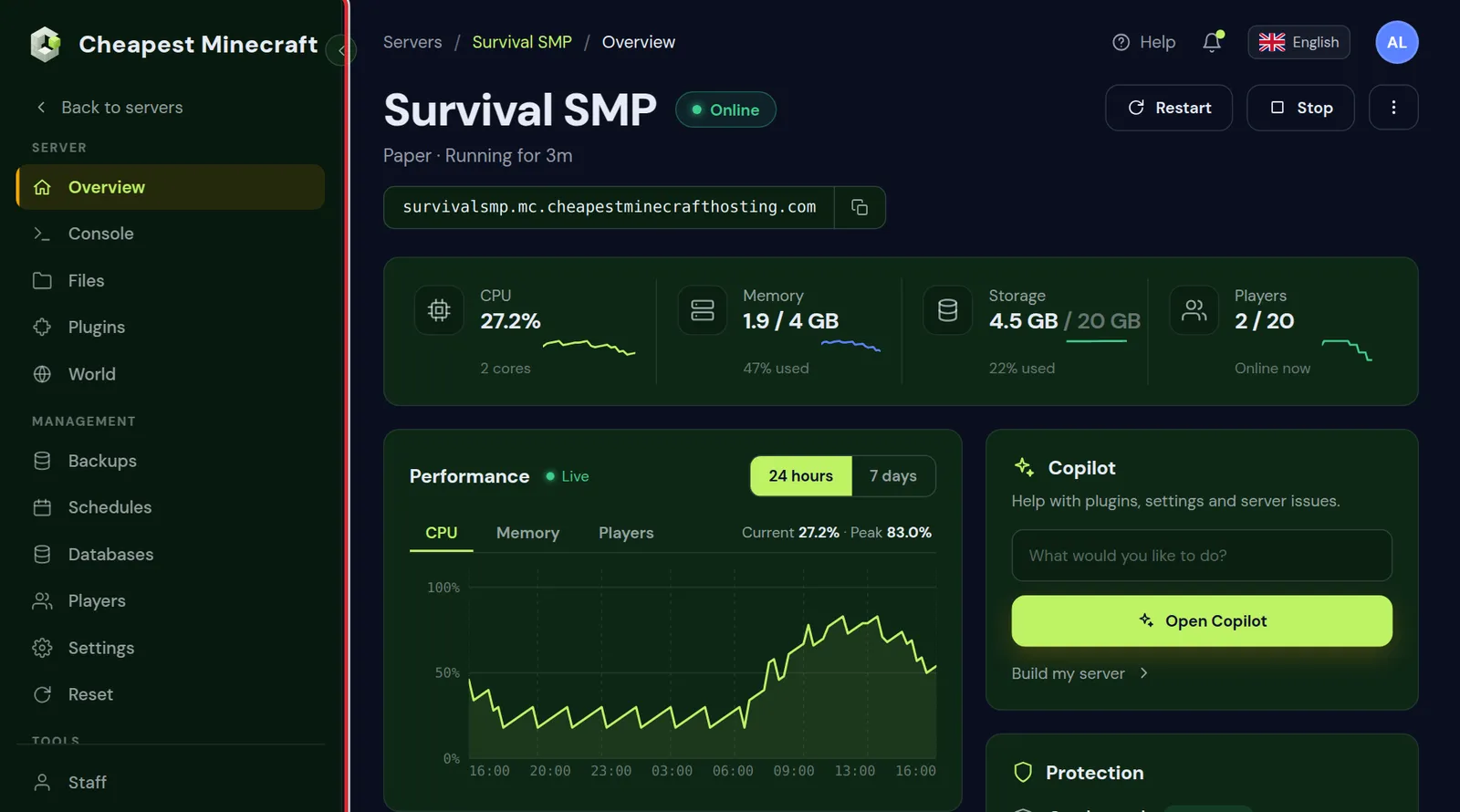
Is it cheaper to host a Minecraft server yourself?
The server software is a free download for Java and for Bedrock, so a server on your own computer has no rent. It still has a cost, and it is easy to work out.
The electricity sum
A desktop computer that runs a small server draws somewhere around 60 watts when it is left on. Over a month of 30 days that is 60 W times 24 hours times 30 days, which is about 43 kWh. Multiply by what you pay for a kWh:
| Your electricity price per kWh | A 60 W computer, on all month | A 100 W computer, on all month |
|---|---|---|
| 0.15 | About 6.50 | About 10.80 |
| 0.25 | About 10.80 | About 18.00 |
| 0.35 | About 15.10 | About 25.20 |
The amounts are in the same currency as your electricity price. Compare them with the table at the top: a 4 GB server for up to 8 players is €3.20 a month. A computer that would be on all day anyway costs you nothing extra, and one that you switch on only for the server usually costs more than renting.
What else changes at home
- The server is only online while the computer is on and awake.
- You forward a port on your router and share your home IP address with everyone who joins.
- Your own game and the server share one computer, so both slow down when you play on it.
- Backups, updates and protection against attacks are yours to arrange.
For a weekend with a friend this is fine, and free Minecraft server hosting walks through the free routes. For a world that friends visit when you are offline, a small rented server is usually the cheaper and calmer choice.
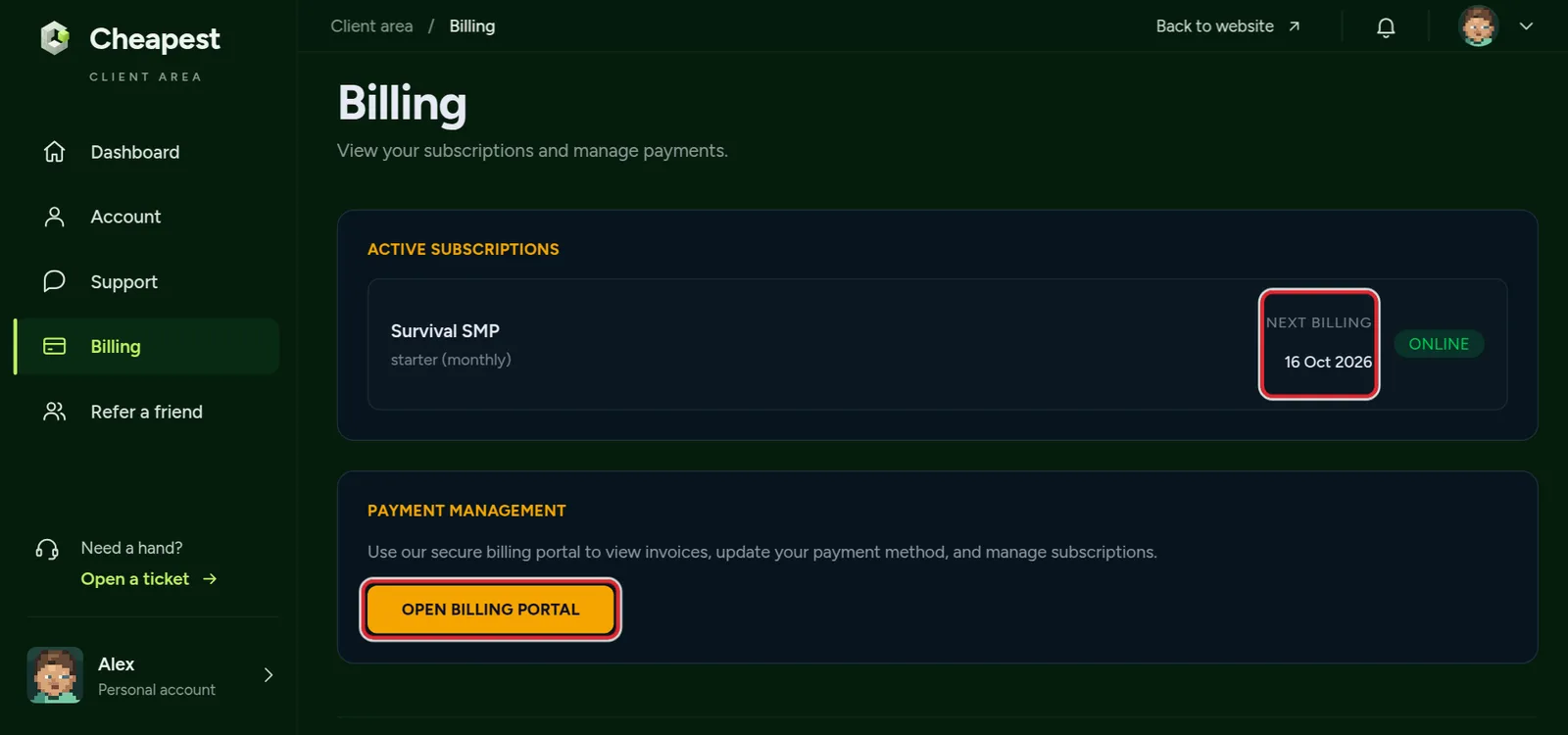
Monthly or a longer term: what is cheaper
You choose a term of 1, 6, 12 or 24 months when you order. A longer term costs less per month, and you still pay it month by month.
| Term | Price per month | A 4 GB server (€3.20 monthly) |
|---|---|---|
| 1 month | The normal price | €3.20 |
| 6 months | 10% less | €2.88 |
| 12 months | 15% less | €2.72 |
| 24 months | 20% less | €2.56 |
Start monthly when you are not sure the group will keep playing. Pick a longer term when the server is clearly here to stay; after the fixed term it continues month to month.
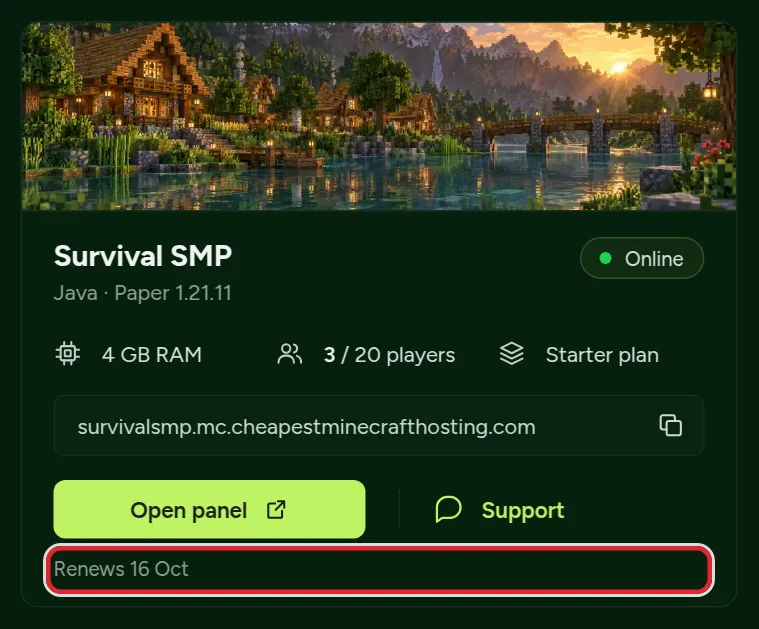
How to pay for no more memory than you need
Most groups rent too much memory at the start, or too little and then blame lag on the host. Three habits keep the bill honest.
Start at the size the rule gives you
Use the tables above, order that size, and play for a week. Raising the memory later takes a minute and keeps your world, so there is no reason to buy room you might need next year.
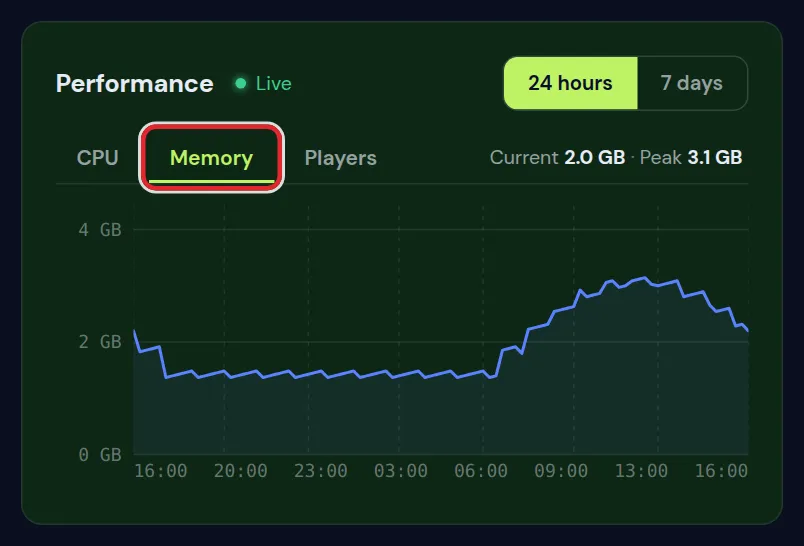
Look at the memory graph on a busy evening
The Overview tab draws how much memory the server uses. If the line stays well under the limit while everyone is online, you have enough. If it sits against the top and the server slows down, add a GB or two.
Tune before you upgrade
- A lower view distance saves the most memory. View distance and simulation distance explains both settings.
- Paper uses less memory and processor time than vanilla for the same world. Paper, Purpur or Spigot compares them.
- Generate the world before players explore it, so the server is not building new chunks during play. See pregenerate your world.
- Remove plugins and mods nobody uses. Each one takes memory, even when it is idle.
Reduce lag on your Minecraft server has the full list in the order that helps most.
Java, Bedrock and crossplay: does the edition change the price?
No. A Java server, a Bedrock server and a crossplay server cost the same per GB with us. What differs is how much memory each needs.
| Edition | Who can join | Memory compared with the tables above |
|---|---|---|
| Java | Players on PC, Mac and Linux | As listed |
| Bedrock | Players on phones, tablets, consoles and Windows | As listed for the normal game |
| Crossplay | Java and Bedrock players in one world | A little more, because every Bedrock packet is translated |
For crossplay with more than a few players, take 1 or 2 GB more than the Java row. Java or Bedrock server helps you choose, and crossplay between Java and Bedrock shows how both editions join.
Order a Minecraft server at the price you worked out
- Count how many players are online together on a normal evening.
- Pick the memory from the first table, or from the second if you run many plugins or a modpack.
- On the plans page, choose that size, or set the slider to the exact number of GB.
- Choose the location closest to your players and the term you want.
- Pay, and the server starts by itself. You get the address to share with your friends.
From there, how to make a Minecraft server takes you through the first settings, and join your Minecraft server shows your friends how to connect.
Questions from Minecraft server owners
How much does a Minecraft server cost per month?
For a group of friends, about $1.60 to $6.40 a month. With us every GB of memory costs $0.80 or €0.80 a month, so 2 GB is $1.60, 4 GB is $3.20 and 8 GB is $6.40, with no setup fee.
How much does a Minecraft server cost for 2 players?
A 2 GB server is enough for 2 or 3 players on vanilla or Paper, and costs $1.60 or €1.60 a month.
How much does a Minecraft server cost for 10 players?
Ten players on the normal game need about 5 GB, which is $4.00 or €4.00 a month. With 20 or more plugins take 6 GB, and for a heavy modpack 16 GB.
How much does a Minecraft server cost for 20 players?
Twenty players on the normal game need about 7 GB, which is $5.60 or €5.60 a month. With many plugins, 9 GB is a safer size.
How much does a Minecraft server cost for 100 players?
A hundred players online at once on the normal game need about 27 GB, which is $21.60 or €21.60 a month. A public server with many plugins needs more, around 36 GB.
Is a Minecraft server a one time payment?
No. A hosted server is rented per month, because the machine it runs on has to stay online. The only server without a monthly price is one on your own computer.
Is it cheaper to host a Minecraft server on my own PC?
Only when that PC is on all day anyway. A computer that you leave on just for the server uses about 43 kWh a month at 60 watts, which often costs more than a small rented server.
Does a modded Minecraft server cost more?
The price per GB is the same, but a modpack needs more memory: about 6 to 8 GB for a light pack and 12 to 16 GB for a heavy one.
Can I change the size of my Minecraft server later?
Yes. You can raise the memory at any time and keep your world, so you can start small and grow with your group.
Checked against our own price list, the RAM rule behind our calculator and the Billing page of the client area, November 2026. Written by the Cheapest Minecraft Hosting team, first published , updated .