
 Astroworld
Getting started
Free Minecraft server hosting: what you get, the limits, and the cheapest way past them
Most people who search for free Minecraft server hosting want one thing: a world their friends can join, without paying every month. That is a fair wish, and there are three honest ways to get close to it. A free host, your own computer, or a very cheap paid server.
This guide explains what each of them gives you, where the limits are, and which one fits your group. It also shows what a server looks like when it is not free, so you can decide whether the difference is worth a coffee a month.
In short
Free Minecraft server hosting exists, but it comes with limits: the server stops when nobody is online, you often wait in a queue to start it, memory is small and plugins or mods are restricted. The only way to run a server that is truly free and unlimited is on your own computer. If you want a server that stays online without your PC, Cheapest Minecraft Hosting starts at $1.60 a month in US dollars or €1.60 in euros for 2 GB, with no setup fee. Prices checked on 15 November 2026.
Is there really free Minecraft server hosting?
Yes. Several services give you a Minecraft server for nothing. They pay for it with advertising, with a waiting queue, or by hoping you upgrade later. None of that is wrong, but it shapes what you get.
Running a Minecraft server costs real money: memory, a fast processor, storage and the electricity and network to keep it all online. A server for a few friends needs at least 2 GB of memory for every hour it runs. A free host can only pay for that by sharing the same hardware between many users and switching servers off as soon as they are empty.
We do not have a free plan ourselves. Our smallest server, the Mini, is the cheapest way we know to get a server with none of the limits below.
The usual limits of a free Minecraft server
Every free host makes its own choices, but these limits come back again and again. Check them before you build a world you care about.
| Limit | What it means for your group | On a paid server |
|---|---|---|
| The server stops when it is empty | Friends cannot log in while you are offline; someone has to start it first | Online day and night |
| A queue to start | You can wait minutes before the world is up, more in the evening | Starts in seconds, whenever you want |
| Little memory | Lag with more than a few players, and no room for modpacks | From 2 GB, and you can add more later |
| Restricted plugins and mods | Only what the host allows, often no uploads of your own | Any plugin, mod or modpack you choose |
| Shared or long address | Harder to remember, sometimes with a port number | A short address of your own |
| Adverts or a time limit | You click through ads or renew every few days | No ads, no renewing by hand |
| Backups | Often none, or only by hand | Backups you can restore in a few clicks |
For a quick test of a mod, or a single evening with a friend, these limits do not matter much. For an SMP that people visit every day, the first one alone is usually the reason groups move: a world that only exists while you are online is not really a server for your friends.
Host a Minecraft server for free on your own computer
If you want no cost and no limits, run the server yourself. Mojang gives the Java server and the Bedrock Dedicated Server away for free, and both run on an ordinary Windows, macOS or Linux computer.
What you need
- A computer that stays on while people play. The server stops when the computer sleeps or shuts down.
- At least 2 GB of memory for the server itself, on top of what the computer and your own game use.
- Java 21 for Minecraft Java 1.20.5 to 1.21.11, and Java 25 for 26.1 and newer. Which Java version lists them per version.
- Access to your router, to forward a port so friends outside your home can join.
- An upload speed of a few megabits per second for every player.
The steps for a Java server
- Download the server jar for your Minecraft version and put it in an empty folder.
- Start it once with
java -Xmx2G -jar server.jar nogui. It stops and asks you to accept the license. - Open
eula.txt, changeeula=falsetoeula=true, and start it again. - Forward TCP port
25565on your router to the computer that runs the server. - Give your friends your public IP address. They add it under Multiplayer in Minecraft.
Bedrock works the same way with the Bedrock Dedicated Server, on UDP port 19132. For both, open a port on your Minecraft server explains what a port is and why it matters.
The catch with hosting at home
- Your home IP address is visible to everyone who joins, and it can change after a router restart.
- Some internet providers do not let you forward ports at all, for example on many mobile and shared connections.
- The game and the server compete for the same computer, so both lag when you play on it yourself.
- Electricity is not free. A computer that runs all day can cost more per month than a small server.
For a weekend with friends in the same house, a LAN world is even simpler: open your singleplayer world to LAN from the pause menu, and everyone on the same network can join without a server at all.
The cheapest server without the free limits
If you want the server to stay online without your computer, the smallest step up is a small paid plan. Ours start at €1.60 a month for 2 GB, with no setup fee. Every plan includes the full control panel, backups and support.
| Plan | Memory | Storage | Per month (EUR) | Per month (USD) | Good for |
|---|---|---|---|---|---|
| Mini | 2 GB | 10 GB NVMe | €1.60 | $1.60 | Vanilla or Paper for 2 or 3 friends |
| Starter | 4 GB | 20 GB NVMe | €3.20 | $3.20 | A survival or SMP world for up to 8 friends |
| Plus | 8 GB | 40 GB NVMe | €6.40 | $6.40 | Paper with many plugins for up to 15 players |
| Builder | 12 GB | 60 GB NVMe | €9.60 | $9.60 | Large modpacks |
Prices checked on 15 November 2026. Every size runs on an AMD Ryzen 9 7950X or 5900X with fast memory and NVMe storage, and you can raise the memory later without starting over. How much RAM do you need helps you pick a size.
What changes when the server is yours
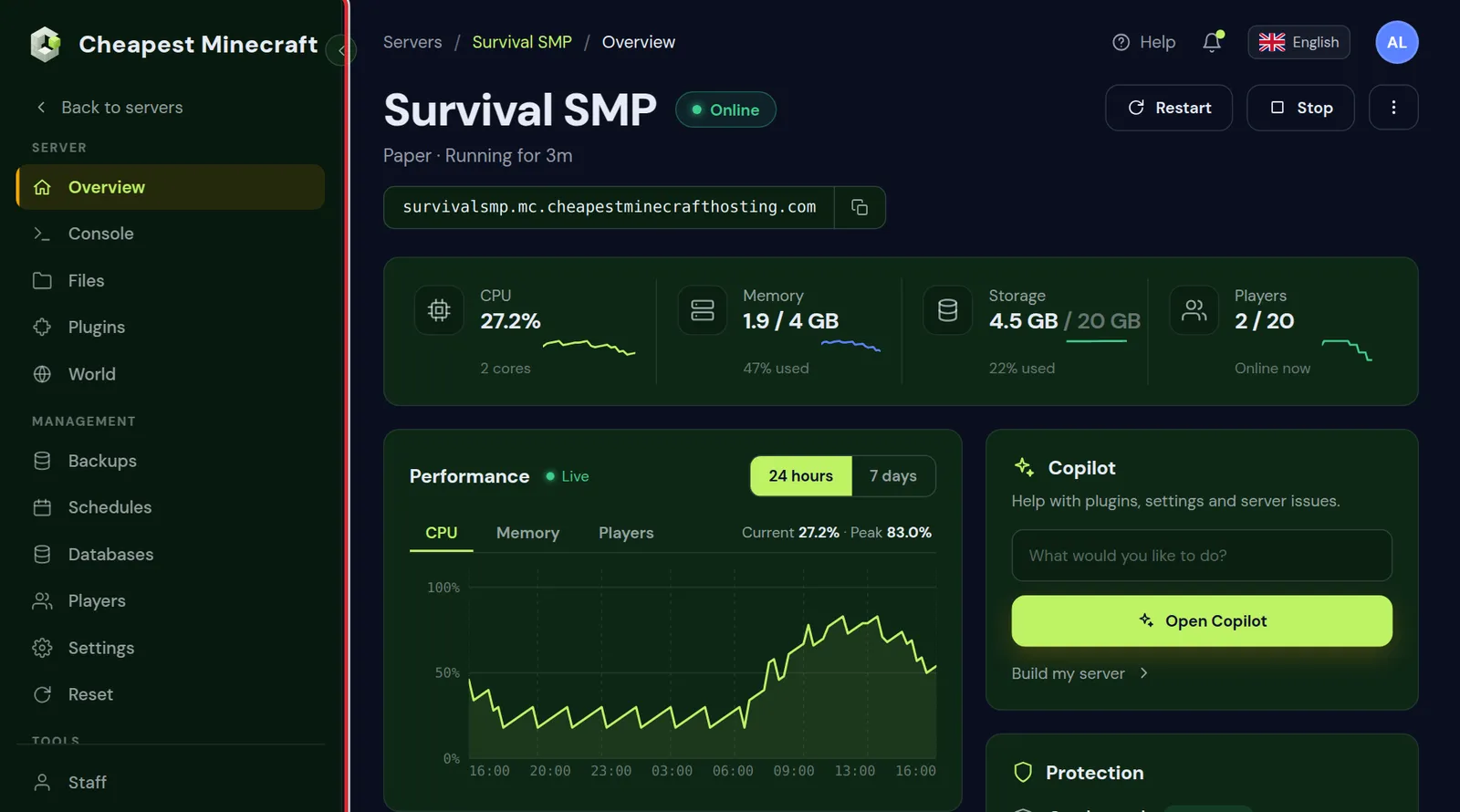
It stays online
A paid server keeps running when you log off. Your friends join at any hour, farms keep working in loaded chunks, and nobody has to press start first. If the server ever crashes, Crash watch starts it again on its own; see auto restart after a crash.
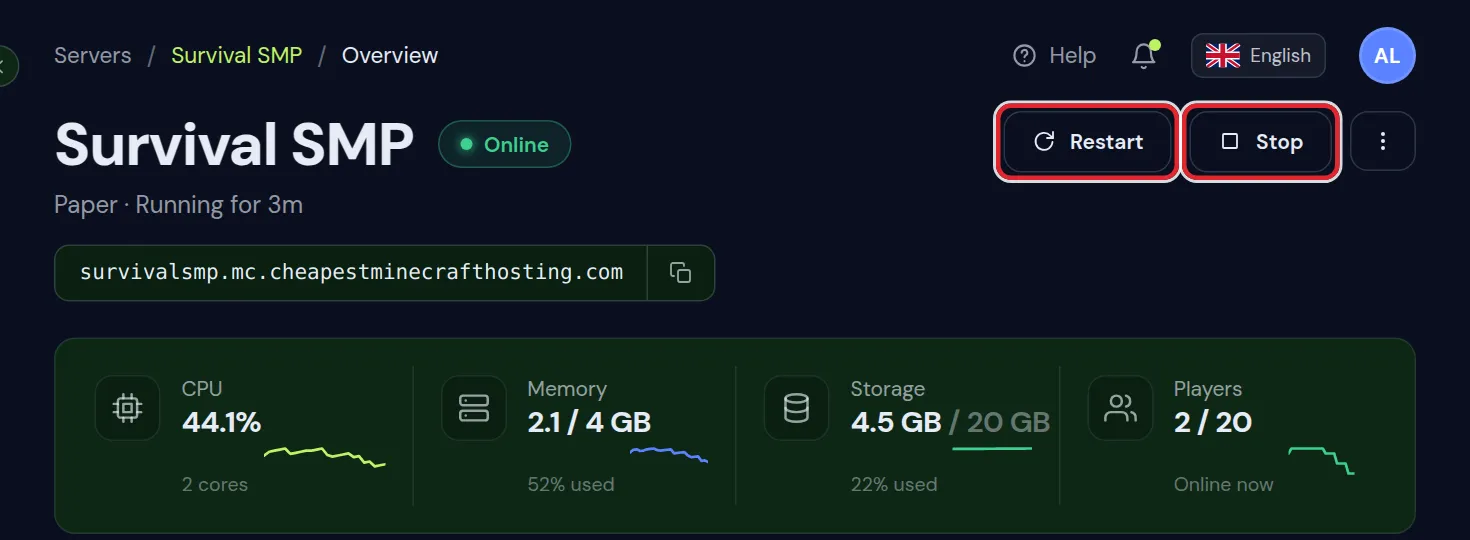
Any plugin, mod or modpack
Paper, Purpur, Fabric, Forge, NeoForge and plain Vanilla are all a click away, and so are thousands of plugins and modpacks. You can also upload your own files. Install plugins and install a modpack show how.
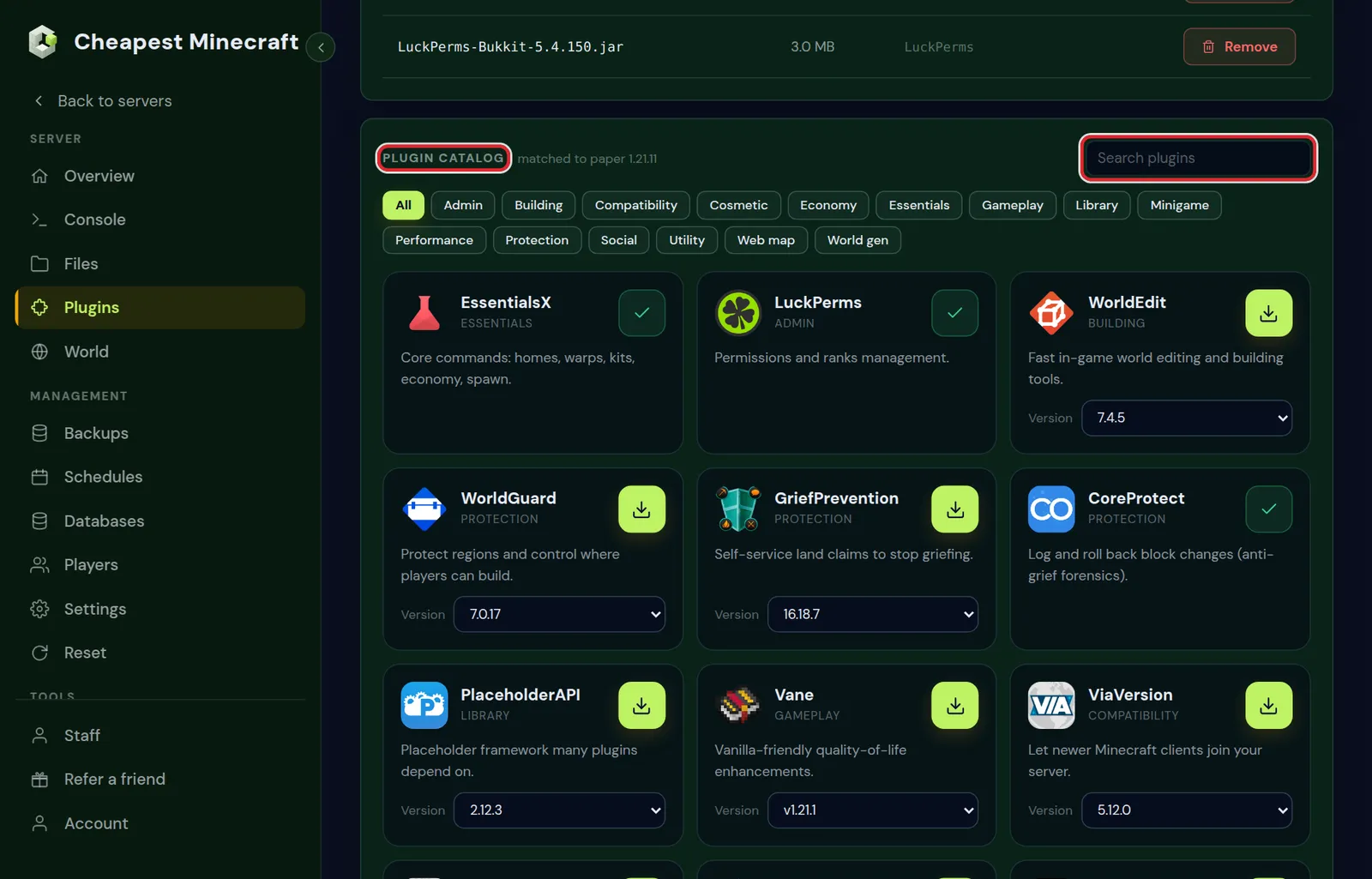
Backups you can restore yourself
One wrong command or one griefer can undo weeks of building. With backups on the Backups tab, you put the world back as it was in a few clicks. Back up and restore your server explains how.
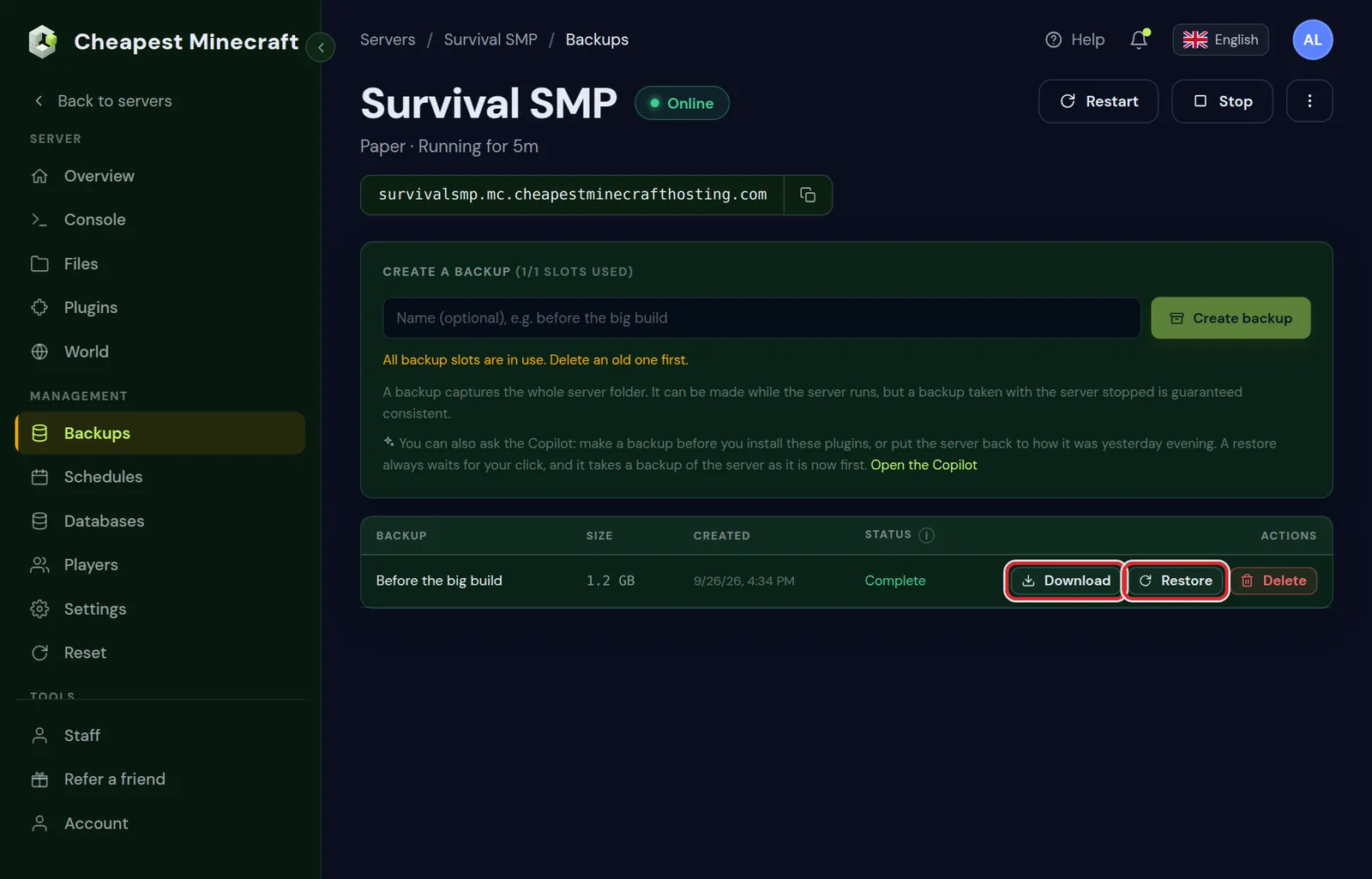
Java and Bedrock together
Every plan can run crossplay, so friends on phones, consoles and Windows join the same world as friends on Java. Crossplay between Java and Bedrock shows how to set it up.
A console and full file access
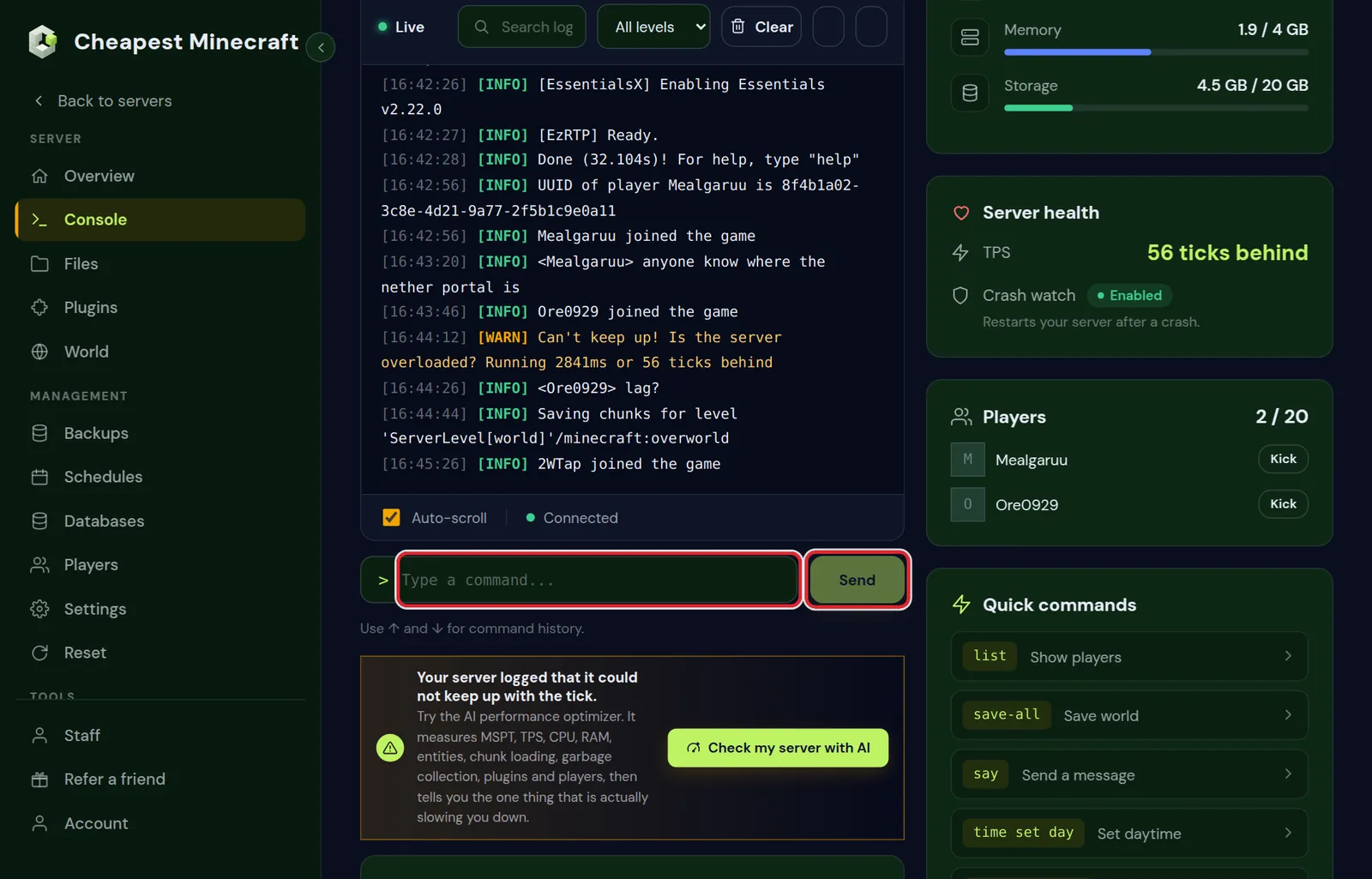
You run commands from the browser, read the logs, edit server.properties and upload worlds, without a computer of your own running at home.
Which option fits your group
| Your situation | Best choice |
|---|---|
| One evening with a friend, to try something out | A free host, or a LAN world |
| Friends in the same house | A LAN world from the pause menu |
| You have a strong PC that is on most of the day | Host it yourself, at no cost |
| Friends want to play when you are not online | A small paid server |
| A modpack, or more than four players | A paid server with 4 GB or more |
| Kids or a school group that needs a safe, whitelisted world | A paid server, see a Minecraft server for kids |
Whichever you choose, you can move later. A world from a free host or from your own computer can be uploaded to a paid server at any time; move your world to our server walks through it.
Move from a free server without losing your world
- On the free host or your own computer, download the world folder. On Paper and Purpur, also take
world_netherandworld_the_end. - Write down the Minecraft version and the server type the world ran on.
- Order a server of the same edition and set the same version on the Settings tab.
- On the Files tab, stop the server and upload the world folders to the top folder.
- Start the server and join. Everything you built is where you left it.
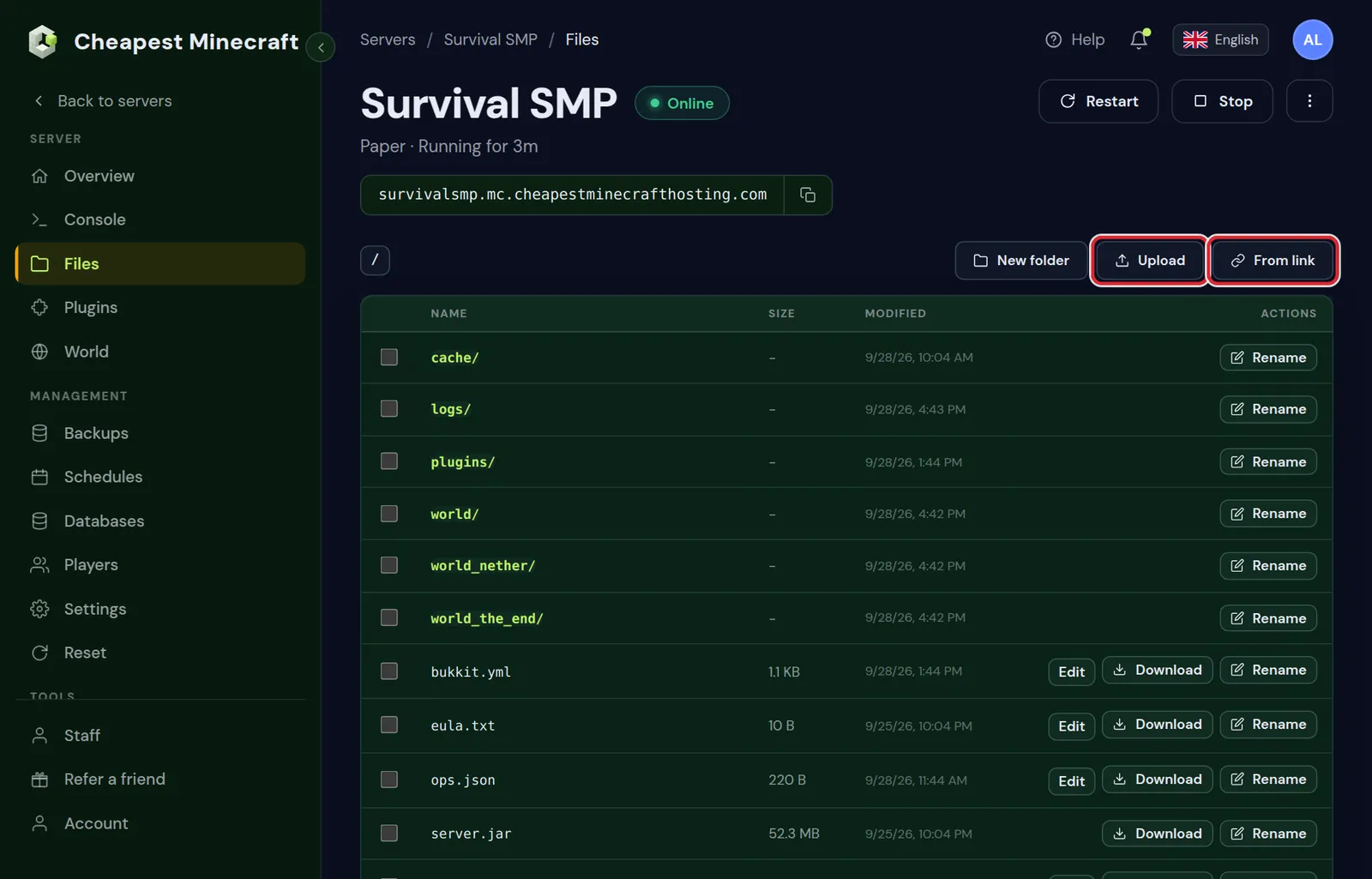
Plugins and their settings live in the plugins folder, and mods in mods. Upload those too if the world uses them, so nothing is missing at the first start.
Questions from Minecraft server owners
Is there a free Minecraft server host with no limits?
Not really. A free host has to pay for the hardware somehow, so it stops empty servers, adds a queue or limits memory. The only free server without limits is one on your own computer.
Can I host a Minecraft server for free on my own PC?
Yes. The Java server and the Bedrock Dedicated Server are free downloads. You need a computer that stays on, at least 2 GB of spare memory and a forwarded port on your router.
Why does my free Minecraft server go offline when I leave?
Free hosts stop servers that have no players, to share their hardware with other users. Someone has to start it again before others can join.
What is the cheapest Minecraft server hosting without those limits?
Our Mini plan is 2 GB for €1.60 a month, or $1.60 in US dollars, with no setup fee. It stays online all the time and fits two or three players on vanilla or Paper.
Do you have a free trial?
No. We keep the smallest plan as cheap as we can instead, so trying a server costs very little.
Can Bedrock and console players join a free server?
Only if the host supports Bedrock or crossplay. On our servers every plan can run Java, Bedrock or both together.
Can I keep my world when I move from a free host?
Yes. Download the world folder from the free host, upload it on the Files tab of your new server and set the same Minecraft version.
Checked against our own plans and control panel, and the server settings of Minecraft Java 1.21.11 and Bedrock, November 2026. Written by the Cheapest Minecraft Hosting team, first published , updated .