
 Astroworld
Getting started
How to change max players on a Minecraft server
Every Minecraft Java server has a player limit: the line max-players in server.properties. A new server starts with 20. Once that many people are online, the next player who connects sees The server is full! and cannot join.
This guide shows where to change the number, how to check that it took effect, which number to pick and how to let yourself or your staff in when the server is full. The other lines of the file are in server.properties explained.
In short
To change max players on a Minecraft server, open the Settings tab, find Max players under Server settings, type the new number and click Save changes. Then restart the server, because Minecraft only reads the line max-players in server.properties when it starts. After the restart the Players figure on the Overview shows the new maximum, for example 0 / 30.
What max-players does on a Minecraft server
max-players counts the players who are online at the same moment. It has no say over who may join at all; that is the whitelist, see whitelist and operators.
| Player | Counts toward max-players? |
|---|---|
| Players in survival, creative or adventure | Yes |
| Players in spectator mode, including dead players on a hardcore server | Yes |
| Bedrock players on a Bedrock or Crossplay server | Yes, see the Bedrock section below |
| Operators | Yes, see letting operators join a full server below |
The setting reserves no memory. A server with max-players=100 uses the same RAM as one with 20 until those players are actually online. Our plans have no player limit of their own: the memory of the plan decides how many people can play smoothly.
How to change max players in the control panel
- Open your server in the panel and go to the Settings tab.
- Under Server settings, find Max players in the General group. Typing
max playersin Search settings shows only that field. - Type the new number. The field accepts 1 to 500.
- Click Save changes in the bar at the bottom of the screen. The panel writes the value into
server.properties. - Restart the server with Restart at the top of the panel.
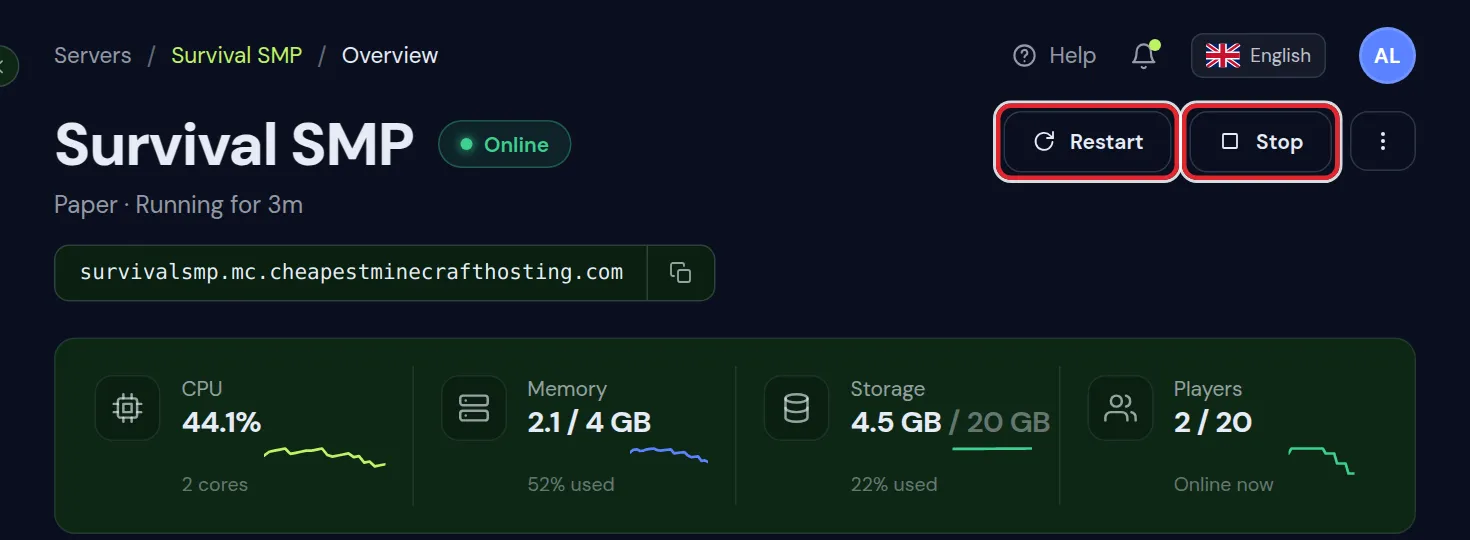
You can also ask the AI Copilot in the panel to set max players. It changes the same line and stays within the same range of 1 to 500.
Change max-players in server.properties in the Files tab
For a number above 500, or if you prefer to work in the file, change the line yourself:
- Open the Files tab.
- Click Edit next to
server.propertiesin the top folder. - Find the line that starts with
max-players=and change the number. - Click Save and restart the server.
max-players=40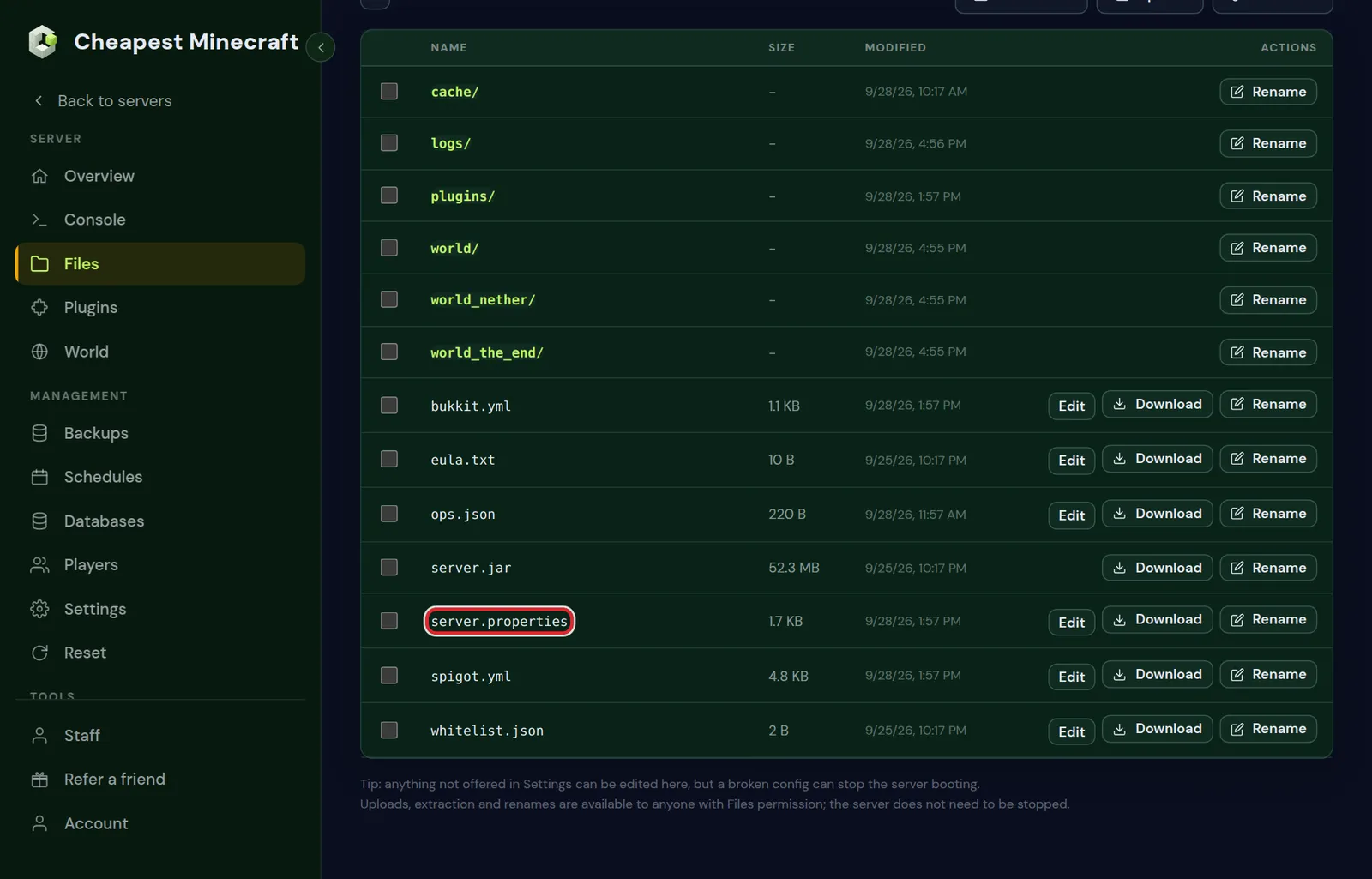
Write a whole number with nothing behind it. With text on that line, such as 40 players, Minecraft cannot read the value and uses the default of 20.
Restart after changing max players and check the new limit
Minecraft reads server.properties once, when it starts. Until the restart the old limit stays in force, even though the file already holds the new number.
- With players online, Restart first warns them in chat and restarts after 60 seconds. Restart now skips the wait.
- To apply the change at a quiet hour, plan a restart in the Schedules tab. Schedule automatic restarts shows how.
Three places show the limit after the restart:
- The Players figure on the Overview, as players online and the maximum, such as
0 / 40. - The
listcommand in the Console. Minecraft answers with a line such asThere are 0 of a max of 40 players online. - The multiplayer list in Minecraft, which shows the same two numbers next to your server.
How many max players to set on your Minecraft server
Pick a number your memory can carry and that sits a little above the most players you expect at once. How much RAM a Minecraft server needs gives the players per GB for vanilla, plugins and modpacks.
| Server | A sensible max-players |
|---|---|
| Private server for a fixed group | The size of the group plus two, so a guest fits |
| Whitelisted SMP | The number of people on the whitelist |
| Public survival server | Somewhat above your busiest hour so far, within what the RAM carries |
| Event or launch day | Higher for that day, then back to the normal value |
| Heavy modpack | Lower than on a vanilla server with the same memory, because every modded player costs more |
The Players tab shows how busy the server really gets. The card When your players are online shows the busy hours of the last 30 days, and the line Most at once gives the highest number of players seen together.
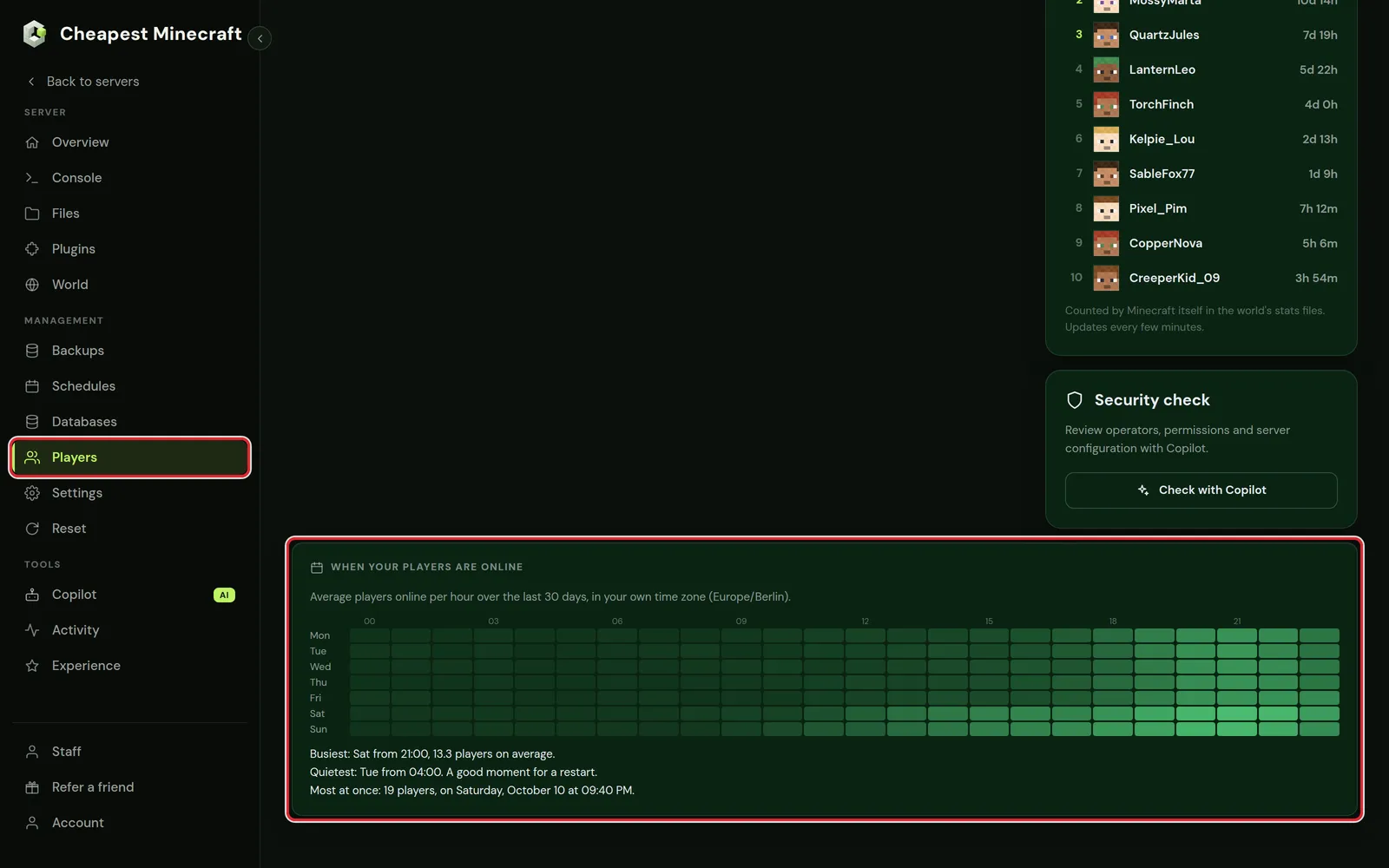
If the server already lags at its current peak, more players make that worse. Fix the lag first with reduce lag, then raise the limit.
Let operators join a full Minecraft server
Minecraft refuses operators on a full server as well. Each operator has a field for this in ops.json called bypassesPlayerLimit. Operators added with the op command or with Add operator in the Players tab have it off: the field is false or missing.
- Make the player an operator with Add operator in the Players tab, if they are not one yet.
- Stop the server. Minecraft reads
ops.jsonwhen it starts, and an op or deop while it runs writes the file again. - Open the Files tab and click Edit next to
ops.json. - In the entry of that player, set
"bypassesPlayerLimit": true. If the line is missing, add it after the"level"line and put a comma after the level. - Click Save and start the server.
"level": 4,
"bypassesPlayerLimit": true
That operator can now join when the server shows 20 / 20, and the count goes to 21 / 20. Everyone else still gets The server is full!. The other fields of the file and the four op levels are explained in whitelist and operators.
A reserved slot for staff without op
On Paper and Purpur, EssentialsX gives the same right without making someone an operator. Players with the permission essentials.joinfullserver can join a full server. Give it to a staff group with LuckPerms:
lp group moderator permission set essentials.joinfullserver truePermissions with LuckPerms explains groups and how to put players in them.
Free player slots on a full server with an idle kick
On a server that is often full, players who are away from the keyboard take slots that others could use. Idle kick (minutes) in the General group of Server settings is the line player-idle-timeout. It kicks a player who does nothing for that many minutes.
| Idle kick (minutes) | Effect |
|---|---|
| 0 | Nobody is kicked for being idle; the Minecraft default |
| 10 to 30 | Frees slots on a busy server while a short break stays fine |
| 1440 | The highest value the form accepts, one full day |
A kicked player can connect again as soon as a slot is free. Players who leave a farm running while they are away are kicked as well, so tell your players before you turn it on. A value saved in the form applies after a restart; the console command setidletimeout 15 sets 15 minutes straight away.
Plugins and networks that change the max players shown
The maximum in the server list normally comes from max-players. Two things can show a different number there:
- A MOTD plugin such as MiniMOTD on Paper or Purpur can set its own maximum for the server list. The real limit stays
max-players: when that is reached, players are refused whatever the list shows. Change your server icon and MOTD covers what else MiniMOTD does. - A [server network](/guides/build-a-server-network). Players see the number of the Velocity proxy in front, which the panel sets to 100. Each server behind the proxy keeps its own
max-players, so a full survival server refuses players while the list still shows room.
The Players figure on the Overview reads the same server list answer as the game, so with a MOTD plugin it shows the plugin's number. The list command in the Console always gives the real limit.
Max players on a Bedrock or Crossplay Minecraft server
Our Bedrock and Crossplay servers run Paper with Geyser. Bedrock players join that Java server, so one max-players counts Java and Bedrock players together, and you change it in the same Max players field.
Geyser's own config also has a max-players line. That line only changes the number Bedrock players can see and limits nobody. More on how Bedrock players join in crossplay between Java and Bedrock.
Max players not changing? Common causes
- The server was not restarted. The file holds the new value, and Minecraft still uses the old one until the next start.
- The value is not a whole number. Minecraft then falls back to 20.
- The server list shows another number. A MOTD plugin or the proxy of a network sets its own maximum, as described above.
- An operator still cannot join.
bypassesPlayerLimitis nottruefor that operator, orops.jsonwas edited while the server was running. - Players are refused below the limit. Check whether the server has a whitelist or is in maintenance mode; both refuse players before the limit matters. See maintenance mode.
Questions from Minecraft server owners
What is the default max players on a Minecraft server?
20 on Minecraft Java. The line in server.properties reads max-players=20 until you change it.
Do I need to restart my Minecraft server after changing max players?
Yes. Minecraft reads max-players only when it starts, so the new limit applies after the next restart.
Does a higher max players use more RAM?
The setting itself uses none. Every player who is actually online loads chunks and entities, and that is what costs memory.
What is the most players a Minecraft server can have?
Minecraft itself has no fixed maximum. The Max players field in our panel goes up to 500, and a higher number can be written in server.properties. In practice the RAM and the processor decide how many people can play at once.
Can operators join a full Minecraft server?
Only when bypassesPlayerLimit is true for them in ops.json. Operators made with the op command or in the Players tab do not have it, so a full server refuses them like anyone else.
Why does my server list show a different max players number?
A MOTD plugin such as MiniMOTD, or the proxy of a server network, can show its own maximum. The real limit is max-players in server.properties; the list command in the console shows it.
Do Bedrock players count toward max players?
Yes. On our Bedrock and Crossplay servers, Bedrock players join the Java server through Geyser and count toward the same max-players as Java players.
Checked against the Settings, Files and Players tabs of our control panel on Paper for Minecraft Java 26.2, October 2026. Written by the Cheapest Minecraft Hosting team, first published , updated .