
 Astroworld
Performance
Reset your Minecraft world or the whole server
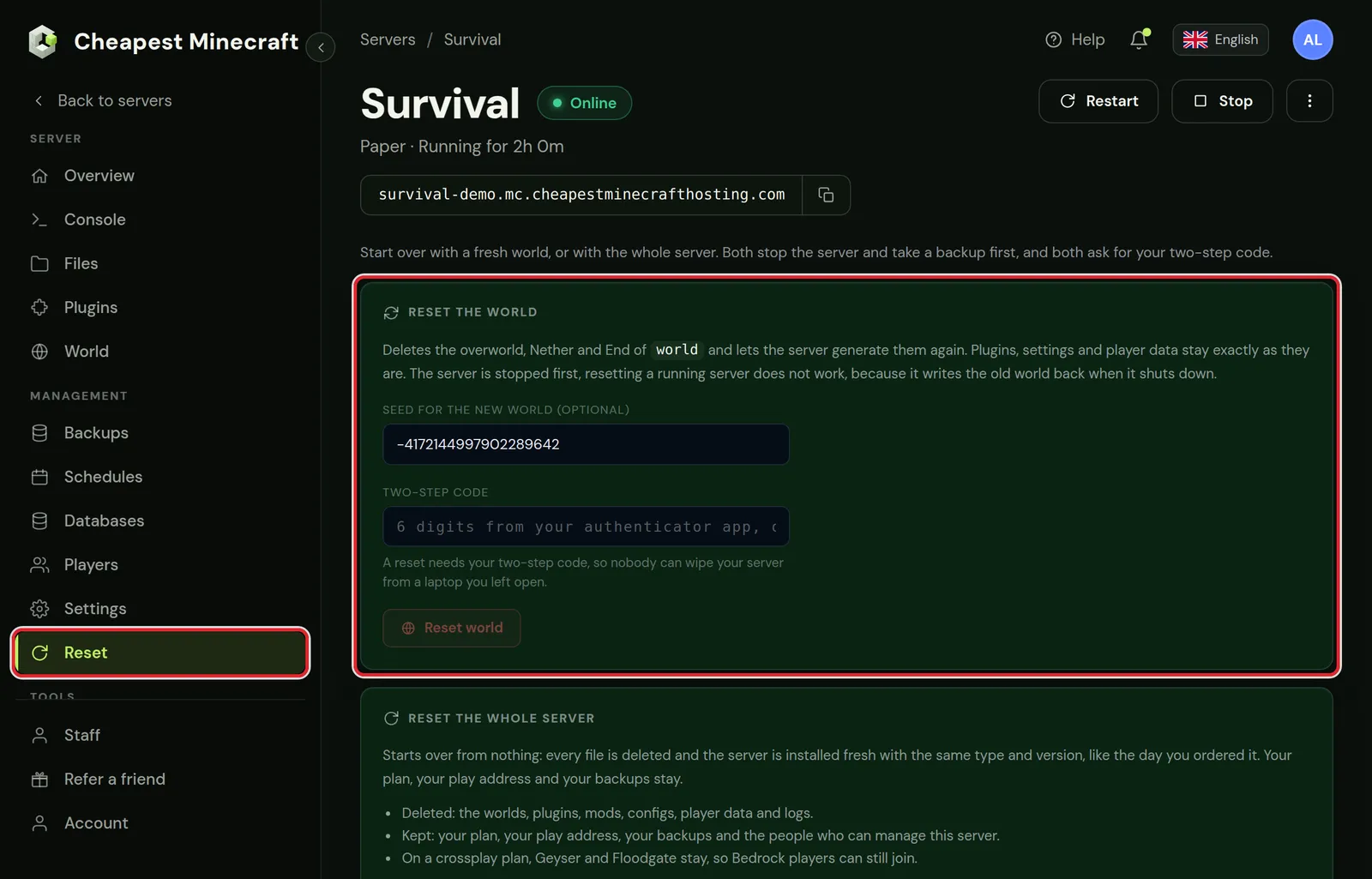
There are two resets in the control panel. Reset the world deletes the world folders and generates a new map. Reset the whole server deletes every file and installs the server again with the same type and version.
Both need two-step verification on your account, and both take a full backup first, so a reset can be undone from the Backups tab.
In short
To reset a Minecraft world, open the Reset tab in the control panel, enter a seed or leave the field empty for a random world, type your two-step code and press Reset world. The panel stops the server, takes a full backup, deletes the overworld, Nether and End and starts the server so it generates a new world. Reset the whole server in the same tab when plugins, mods and configs have to go as well.
Reset the world or the whole Minecraft server?
| Reset the world | Reset the whole server | |
|---|---|---|
| Overworld, Nether and End | Deleted, new world generated | Deleted |
| Player inventories and positions | Deleted, they are stored in the world folder | Deleted |
| Plugins and mods | Stay | Deleted |
| Configs and server.properties | Stay, only the seed changes | Deleted, back to the defaults |
| Logs | Stay | Deleted |
| Your plan, play address and backups | Stay | Stay |
| People who can manage the server | Stay | Stay |
Use a world reset for a new season on an SMP or a new map after an update. Use a full reset when a broken modpack or a pile of old plugins makes it quicker to start from zero.
Before you reset: turn on two-step verification
A reset asks for the 6 digit code from your authenticator app. Without two-step verification on your account the button does not work, and the card links to your account settings to turn it on.
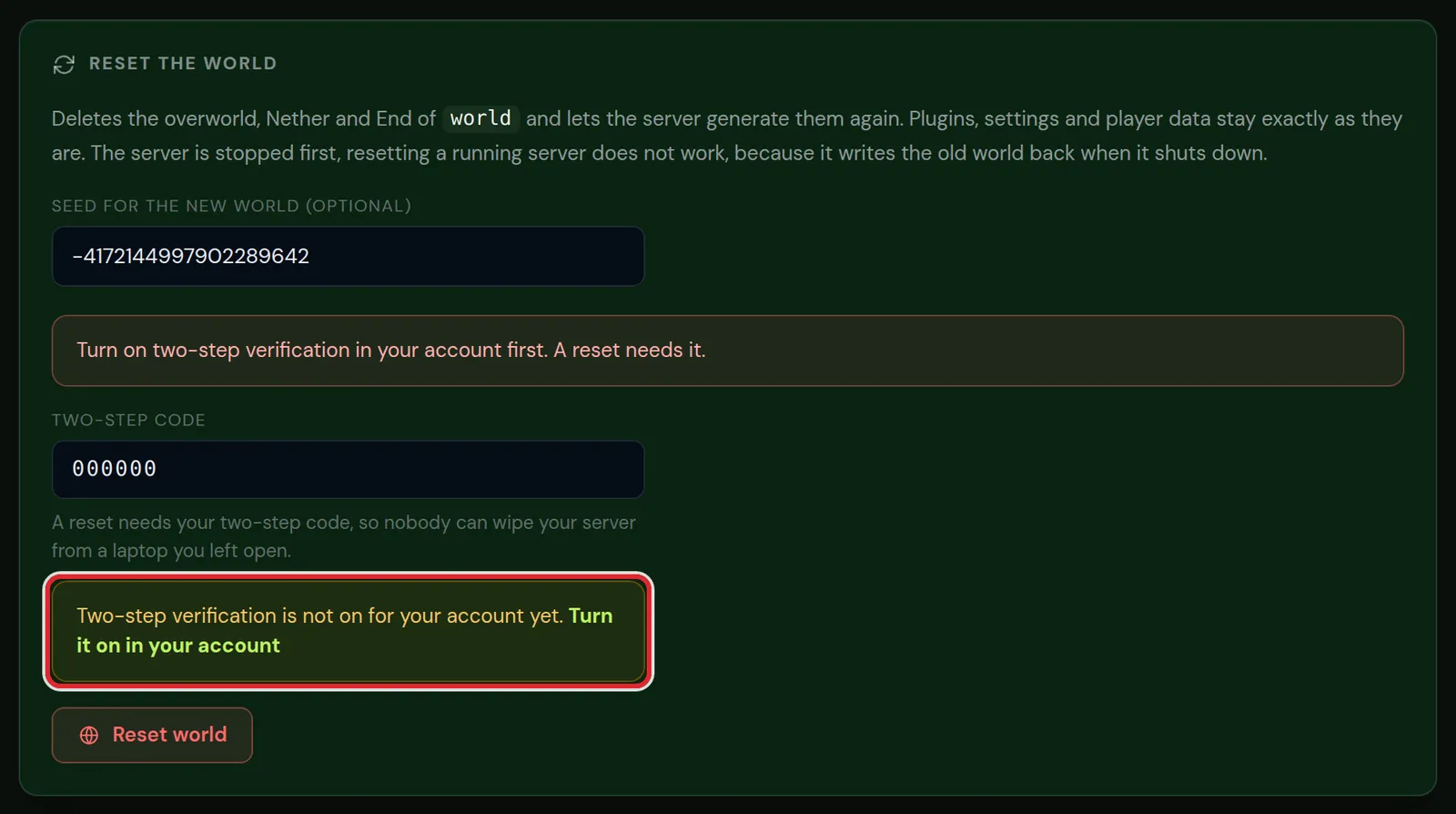
Account settings and two-step verification shows how to set it up. It takes about a minute with any authenticator app.
How to reset your Minecraft world
- Open the Reset tab of your server.
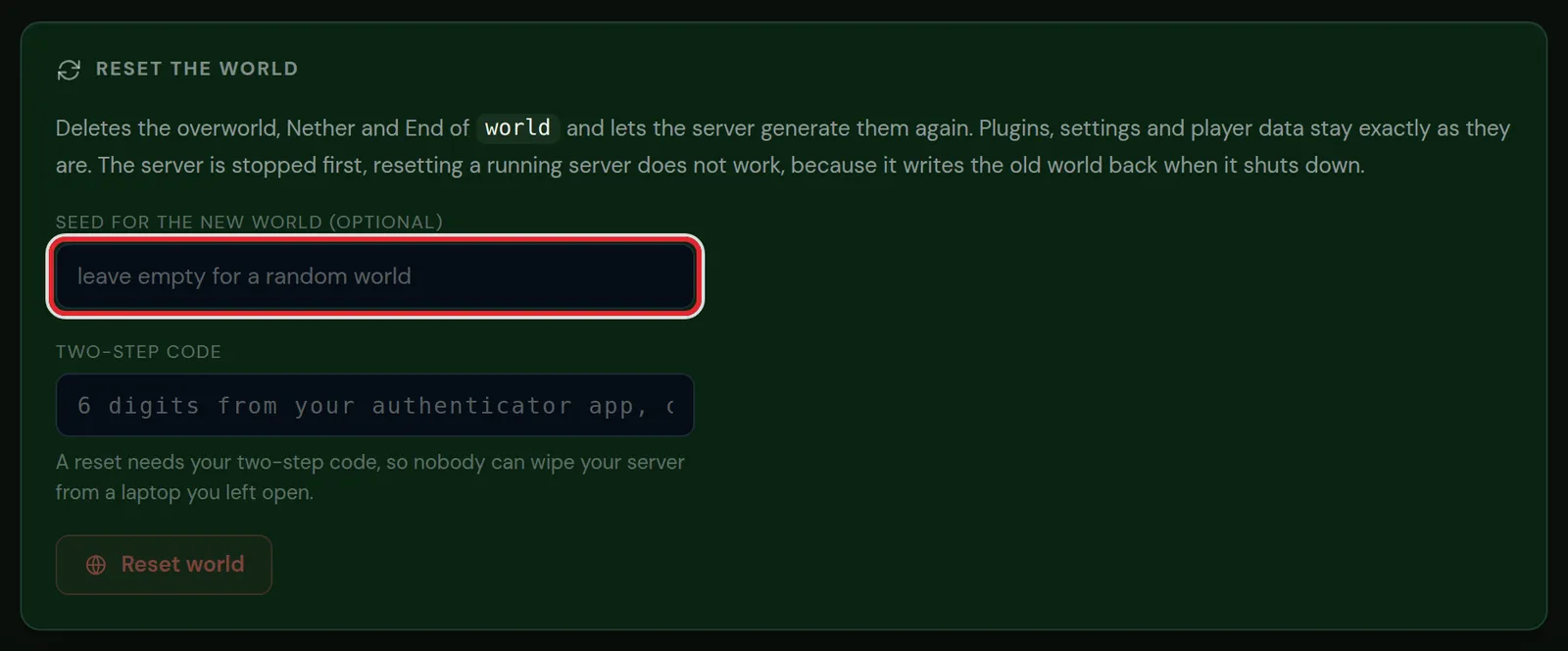
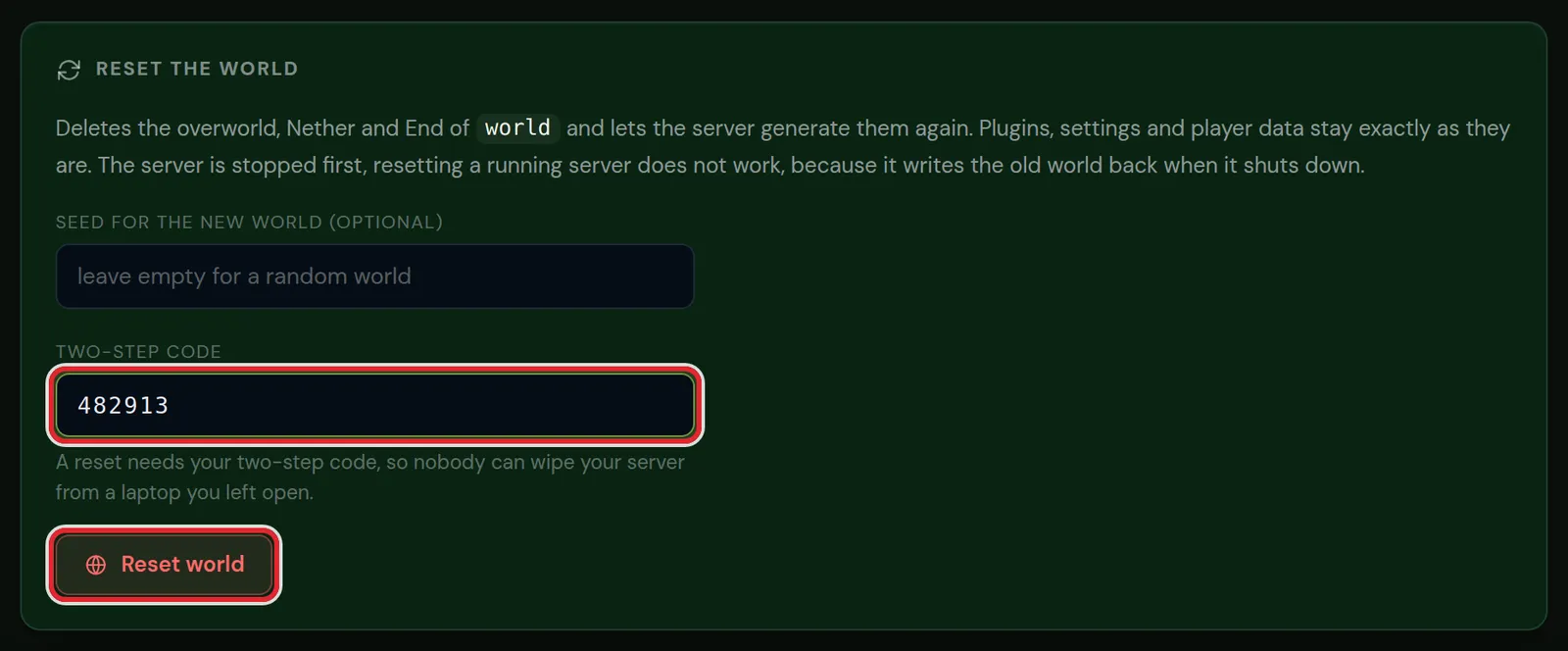
- Under Reset the world, type a seed, or leave the field empty for a random world.
- Type the 6 digit code from your authenticator app under Two-step code.
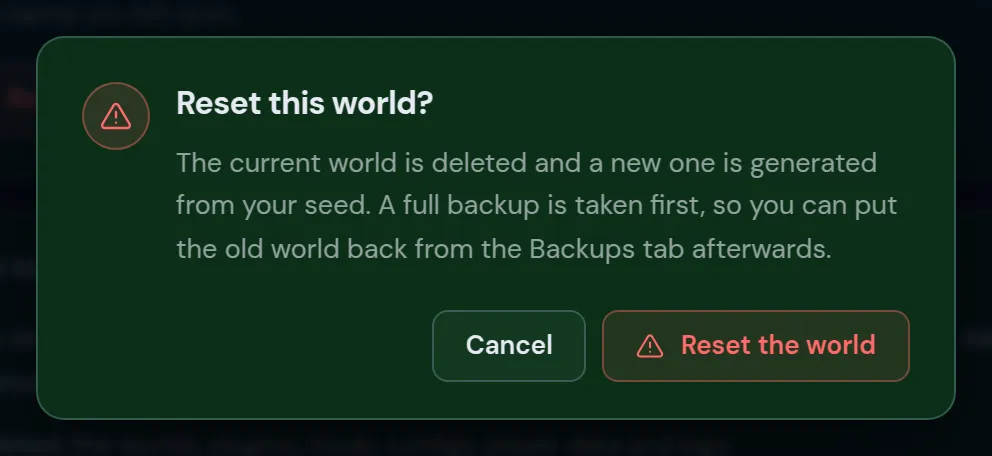
- Press Reset world and confirm with Reset the world.
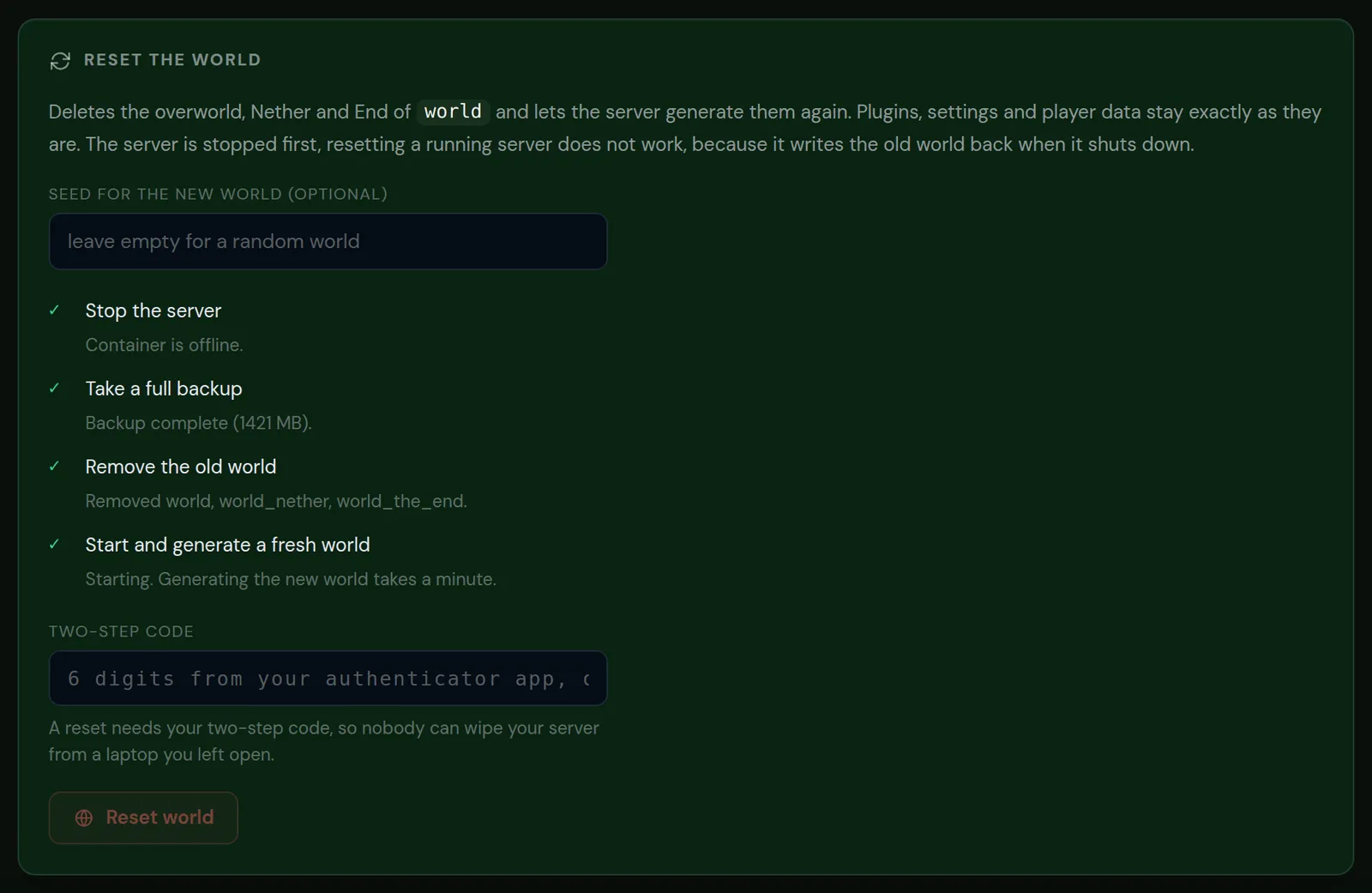
- Wait while the panel works through the steps. The server starts by itself when the new world is ready.
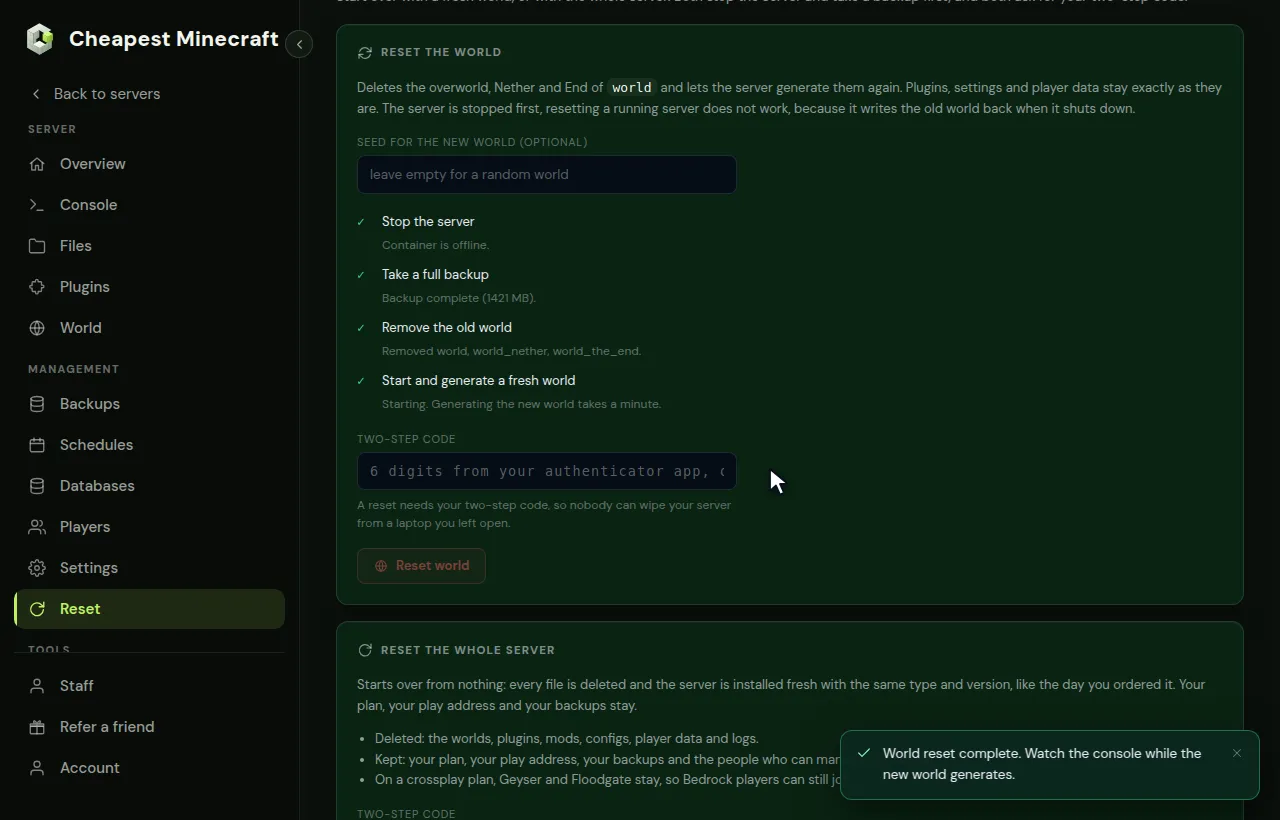
What the panel does during a world reset
| Step | What happens |
|---|---|
| 1. Stop the server | The server is stopped first. A running server writes the old world back when it shuts down, so a reset on a running server does not work. |
| 2. Take a full backup | A backup named Before world reset with the date is made in the Backups tab. |
| 3. Remove the old world | The folders world, world_nether and world_the_end are deleted, or the folders of the level name you set. |
| 4. Start and generate a fresh world | The server starts and generates the new world. That takes about a minute on the normal game, longer with a big modpack. |
The seed you typed is written to level-seed in server.properties before the server starts. Change your Minecraft server seed lists seeds and explains how seeds work.
How to reset the whole Minecraft server
- Open the Reset tab and scroll to Reset the whole server.
- Read the lists of what is deleted and what is kept.
- Type the 6 digit code from your authenticator app.
- Press Reset the whole server and confirm.
- The panel stops the server, takes a full backup, deletes every file and installs the server fresh. The console shows when the install is done; then press Start.
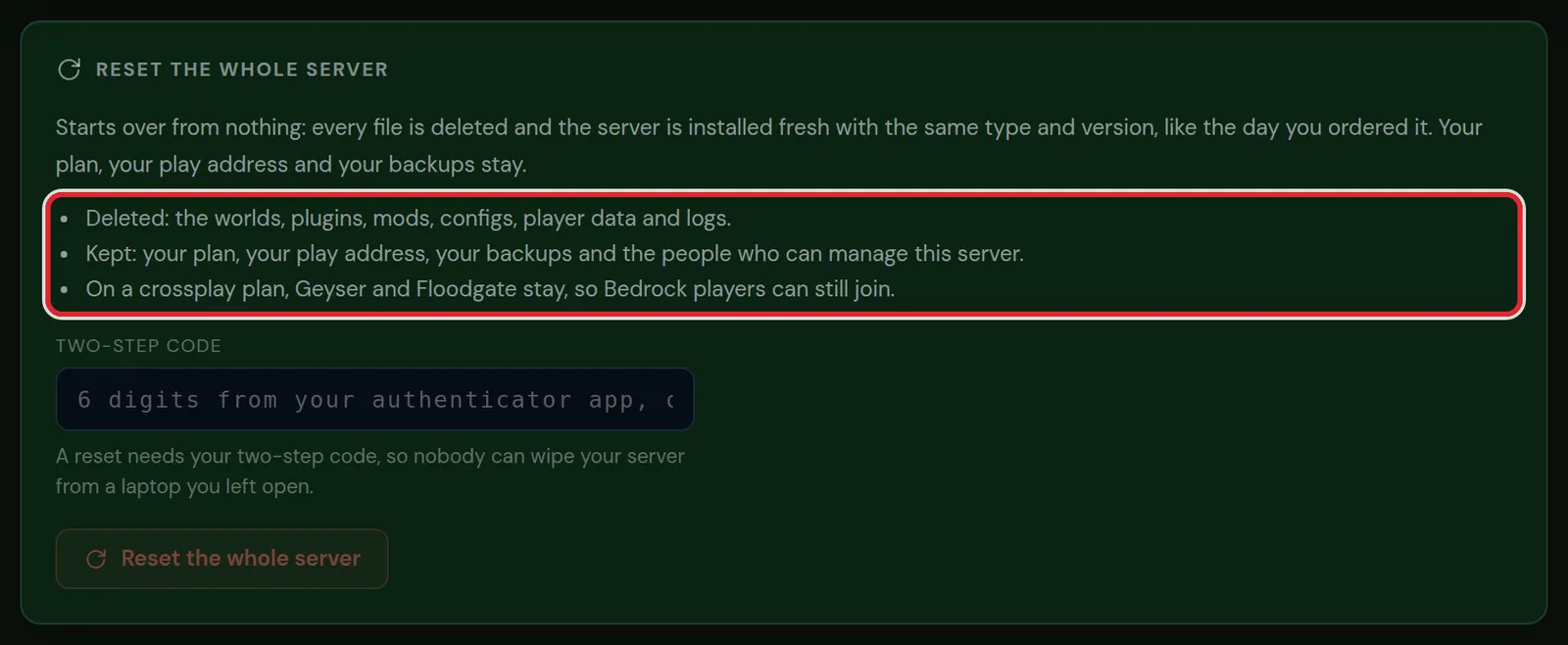
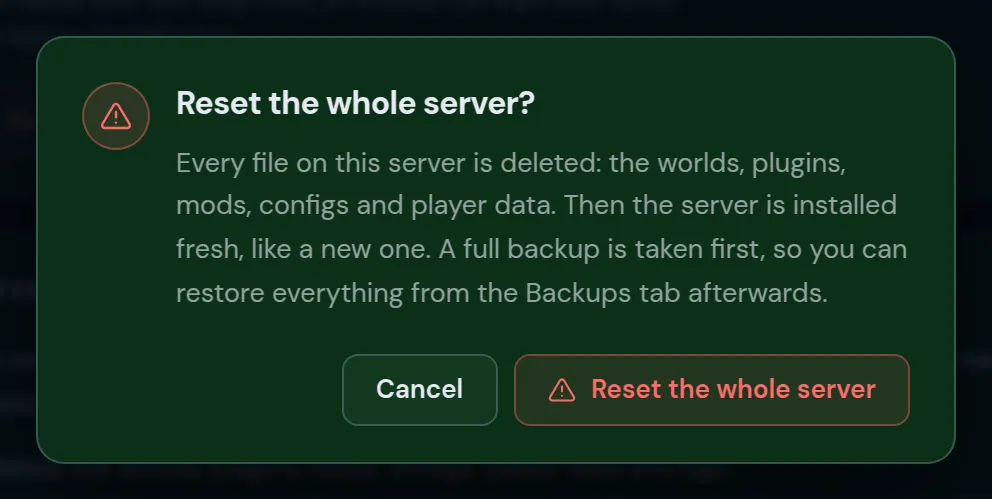
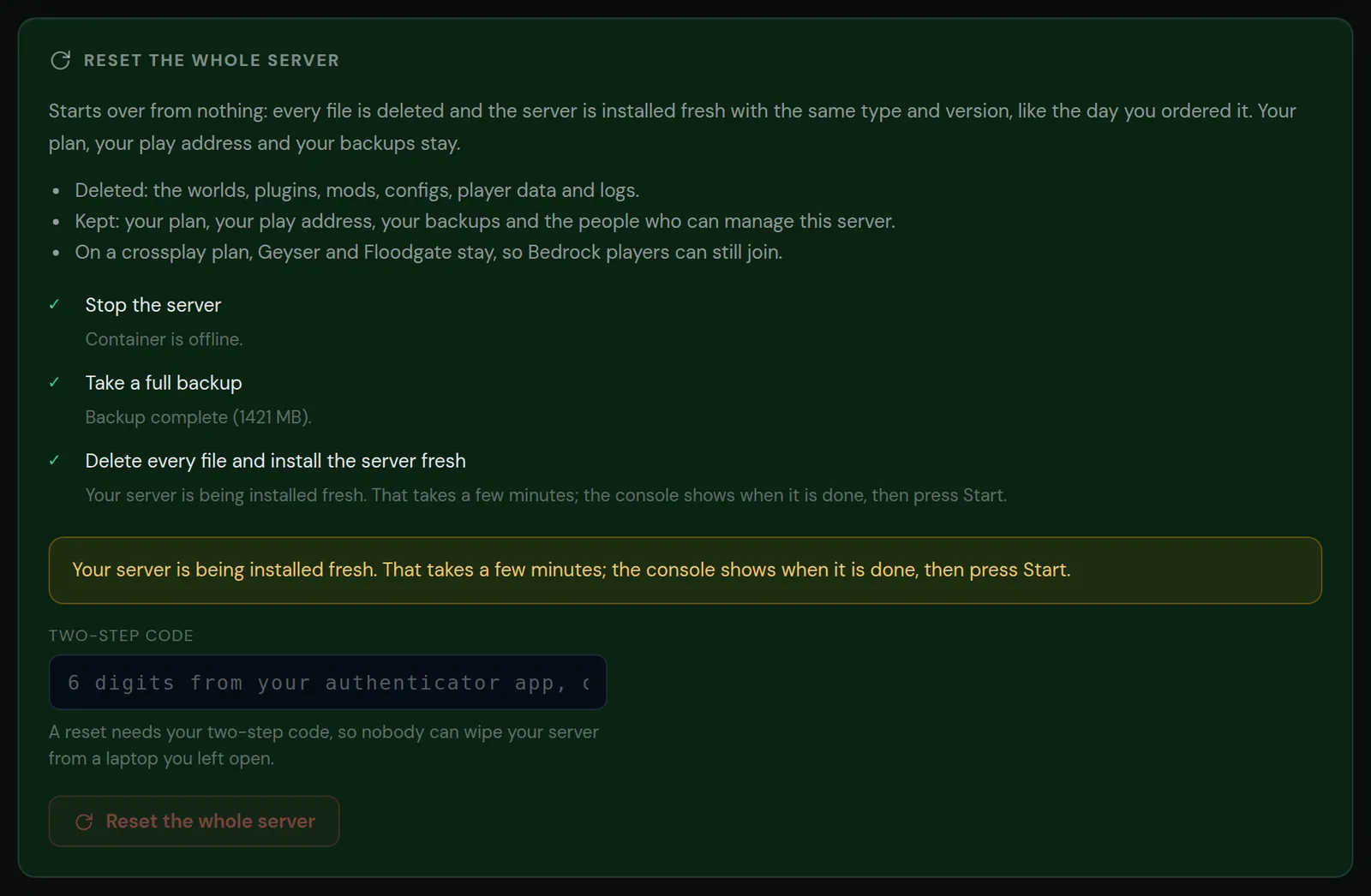
The server comes back with the same server type and Minecraft version as before the reset. On a crossplay plan, Geyser and Floodgate stay, so Bedrock players can still join.
Undo a reset from a backup
- Open the Backups tab.
- Find the backup made just before the reset. Its name starts with Before world reset for a world reset.
- Restore it. The server goes back to the state it had before the reset.
Want only some things back, such as a build or the old config of a plugin? Download the backup and copy those files back in the Files tab. Back up and restore your server has the full steps.
Reset only the Nether or the End
The Reset tab always does all three dimensions. To reset only one, do it by hand in the Files tab:
- Make a backup in the Backups tab.
- Stop the server.
- Delete
world_netherfor the Nether orworld_the_endfor the End. On Fabric, Forge and NeoForge these are the foldersDIM-1andDIM1insideworld. - Start the server. Minecraft generates the deleted dimension again with the same seed.
A new End also brings the ender dragon back. Players who walk through a Nether portal get a new portal on the other side.
After a Minecraft world reset
- Pre-generate the new world so the first days of exploring do not lag. Pre-generate your world shows how from the World tab.
- Set a world border again. The border is stored in the world, so it is gone after a reset.
- Plugins that store data per world, such as land claims or homes, still point to places in the old world. Clear or reset that data in the plugin.
- Tell your players. They start with an empty inventory at the new spawn.
Questions from Minecraft server owners
Does a world reset delete player inventories?
Yes. Minecraft stores inventories, ender chests and positions in the world folder, so players start with an empty inventory in the new world. The backup made before the reset still has them.
Can I keep the same seed?
Yes. Type the current seed in the seed field. The console command seed shows it, and it is also in server.properties as level-seed. The new world then has the same terrain, without any of the builds.
Why does the reset need a two-step code?
A reset deletes the world. The code makes sure nobody can do that from a laptop or browser you left signed in.
Does a reset remove plugins or mods?
A world reset keeps every plugin, mod and config. Only the whole server reset deletes them and installs the server fresh.
How long does a Minecraft world reset take?
A few minutes on the normal game: the backup is the slowest step and depends on the size of the old world. A heavy modpack takes longer to generate the new world.
Can I reset the world from the console instead?
There is no Minecraft command for it. Doing it by hand means stopping the server, deleting the world folders in the Files tab and starting again; the Reset tab does those steps for you and takes a backup first.
Checked against the Reset tab of our control panel on Paper for Minecraft Java 26.2, October 2026. Written by the Cheapest Minecraft Hosting team, first published , updated .