
 Astroworld
Troubleshooting
See what changed on your Minecraft server and undo it
A server that worked yesterday and crashes today usually had something change in between: a file, a plugin, a setting. The Activity tab shows those changes in one list with the time of each.
Use it as the first stop when something broke, together with the console log.
In short
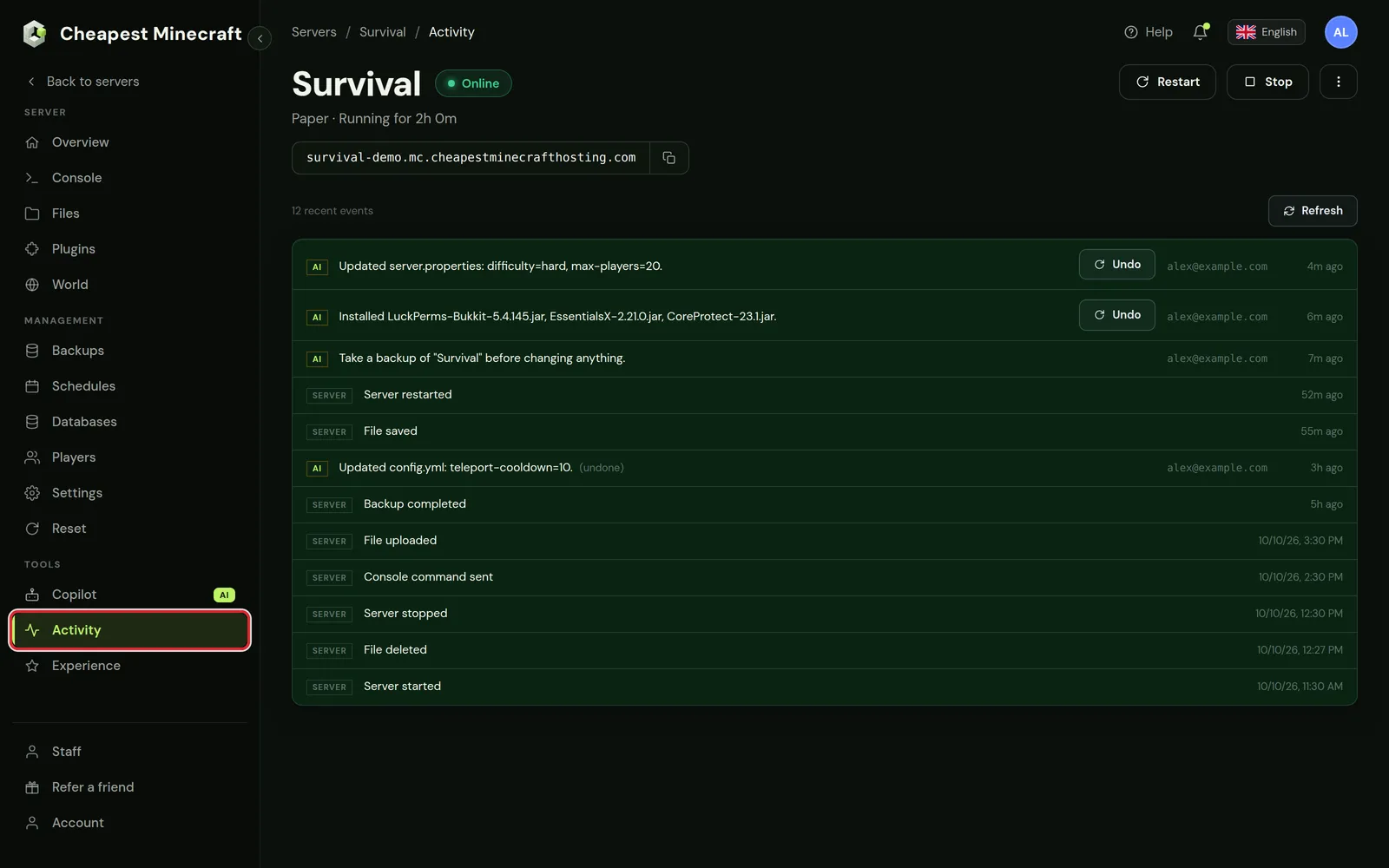
Open the Activity tab of your server. It lists what happened on the server with the newest event at the top: starts, stops and restarts, saved, uploaded and deleted files, backups, console commands and every change the AI Copilot made. A Copilot change that edited files or installed plugins has an Undo button that puts the server back to how it was before that change.
Open the activity log of your Minecraft server
- Open your server in the control panel.
- Go to the Activity tab, under Tools in the menu.
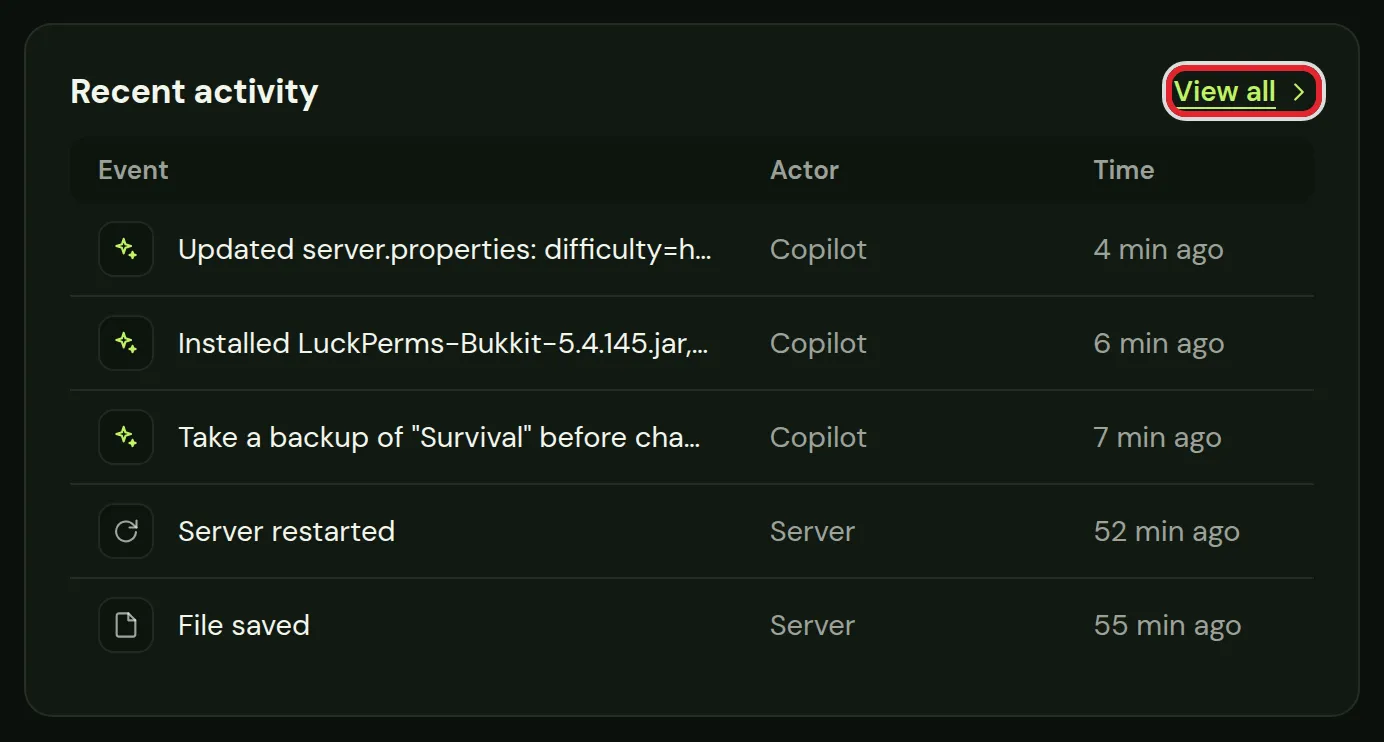
The Overview tab has a short version in the Recent activity card with the last five events. View all opens the full list.
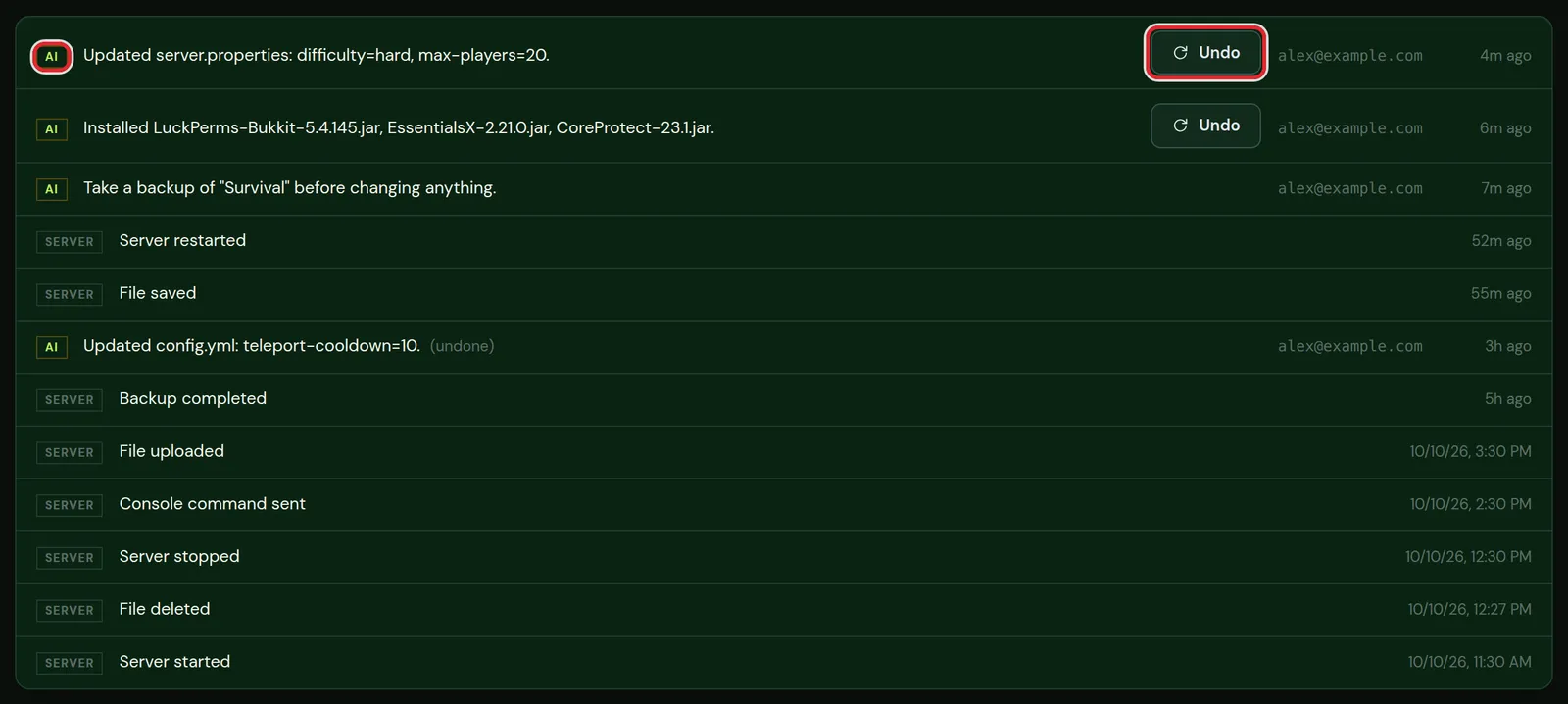
What the Minecraft activity log shows
Each line has a label, a description and a time. Recent events show how long ago, such as 4m ago; older ones show the date and time.
| Label | Events |
|---|---|
| SERVER | Server started, stopped and restarted, file saved, uploaded and deleted, backup completed, console command sent |
| AI | Changes the AI Copilot made: settings it changed, plugins it installed, backups it took. The line also shows the account that asked for the change |
A line marked (undone) is a Copilot change that was rolled back later.
Undo a change on your Minecraft server
Copilot changes that edited files or installed plugins get an Undo button. Undo puts the files back the way they were before that change.
- Find the change in the Activity tab.
- Press Undo on that line.
- A new line appears at the top, such as Restored /server.properties, and the old line is marked (undone).
- Restart the server when the change was in a file the server only reads at start, such as server.properties.
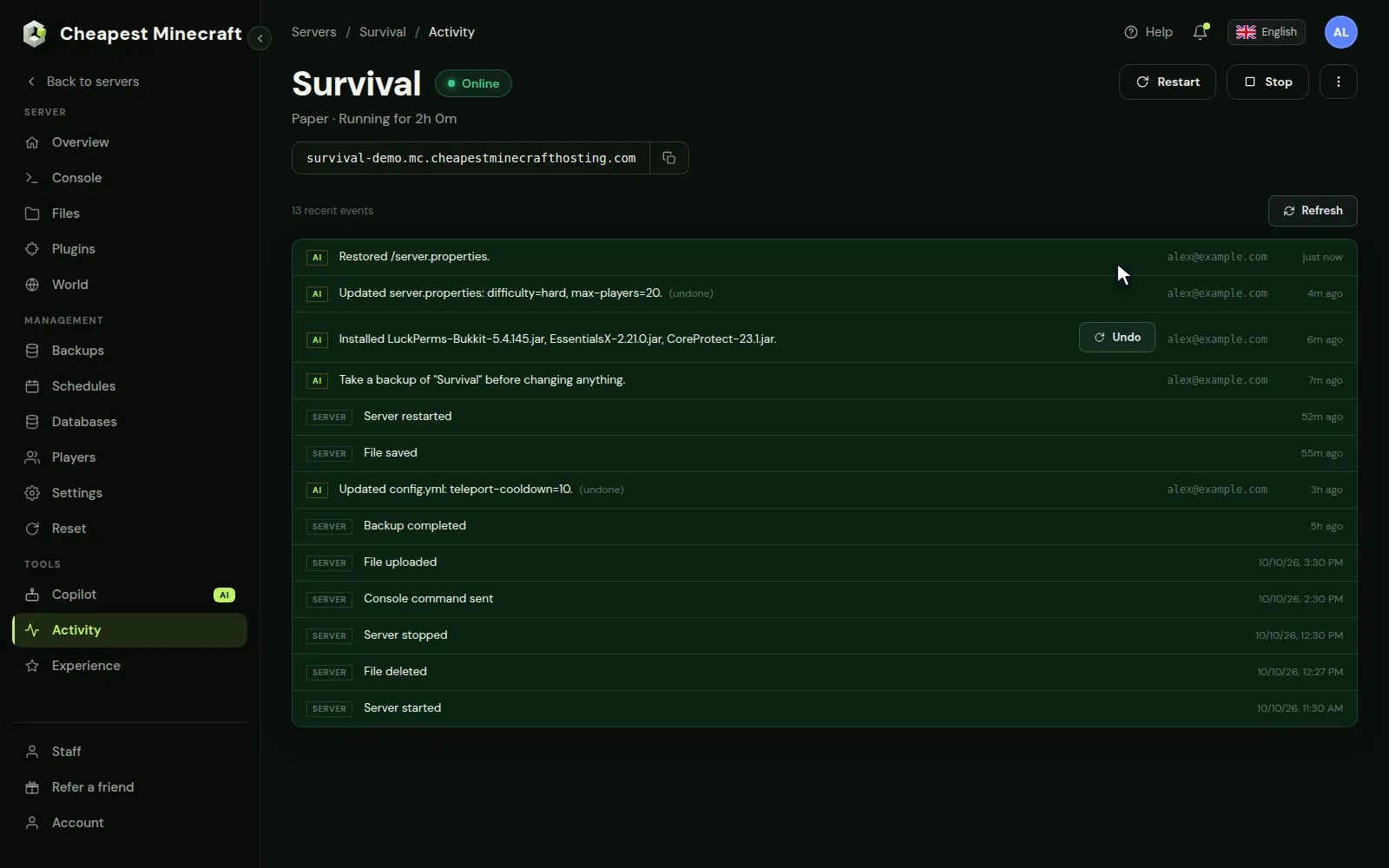
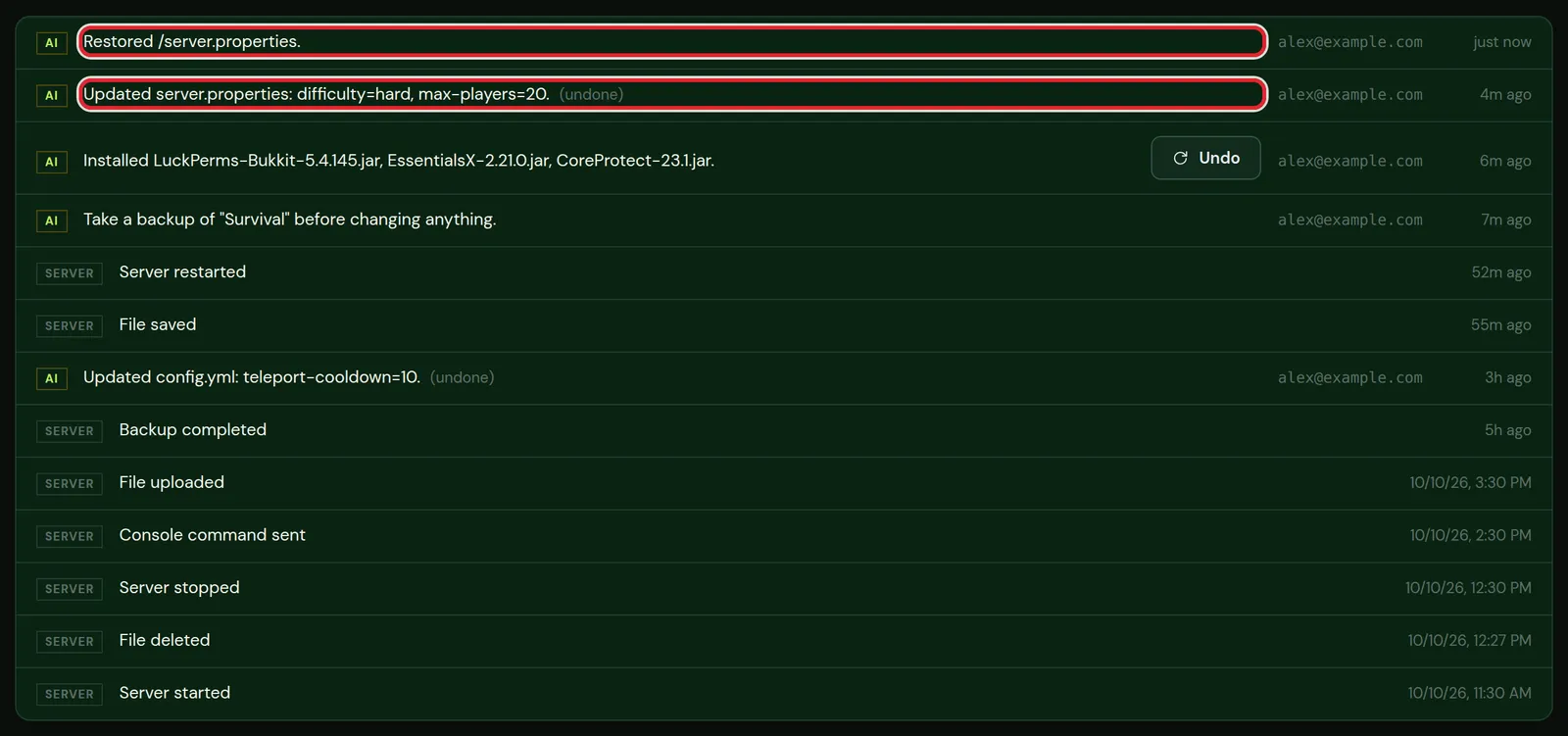
Undo works on one change at a time. To undo several, start with the newest and work down. Events labelled SERVER have no Undo button; for those, a backup is the way back.
Undo changes without an Undo button
- A file you or someone else edited in the Files tab: restore that file from a backup. Back up and restore your server shows how to take one file out of a backup.
- A plugin or mod you installed yourself: delete the jar in the Plugins or Mods tab, or in the
pluginsormodsfolder, and restart. - A setting changed in the Settings tab: change it back there and restart.
- A deleted file: it is only back from a backup made before it was deleted.
Find out why your Minecraft server broke
- Note the time the problem started, for example when players got kicked or the server stopped starting.
- In the Activity tab, look at the lines just before that time.
- A file saved, a plugin installed or a setting changed just before the problem is the first thing to undo.
- Restart and check the console. Minecraft server won't start and Minecraft server keeps crashing explain the errors you can see there.
Questions from Minecraft server owners
How far back does the activity log go?
The tab lists the most recent events, newest first, including the last 25 changes of the AI Copilot.
Can I undo something I changed myself?
The Undo button is only on changes made by the AI Copilot, because the panel keeps a copy of the files before each of those changes. For your own changes, use a backup.
Who can see the Activity tab?
You, and the people you gave access to activity. Give someone access to your server explains how to set what each person can see.
Does the activity log show what players do in the game?
It lists changes to the server only. For chat use the chat history, and for placed and broken blocks a plugin such as CoreProtect.
Checked against the Activity tab of our control panel on Paper for Minecraft Java 26.2, October 2026. Written by the Cheapest Minecraft Hosting team, first published , updated .