
 Astroworld
Players
Set a world border on your Minecraft server
Without a border, a Minecraft world is about 60 million blocks wide. Players who travel far create new land, and every new chunk costs server time, storage and backup space.
A world border is a wall at a distance you choose. Players cannot pass it, and the server never has to generate land beyond it. This guide covers every /worldborder command, the Nether and End, and pre-generating up to the border.
In short
To set a world border, type worldborder center 0 0 and then worldborder set 10000 in the console. The number is the full width, so 10000 lets players go 5,000 blocks from the centre in each direction. On Paper each dimension has its own border: set the Nether to one eighth with execute in minecraft:the_nether run worldborder set 1250. Match the border to the area you pre-generated with Chunky.
How to set a world border in Minecraft
- Open the Console tab of your server.
- Type
worldborder center 0 0and press Send. This puts the middle of the border at X 0, Z 0. - Type
worldborder set 10000. The border is now 10,000 blocks wide, reaching 5,000 blocks from the centre on each side. - Check it with
worldborder get, which prints the current width.
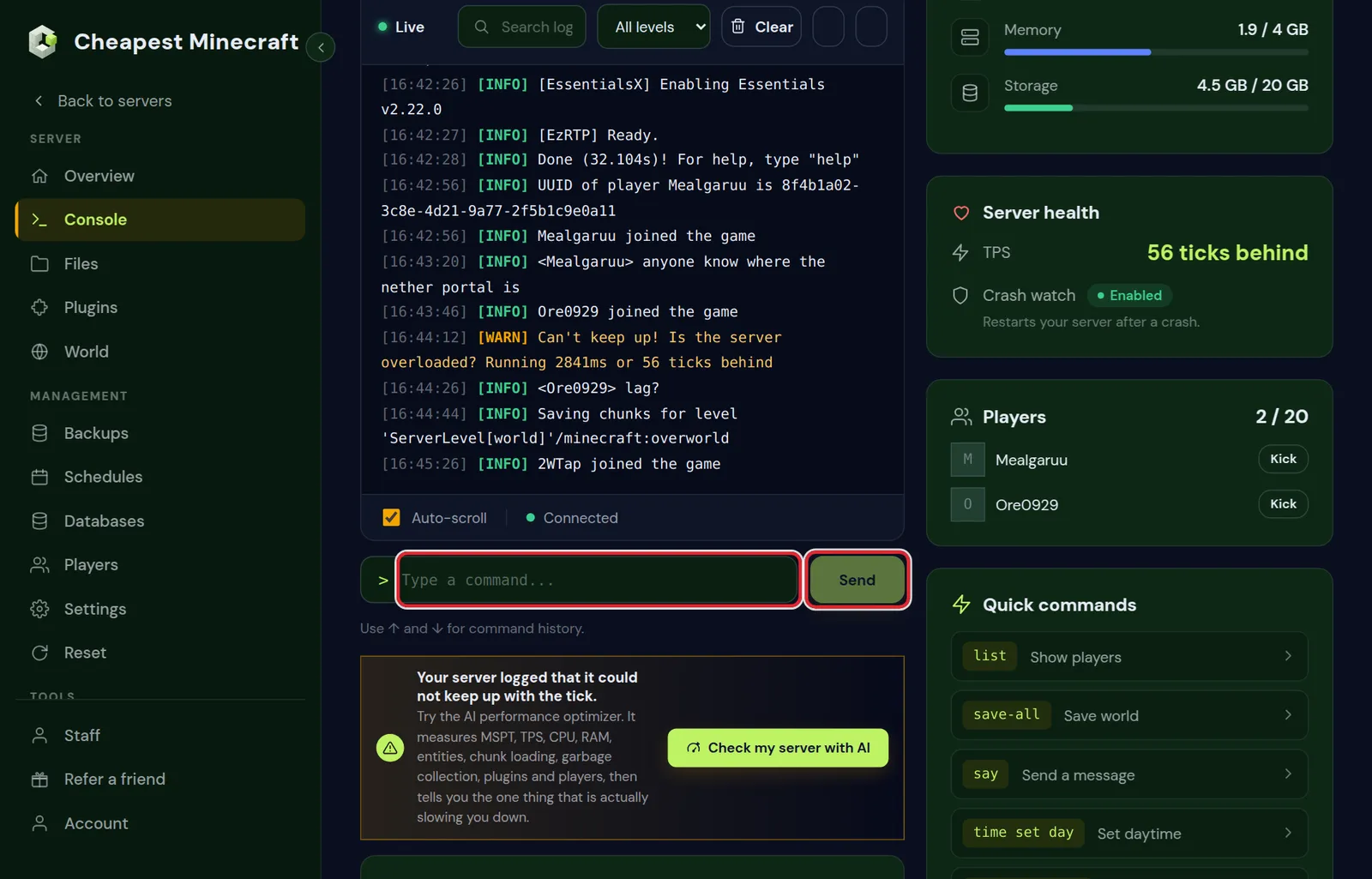
In the game, an operator types the same commands with a slash in front. /worldborder center ~ ~ uses the spot where you stand as the centre.
The width is the full size, not the radius. A border of 10000 equals a Chunky radius of 5000.
World border size: how big to make it
| Server | worldborder set | Distance from centre |
|---|---|---|
| A few friends | 4000 | 2,000 blocks |
| A small community or SMP | 6000 | 3,000 blocks |
| A public survival server | 10000 | 5,000 blocks |
| A new season that grows over time | Start at 4000, then use worldborder add | Grows step by step |
Bigger is not automatically better. A map of 10,000 by 10,000 blocks already takes several gigabytes once explored, and every backup grows with it. Start smaller and grow the border when players ask for more land.
All /worldborder commands
| Command | What it does |
|---|---|
worldborder center <x> <z> | Moves the centre of the border |
worldborder set <width> | Sets the width at once |
worldborder set <width> <time> | Moves the border to the new width over the given time |
worldborder add <blocks> | Adds to the current width; a negative number shrinks it |
worldborder add <blocks> <time> | Adds to the width over the given time |
worldborder get | Shows the current width |
worldborder damage amount <number> | Damage per second for each block a player is beyond the border and buffer |
worldborder damage buffer <blocks> | How far past the border a player can be before taking damage |
worldborder warning distance <blocks> | How close to the border the screen starts to turn red |
worldborder warning time <time> | Warns players this long before a moving border reaches them |
worldborder add 2000 on a 6000 border makes it 8000 wide, 1,000 blocks more on each side. A border that grows slowly with a time value is a common event on SMP servers: the world opens up over a week.
World border damage and warning settings
Players cannot walk through the border, but they can end up outside it: when the border shrinks, or after a teleport. They then take damage until they walk back in.
| Setting | Default | Typical change |
|---|---|---|
| Damage amount | 0.2 per block per second | Higher for a shrinking border event, so nobody waits outside |
| Damage buffer | 5 blocks | 0 to start damage right at the border |
| Warning distance | 5 blocks | Larger, such as 20, so players see the border coming |
For a normal survival server the defaults are fine. Players hardly ever get outside a border that does not move.
The world border in the Nether at one eighth
One block in the Nether is eight blocks in the overworld. A Nether border of one eighth of the overworld border keeps every portal players can build inside the overworld border, and their exits inside the Nether border.
| Overworld border | Nether border |
|---|---|
4000 | 500 |
6000 | 750 |
10000 | 1250 |
On Paper, Purpur and Spigot each dimension has its own border. Set the Nether from the console with execute in:
execute in minecraft:the_nether run worldborder center 0 0
execute in minecraft:the_nether run worldborder set 750
On vanilla and modded servers, check with execute in minecraft:the_nether run worldborder get that the Nether has the size you expect, and set it the same way when it does not.
The world border in the End
The main End island is at the centre, and the outer islands start about 1,000 blocks out. Players with elytra travel far, so the End border is often the same as the overworld border or larger.
execute in minecraft:the_end run worldborder center 0 0
execute in minecraft:the_end run worldborder set 10000
Keep the End centre at 0 0, so the dragon island stays in the middle.
Match the border to Chunky pre-generation
A border stops new land beyond it. Pre-generating fills in the land inside it, so exploring costs nothing during play. Do both, with the same size.
- Set the border first, as above.
- Type
chunky worldborderin the console. Chunky takes the centre and size from the border of the selected world. - Type
chunky start. - For the Nether, select it with
chunky world world_nether, thenchunky worldborderandchunky startagain.
You can also start pre-generation from the World tab, which covers the overworld around spawn. Pre-generate your world explains how long it takes and how much storage it uses.
World border not working? Common problems
- The border is in the overworld only. On Paper, set the Nether and End separately with
execute in. - The border is in the wrong place. From the console,
center ~ ~does not use the spot where you stand in the game. Give numbers, or stand at the spot and type the command in the game. - Players are outside the border after it shrank. They take damage until they walk back. Teleport them in with
tpif they are stuck. - The border is too small. Grow it with
worldborder addrather than a newset, so you do not have to work out the full width. - The border stops at about 60 million blocks. That is the maximum;
max-world-sizeinserver.propertiescan set a lower ceiling.
More console commands for running a server are in Minecraft server commands.
Questions from Minecraft server owners
How do I set a world border on my Minecraft server?
Type worldborder center 0 0 and then worldborder set 10000 in the console. That gives a border 10,000 blocks wide around 0 0.
Is the world border size a radius or a diameter?
A diameter, the full width. worldborder set 6000 lets players go 3,000 blocks from the centre in each direction.
How do I make the world border bigger?
Use worldborder add with the number of blocks to add to the width, such as worldborder add 2000. Add a time to make it grow slowly.
How big should the Nether world border be?
One eighth of the overworld border. For an overworld border of 6000, set the Nether to 750 with execute in minecraft:the_nether run worldborder set 750.
Does the world border stop lag?
It stops new land from being generated beyond it, which is one of the heaviest jobs a server does. Pre-generate the land inside it for the full effect.
Can players break through the world border?
No. They cannot walk, fly or build past it. Players who end up outside, for example after it shrinks, take damage until they return.
Checked against the Console tab of our control panel on Paper and vanilla for Minecraft Java 26.2, October 2026. Written by the Cheapest Minecraft Hosting team, first published , updated .