
 Astroworld
Players
How to set the spawn point and spawn protection on a Minecraft server
The spawn of a Minecraft server is set in several places. The world spawn is one block. A game rule spreads players around that block, beds and the spawnpoint command give a player a spawn of their own, and spawn-protection in server.properties keeps players who are not operators from building near it.
This guide covers each of these for Minecraft Java 26.x and 1.21, plus the /setspawn command of EssentialsX on plugin servers. When players land in the wrong place, the table near the end lists the usual causes and fixes.
In short
To set the spawn on a Minecraft server, stand on the block and type /setworldspawn, or type setworldspawn <x> <y> <z> in the Console tab. New players and players without a bed or spawn point then appear within 10 blocks of that block, and gamerule respawn_radius 0 puts them on it exactly. Spawn protection is the Spawn protection (blocks) field in the Settings tab: 16 by default, 0 turns it off, and operators can always build inside it.
Where a player spawns on a Minecraft server
Minecraft goes through these cases in order. The first one that fits decides where the player appears.
| Case | Where the player appears |
|---|---|
| A player who played before logs in | Where they logged out |
| A player dies and has a spawn point of their own | At their bed, charged respawn anchor or the spot set with spawnpoint, whichever was set last |
| A new player joins, or a player dies without a spawn point | On or near the world spawn, within the respawn radius |
A spawn plugin can change this order. EssentialsX Spawn, for example, sends players who die to its own spawn; the EssentialsX section below has the settings for that.
How to set the world spawn with /setworldspawn
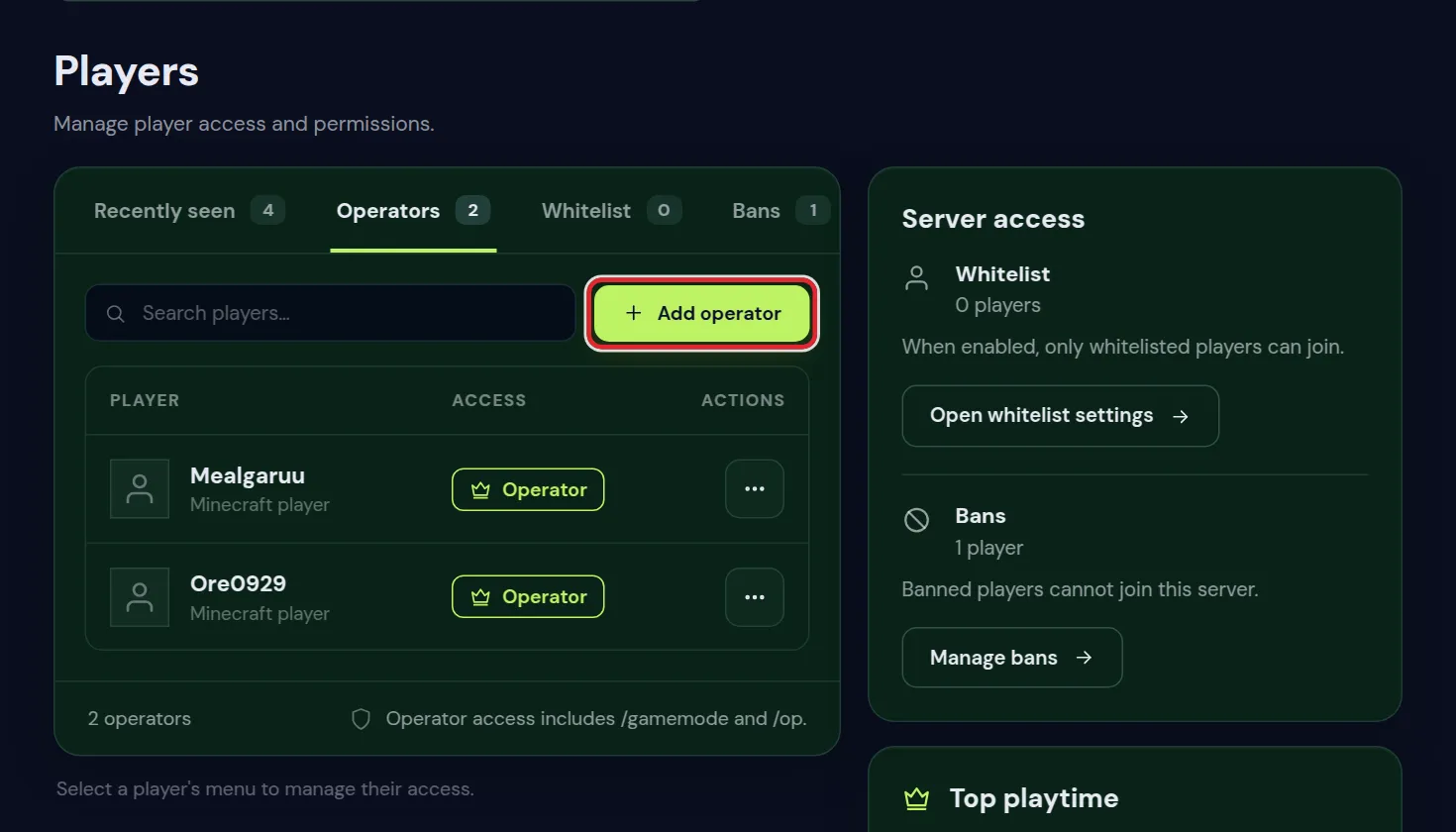
- Make sure you are an operator. Whitelist and operators shows how to op yourself in the Players tab.
- Walk to the block where new players should arrive and look in the direction they should face.
- Type
/setworldspawnin chat. On 26.x and 1.21.9 or newer,/setworldspawn ~ ~ ~ ~ ~also saves the direction you are looking in. - The game confirms the new world spawn with its coordinates.
In the Console tab you type commands without a slash. The console has no position in the world, so always give the coordinates. Press F3 in the game to read them for the block you stand on.
setworldspawn 120 72 -340
setworldspawn 120 72 -340 180 0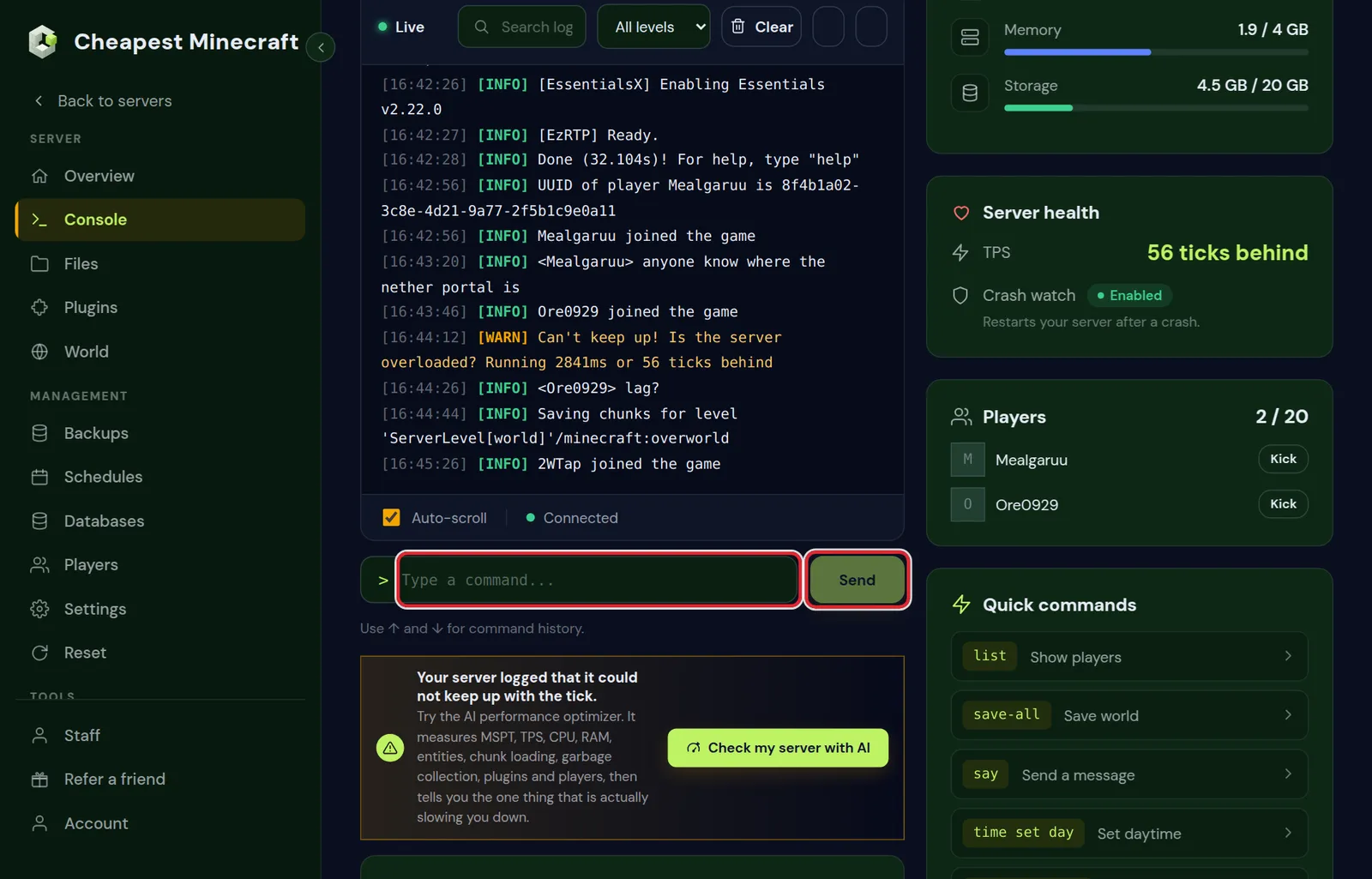
The second line is for 26.x and 1.21.9 or newer. Its last two numbers are the direction players face and how far they look up or down, where 0 looks straight ahead. On 1.21 to 1.21.8 the command takes a single direction number: setworldspawn 120 72 -340 180. Without a direction, players face south.
| Direction number | Players face |
|---|---|
0 | South |
90 | West |
180 | North |
-90 | East |
Make players spawn on the exact block: the respawn radius game rule
Players without a spawn point of their own rarely land on the world spawn block itself. The respawn radius game rule, 10 blocks by default, lets Minecraft pick a random spot up to that distance from it, on the highest block it finds there. With buildings at spawn, that highest block is often a roof or a tree.
| Minecraft version | Game rule name | Command for an exact spawn |
|---|---|---|
| 26.x and 1.21.11 | respawn_radius | gamerule respawn_radius 0 |
| 1.21 to 1.21.10 | spawnRadius | gamerule spawnRadius 0 |
The Game rules card in the World tab does not list this rule, so set it in the Console tab. Type the name without a value to see the current setting. A new value works straight away.
- At 0, players appear on the spawn block. When a player does not fit there, Minecraft moves them to a free spot close by.
- When the Default gamemode in the Settings tab is adventure, players always go to the spawn block, whatever the radius says.
- A world border closer to the spawn than the radius makes the radius smaller, so nobody spawns outside the border.
Set a player's spawn point with /spawnpoint
spawnpoint gives one or more players a spawn point without a bed. Use it for an event area, a hub or a player whose base is far from the world spawn. Like setworldspawn, it needs an operator.
spawnpoint Alex 120 72 -340
spawnpoint @a 120 72 -340 180 0
The first line sets the spawn point of one player. The second gives every online player the same point and a direction to face, on 26.x and 1.21.9 or newer. In the game, /spawnpoint with nothing after it sets your own spawn point where you stand. The point is saved in the dimension where the command runs.
- A bed or respawn anchor the player uses later replaces the point. Clicking a bed during the day also counts, and chat then shows "Respawn point set".
- When the spot gets filled with blocks, the player respawns at the world spawn instead, with the message "You have no home bed or charged respawn anchor, or it was obstructed".
@aonly reaches players who are online at that moment. Players who join later keep the world spawn.
How to change spawn protection on a Minecraft server
Spawn protection stops players who are not operators from placing and breaking blocks in a square around the world spawn. Operators can always build there, so test a new value with an account that is not an op.
- Open the Settings tab. Under Server settings, go to the Gameplay group, or type spawn in Search settings.
- Change Spawn protection (blocks). The number is the distance from the spawn block in each direction; 0 turns the protection off.
- Press Save changes.
- Restart the server. Minecraft reads server.properties only when it starts.
| Value | Protected square | Good for |
|---|---|---|
| 0 | Off | A server among friends where everyone may build at spawn |
| 8 | 17 by 17 blocks | A small arrival platform |
| 16 (default) | 33 by 33 blocks | A spawn building |
| 32 | 65 by 65 blocks | A spawn square with a few shops |
| 64 | 129 by 129 blocks | A spawn town |
The square is centred on the world spawn. Move the spawn with setworldspawn and the protected square moves along.
The protection only works while the server has at least one operator. It treats every player who is not an op the same, so a builder needs op to work there. For finer rules, such as a shop street where members may build, use a WorldGuard region as in stop griefing.
Set the spawn with EssentialsX /setspawn
Vanilla Minecraft has no /spawn command for players. On Paper, Purpur and Spigot, the EssentialsX plugin together with its add-on EssentialsX Spawn adds /setspawn and /spawn. Install both plugins and restart; install plugins shows how.
| Command | What it does | Permission |
|---|---|---|
/setspawn | Saves where you stand as the spawn for every player without a group spawn | essentials.setspawn |
/setspawn newbies | Saves a separate spawn for players who join for the first time | essentials.setspawn |
/spawn | Teleports you to the spawn | essentials.spawn |
/spawn <player> | Teleports another player to the spawn | essentials.spawn.others |
Normal players need essentials.spawn before /spawn works for them. Permissions with LuckPerms shows how to give it to the default group.
EssentialsX Spawn settings in config.yml
These lines are in plugins/Essentials/config.yml. Edit the file in the Files tab and restart the server.
| Setting | Default | What it does |
|---|---|---|
respawn-at-home | false | At false, players who die go to the /setspawn spot, also when they slept in a bed. At true, they respawn at their bed, or at their first home when they have no bed. |
spawn-on-join | false | At true, every player goes to spawn each time they log in, instead of to where they logged out. |
spawnpoint under newbies | newbies | The spawn that first-time players go to: the one saved with /setspawn newbies. |
Stand on one block and run both /setspawn and /setworldspawn. First joins, respawns and /spawn then lead to the same place, and spawn protection covers that place.
Minecraft spawn changes in 1.21.9, 1.21.11 and 26.x
| Version | What changed for the spawn |
|---|---|
| 1.21.9 | The world spawn can be in any dimension. Run setworldspawn in the Nether or the End, or from the console: execute in minecraft:the_nether run setworldspawn 0 70 0. |
| 1.21.9 | setworldspawn and spawnpoint take two numbers for the view: the direction players face and how far they look up or down. |
| 1.21.9 | Spawn chunks were removed. |
| 1.21.11 | Game rules got new names. spawnRadius became respawn_radius, and the old name gives an error from this version on. |
| 26.1 and 26.2 | The same commands and rule names as 1.21.11. |
On 1.21 to 1.21.8, the chunks around the world spawn stay loaded all the time, and moving the spawn moves that loaded area. Farms built in those chunks keep running with nobody online. After an update to 1.21.9 or newer, those farms only run while a player is close by.
Players spawn in the wrong place: causes and fixes
| What you see | Cause | Fix |
|---|---|---|
| New players land a few blocks from spawn, sometimes on a roof | The respawn radius is still 10 | Set the respawn radius to 0 |
| You moved the spawn and still log in at the old place | Players who played before return to where they logged out | Test with an account that never joined, or walk to the new spawn |
| Players with a bed respawn at spawn | EssentialsX Spawn with respawn-at-home: false, or the bed is gone or blocked | Set respawn-at-home: true, or check the bed |
| First join and respawn lead to two places | The EssentialsX spawn and the world spawn are on different blocks | Run /setspawn and /setworldspawn on the same block |
| Anyone can build at spawn with spawn protection on 16 | The server has no operators | Add an operator in the Players tab |
| Friends cannot break blocks at spawn | Spawn protection is on, 16 by default | Set Spawn protection (blocks) to 0 and restart |
Before you move or rebuild the Minecraft spawn
- Make a backup in the Backups tab, so you can go back to the old spawn. Back up and restore your server has the steps.
- Close the server to players while you build with maintenance mode.
- Set the world spawn, the respawn radius and spawn protection as described above.
- Generate the land around the new spawn. The Pre-generate the world card in the World tab works around block 0, 0. For a spawn far from there, run Chunky from the console with
chunky spawn,chunky radius 2000andchunky start; pre-generate your world explains how to install and use Chunky.
Questions from Minecraft server owners
Does /setworldspawn need a server restart?
No. The new spawn applies straight away to new players and to players who die without a spawn point of their own. Players who are online keep playing where they are.
How do I teleport players to spawn without a plugin?
Use the teleport command with the spawn coordinates, for example tp Alex 120 72 -340 in the console. To send everyone who is online, use @a in place of the name.
Does spawn protection stop creepers, fire and TNT?
No. Spawn protection only covers players placing and breaking blocks. Switch off Mob griefing or TNT explodes in the Game rules card of the World tab, or protect the area with a WorldGuard region.
How big should spawn protection be on a Minecraft server?
Large enough to cover the whole spawn build. Measure the distance from the spawn block to the furthest wall and enter that number. A spawn hall 30 blocks wide needs about 15; the default of 16 covers it.
Does /spawnpoint work in the Nether?
Yes. The point is saved in the dimension where the command runs. From the console, execute in minecraft:the_nether run spawnpoint Alex 0 70 0 gives Alex a spawn point in the Nether.
Do Bedrock players on a crossplay server use the same spawn?
Yes. Bedrock players join through Geyser, and the server handles them like Java players, so the world spawn, the respawn radius and spawn protection apply to them in the same way.
Checked against the Settings, World and Console tabs of our control panel on Paper for Minecraft Java 26.2, October 2026. Written by the Cheapest Minecraft Hosting team, first published , updated .