
 Astroworld
Getting started
How to edit Minecraft server files in the control panel
The Files tab shows every file of your Minecraft server: the world folders, server.properties, plugin and mod configs, logs and crash reports. Everything happens in your browser.
Each section below covers one action, with the button names as the panel shows them. One table lists the files to change only while the server is stopped.
In short
To edit a Minecraft server file, open the Files tab, go to the folder, click Edit next to the file, change the text and press Save. Then restart the server, because most settings, such as those in server.properties, are only read at start. The same tab uploads files, fetches a file from a link, zips and extracts archives, and renames, downloads and deletes files.
The Files tab of your Minecraft server
Open your server in the control panel and click Files in the menu. You start in the top folder. Folders come first and end with a slash; click one to open it. In the bar above the list, / takes you back to the top folder and a folder name jumps back to that folder. The .. row goes up one level.
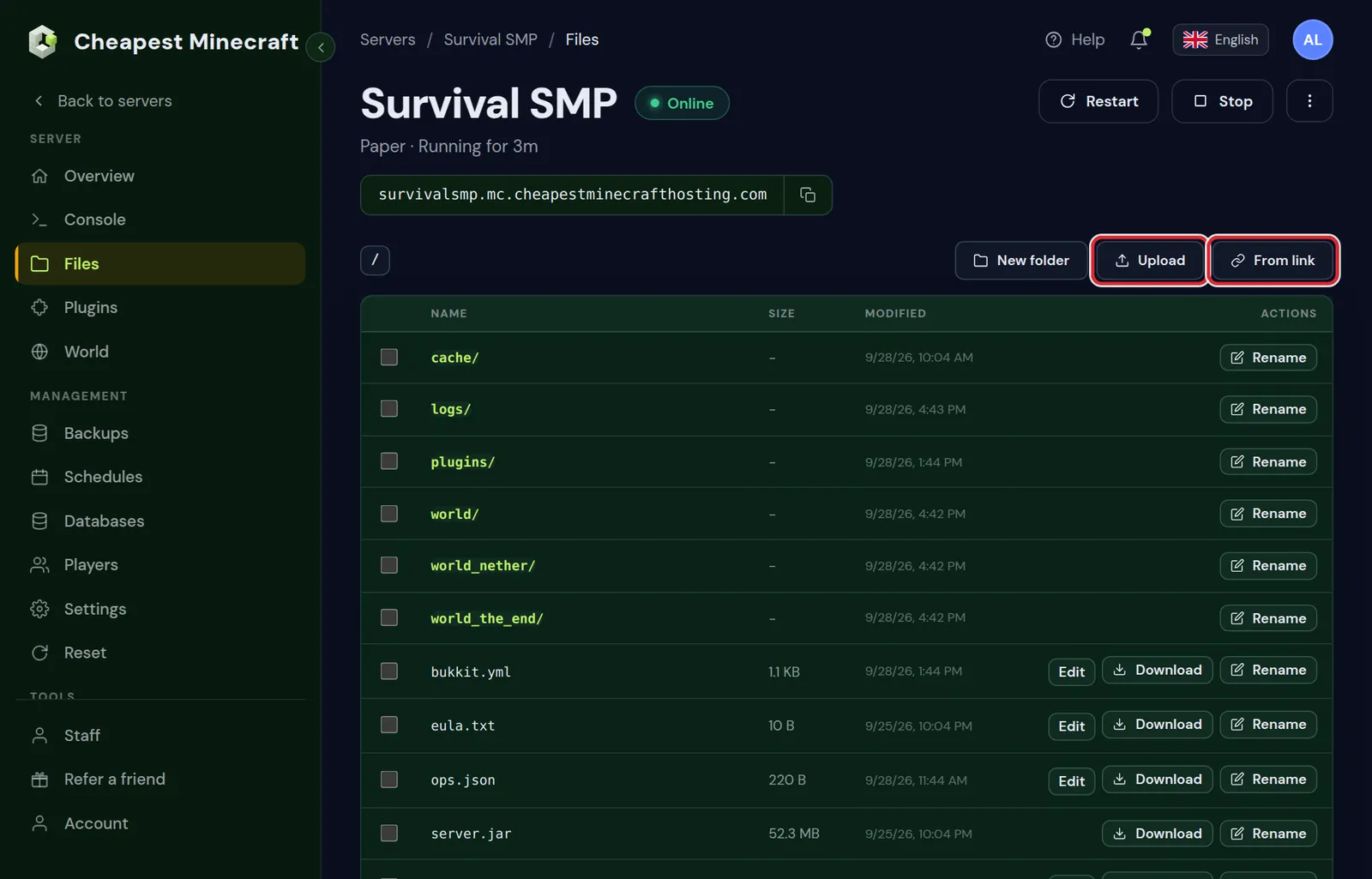
Where to find the main files of a Minecraft server
| File or folder | What you change there |
|---|---|
server.properties | Game mode, difficulty, view distance, the MOTD and the other main settings |
plugins/<name>/config.yml | The settings of one plugin on Paper, Purpur or Spigot |
config | Mod settings on Fabric, Forge and NeoForge, and the Paper files paper-global.yml and paper-world-defaults.yml |
bukkit.yml and spigot.yml | Spawn limits, entity ranges and other settings of the server software |
ops.json, whitelist.json, banned-players.json | Operators, the whitelist and bans |
crash-reports | A report for each crash, with the date and time in the file name |
How to edit a Minecraft server file
- Open the folder that holds the file: the top folder for
server.properties, orplugins/LuckPermsforconfig.ymlof LuckPerms. - Click Edit next to the file. A text editor opens over the page, with the path of the file at the top.
- Change the lines you need.
- Press Save. The panel shows Saved with the path of the file and closes the editor.
- Click Restart at the top of the panel, so the server loads the new values.
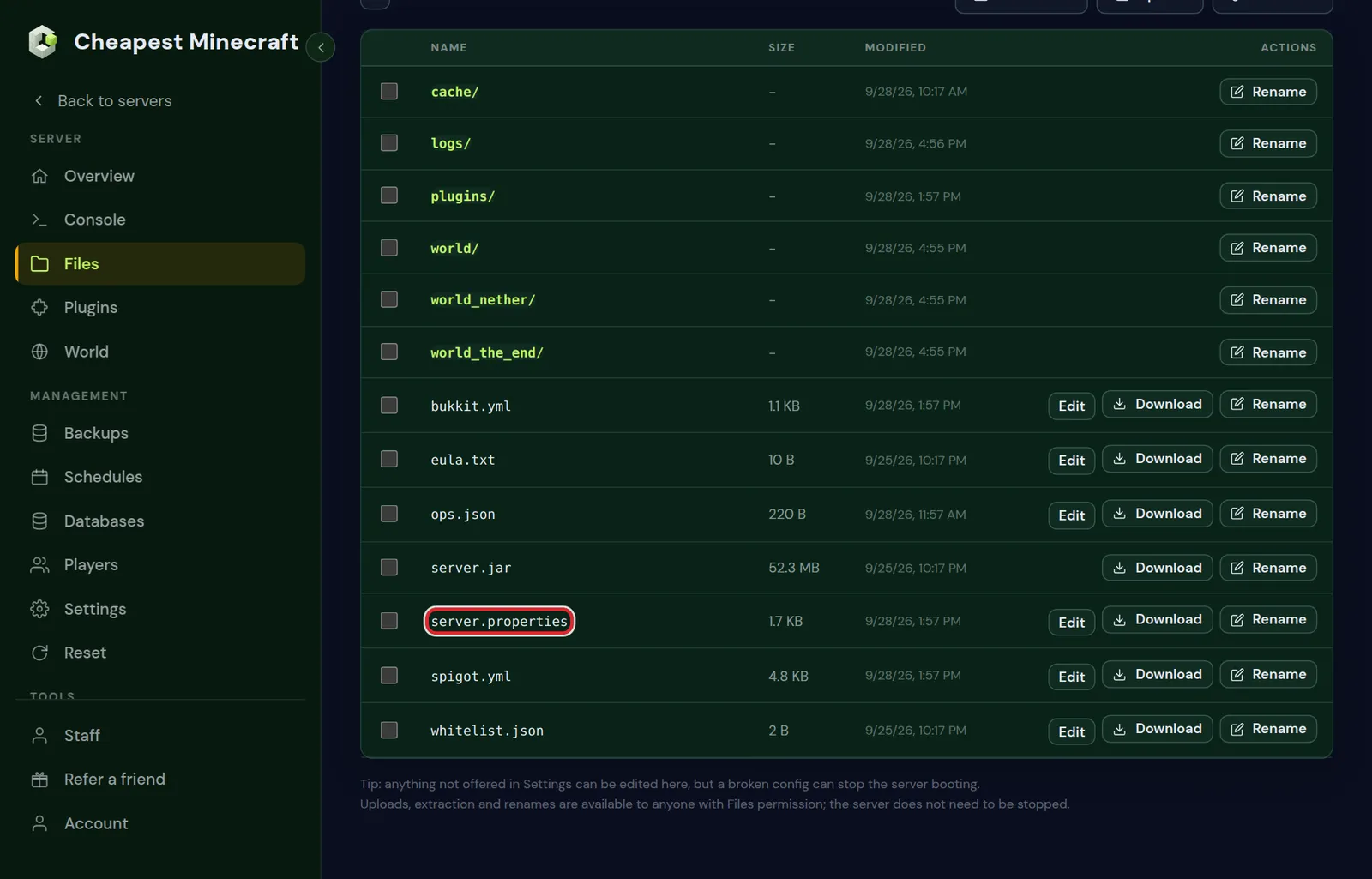
Cancel closes the editor without saving, and so does a click on the dark area around it.
Which files have an Edit button
Edit appears next to text files with these endings: .properties, .yml, .yaml, .json, .toml, .txt, .log, .cfg, .conf, .ini, .lang, .md, .csv, .xml, .html and .css.
Other files have no Edit button. A .jar or .dat file is not text. A text file with another ending, such as .json5 or .snbt, you download, change on your computer and upload again.
A text file over about 2 MB opens cut short, with the warning Shown truncated, saving would cut the file, download it instead. Save is then off; download the file to read all of it.
Which Minecraft server files to edit while the server is stopped
Uploading, renaming and extracting work while the server runs. Some files the server keeps in memory and writes back itself, so for those it matters whether the server is on when you save.
| File | Save while the server runs? | When the change takes effect |
|---|---|---|
server.properties | Yes | At the next start. Every line is explained in server.properties explained. |
ops.json, banned-players.json, banned-ips.json | Stop the server first | At the next start. An op or ban command on a running server writes the file from memory and drops your edit. |
whitelist.json | Yes, then run whitelist reload in the console | Right after the reload |
config.yml of a plugin | Yes | After a restart, or after the plugin's own reload command if it has one |
Mod configs in config | Yes | After a restart for most mods |
Files inside world | Stop the server first | At the next start. The server saves the world while it runs and when it stops, and overwrites your changes. |
If a plugin puts its old values back after a restart, stop the server, save the file and start it again. Some plugins write their settings to disk when they shut down.
For operators, the whitelist and bans the Players tab is quicker than the JSON files; see whitelist and operators. Many server.properties lines, such as Difficulty and Default gamemode, are also fields under Server settings in the Settings tab.
Rules for Minecraft config file formats
One wrong character can stop the server or a plugin from loading. Each type of file has its own rules:
| Ending | How a line looks | Common mistake |
|---|---|---|
.properties | key=value, one setting per line, # starts a note | Quotes around a value, which then become part of the value |
.yml and .yaml | key: value, nesting with spaces | A tab instead of spaces, a missing space after the colon, or one line indented differently from the lines around it |
.json | "key": value, text in double quotes, entries split by commas | A comma after the last entry, a missing comma between two entries, or a bracket without its partner |
.toml | key = value, sections in [brackets] | Text without double quotes around it |
The log names a file that does not load, often with the line number: open logs/latest.log with Edit and look for the file name. Minecraft server won't start explains the most common startup errors.
How to upload files to a Minecraft server
- Open the folder the file belongs in, for example
pluginsfor a plugin.jar. - Click Upload and choose one or more files on your computer.
- Keep the tab open while the bar shows Uploading to, with the folder name and the percentage.
- When Upload complete appears, the files are in the list.
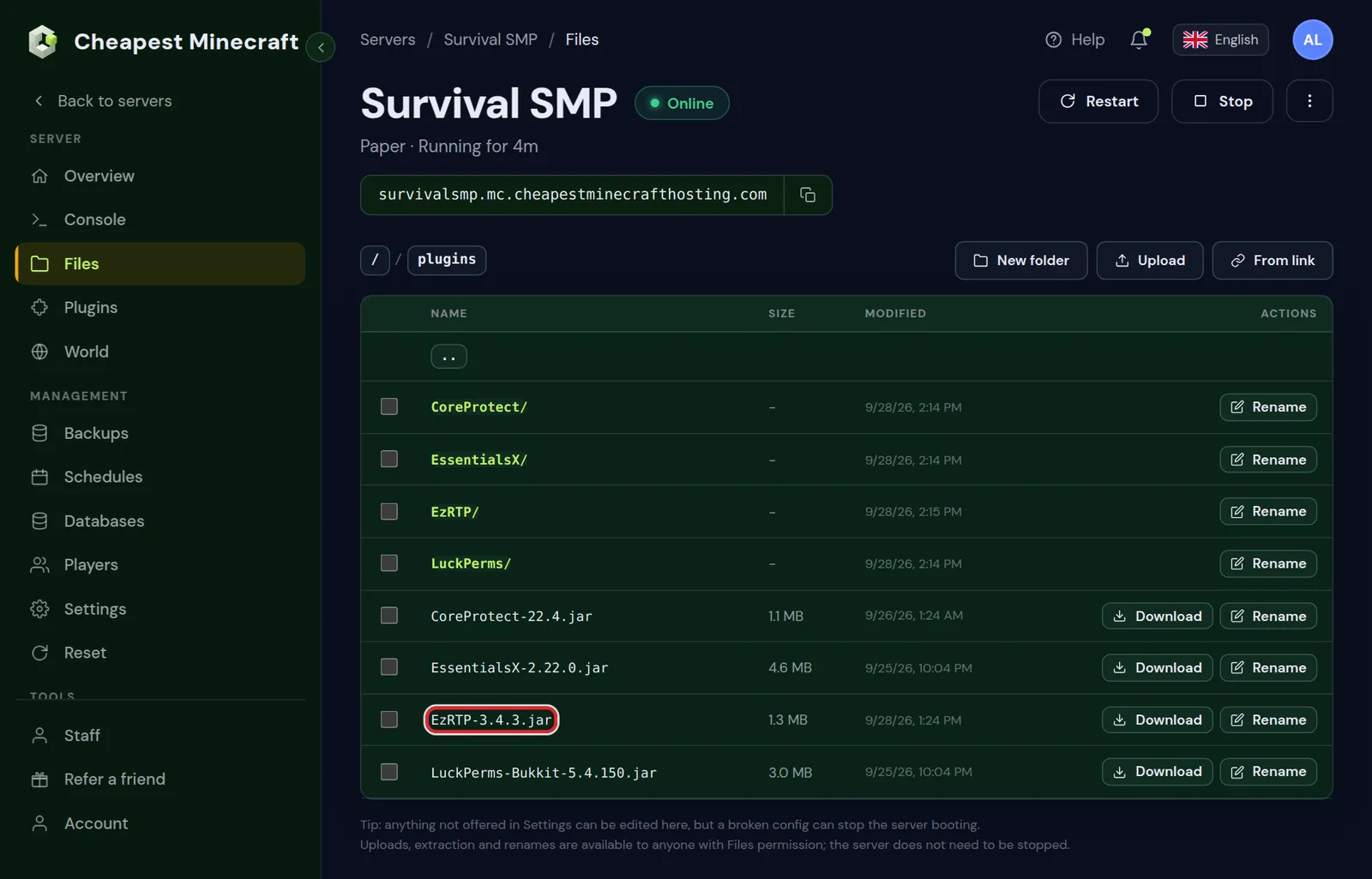
- Upload takes files, not folders. Zip a folder on your computer, upload the
.zipand use Extract on it. - For anything over a few hundred megabytes, such as a world, From link below is faster.
- Install plugins, install mods and install datapacks show which folder each type of file goes in.
Download a file to your Minecraft server from a link
With From link the server fetches a file itself, with no size limit. Use it for a world archive or the server pack of a modpack.
- Open the folder where the file should land.
- Click From link, paste a direct download link that starts with
httpsand press Continue. - Under Save it as, check the file name. The panel fills it in from the link.
- Press Start download. A large file keeps downloading in the background; open the folder again to see its size grow.
The panel refuses a link that:
- does not start with
https; - has a username or password in it;
- does not point to a public address;
- would save a program file, such as a
.jar,.shor.mrpack. Plugin and mod.jarfiles go through Upload, or the catalog in the Plugins or Mods tab.
Moving a whole server from another host has its own card in this tab; see move your world to our server.
Create folders and rename files on a Minecraft server
New folder
- Open the folder where the new folder should go.
- Click New folder, type the name under Folder name and press Create folder.
Rename a file or folder
- Click Rename next to the file or folder.
- Type the new name under New name and press Rename.
- A name can be up to 180 characters and cannot contain
/or\. - File names on the server are case sensitive. Minecraft looks for
server-icon.png, soServer-Icon.pngis ignored. - Rename keeps a file in the same folder. To put a file in another folder, download it, upload it in the other folder and delete the old copy.
How to zip and unzip files on a Minecraft server
Tick the box in front of one or more files or folders. Two buttons appear at the top: Zip and Delete, each with the number of items you ticked. Zip packs them into one archive in the same folder, ending in .tar.gz and with the date and time in its name.
You can only tick items in one folder at a time. Opening another folder clears the selection.
Extract appears next to an archive. It unpacks the contents into the folder you are in. The archive stays, so delete it afterwards when you no longer need it.
| Archive | Extract button | What to do |
|---|---|---|
.zip | Yes | Click Extract |
.tar, .tar.gz, .tgz | Yes | Click Extract |
.gz, such as an old log | Yes | Click Extract, or download it and open it on your computer |
.rar, .7z | No | Unpack it on your computer, zip it again as .zip and upload that |
Check what is inside an archive before you extract it in the top folder. If it starts with one folder, you get that folder. If it holds loose files, they land next to server.properties.
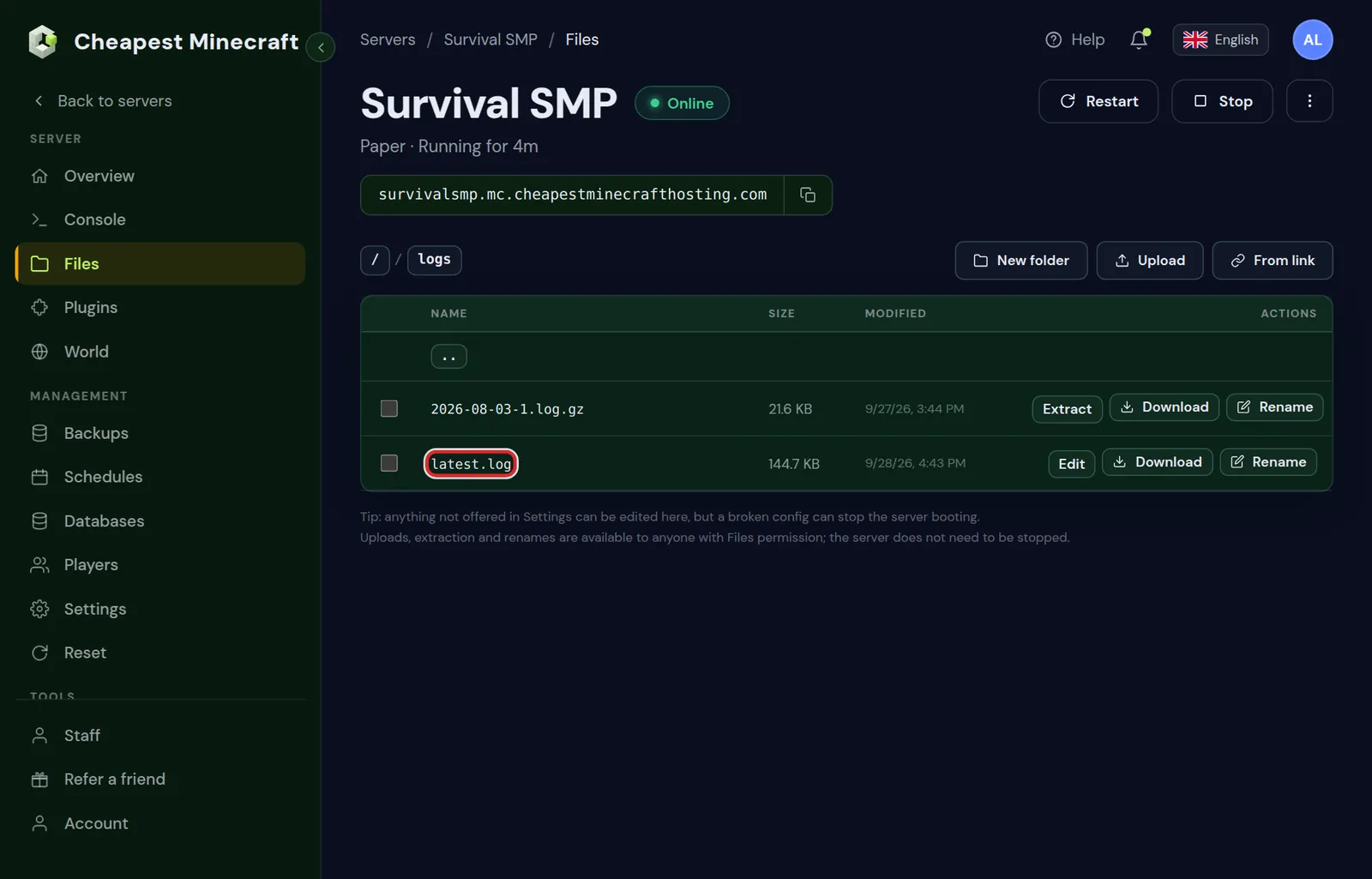
Minecraft packs the log of each earlier day into a .log.gz file in logs. Only latest.log opens straight away with Edit.
How to download files and folders from a Minecraft server
Every file has a Download button. Folders have none, so to download a folder, such as a plugin folder or world:
- Stop the server first if the folder is
world, so the copy is complete. - Tick the folder and click Zip 1.
- Click Download next to the new
.tar.gzfile. - Delete the archive on the server when the download is done, so it does not take up space.
A copy of the whole server is easier from the Backups tab; see back up and restore your server.
How to delete files on a Minecraft server
- Tick the files or folders you want to remove.
- Click Delete at the top. The button shows the number of items, for example Delete 3.
- Confirm in the window that opens. Its button says Delete 1 item, or for example Delete 3 items.
Deleted files are removed at once; the Files tab has no bin. A folder goes with everything inside it, so make a backup first if you might need it again.
Who can edit and delete files
Staff you add in the Staff tab need the Files right to browse, edit, upload and download files. Deleting is a separate right, Delete files. Give someone access to your server explains both.
Each file change shows in the Activity tab with the time and who made it. See what changed on your server shows how to read that list.
Questions from Minecraft server owners
How do I edit server.properties on my Minecraft server?
Open the Files tab, click Edit next to server.properties in the top folder, change the line and press Save. Restart the server so it reads the new value.
Why is there no Edit button next to a file?
Edit only appears for text files with endings such as .properties, .yml, .json, .toml and .log. Other text files you download, change and upload again.
Can I edit Minecraft server files while the server is running?
Yes for most config files, followed by a restart. Stop the server first for ops.json, the ban lists and anything inside the world folder, because the running server writes those files itself.
How do I create a new file on my Minecraft server?
The Files tab has a New folder button and no button for an empty file. Make the file on your computer in a text editor, save it with the exact name and ending, and upload it to the right folder.
How do I upload a folder to my Minecraft server?
Zip the folder on your computer, upload the .zip in the Files tab and click Extract next to it. Delete the .zip afterwards.
How do I unzip a file on my Minecraft server?
Click Extract next to the archive in the Files tab. It works for .zip, .tar, .tar.gz, .tgz and .gz files; repack a .rar or .7z as .zip on your computer first.
Checked against the Files tab of our control panel on Paper for Minecraft Java 26.2, October 2026. Written by the Cheapest Minecraft Hosting team, first published , updated .